Template - Action Plan
The Action Plan template (Management category) allows you to centralize, prioritize and track a set of operational actions: who does what, by when, with what level of progress, and with a "weather/trend" view to facilitate team meetings.
Template Objective
This template is used to:
- structure an action plan (continuous improvement, internal programs, audit actions, onboarding, transformation…)
- ensure simple suivi: status + owner + date + duration + progress
- facilitate meeting facilitation with ready-to-use views: table, kanban, cards, timeline
Board structure
Each row represents one action to be taken.
Template attributes
| Attribute | Type | Description / usage |
|---|---|---|
| Action | Text | Short and actionable title (verb + complement). |
| Category | List (tags) | Categorizes the action (useful for filtering, grouping and coloring the timeline). |
| Department | List (tags) | Department / team concerned. |
| Owner | User | Person responsible for the action. |
| Status | List (tags) | Execution status (e.g.: to do / in progress / delayed / completed). |
| Progress | Number (%) | Progress percentage (displayed with progress bar). |
| Health | List (tags + emoji) | Health level / sentiment (very useful in committee meetings). |
| Trend | List (icons) | Indicates whether the situation is improving / stagnant / deteriorating. |
| Start | Date | Start date (used for the timeline). |
| Duration | Number (duration in days) | Estimated duration (used to position the action in the timeline). |
| Notes | Rich text | Context, details, decisions, links… |
| Checklist | Checklist | Short sub-actions (useful for breaking down and tracking in detail). |
Preconfigured Lists (editable)
Category (examples): Business KPI, Innovation, Projects and Actions, Organization, Investments, Optimizations
Department (examples): GM, HR, R&D, Biz Dev, CFO, IT
Status (examples): To do, In progress, Delayed, Completed
Weather (examples): ☀️ All good, ⛅ Caution, ☁️ Not easy, 🌧️ Difficulties, ⛈️ Conflict
Trend: arrows (e.g.: ↑ / ↗ / → / ↘ / ↓) to express dynamics
Views Included in the Template
The template includes several preconfigured views to adapt to your use cases (data entry, facilitation, management).
Action List View
Table view to:
- quickly enter actions
- filter / sort by category, department, status, person responsible
- bring the action plan to life on a daily basis
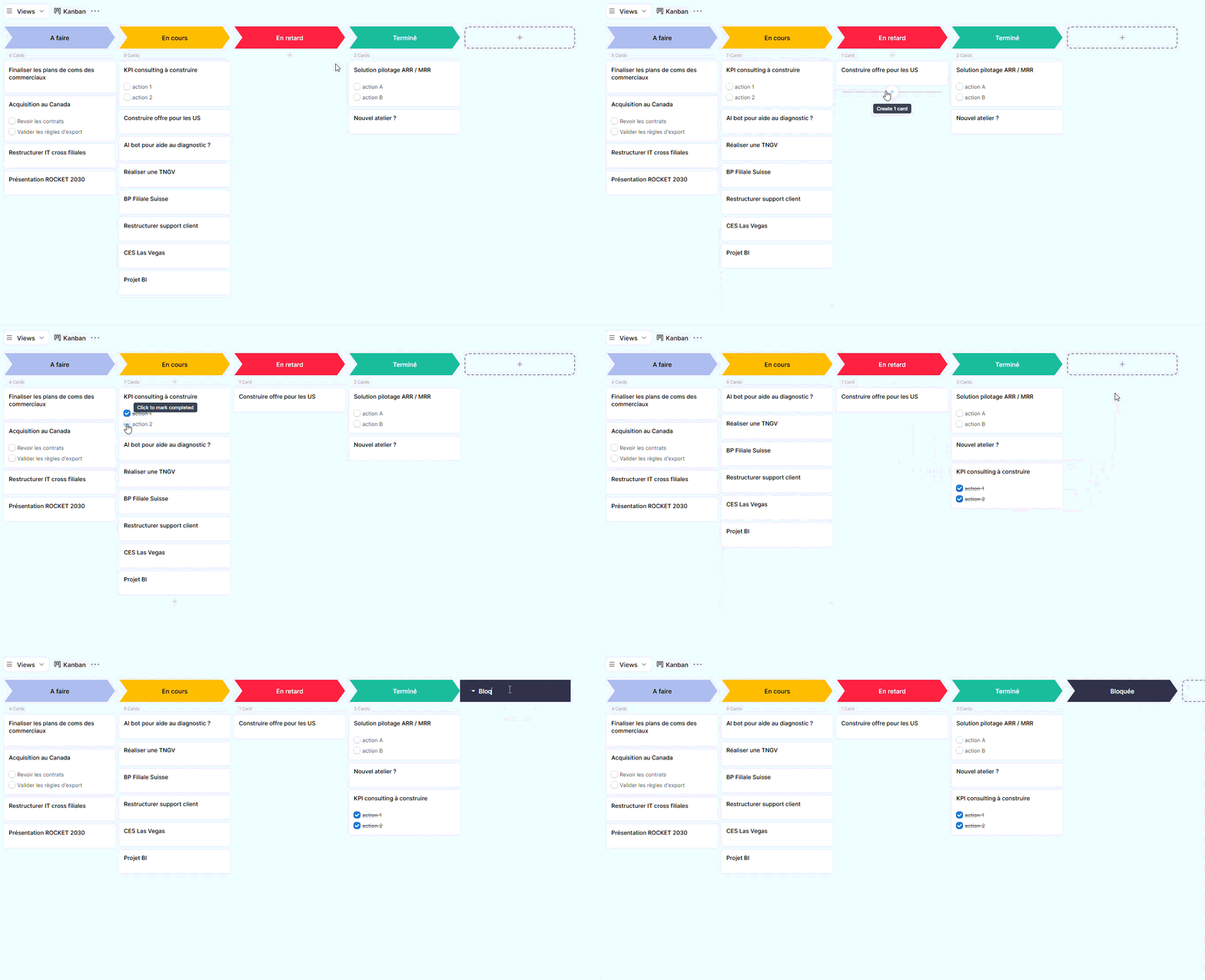
Kanban View
Kanban view (cards) to:
- visually manage progress by status
- facilitate a weekly checkpoint (what needs to be done / in progress / blocked / completed)
- display useful information directly on cards (e.g., checklist)
Card View
Card view focused on "management" for:
- visualize actions in card format
- highlight the status and progress
- quickly read the context via notes

Planning View
Planning (timeline) view for:
- positioning actions over time based on Start + Duration
- group / color actions (e.g., by category)
- identify busy periods, risks of delays, and actions to reschedule
Conclusion
The Action Plan template provides a simple and effective foundation to get started quickly: a clear structure, ready-made lists, and views tailored for management.
You can use it as is, or adjust it according to your organization (statuses, categories, departments, adding a priority, cost, risk level, etc.).