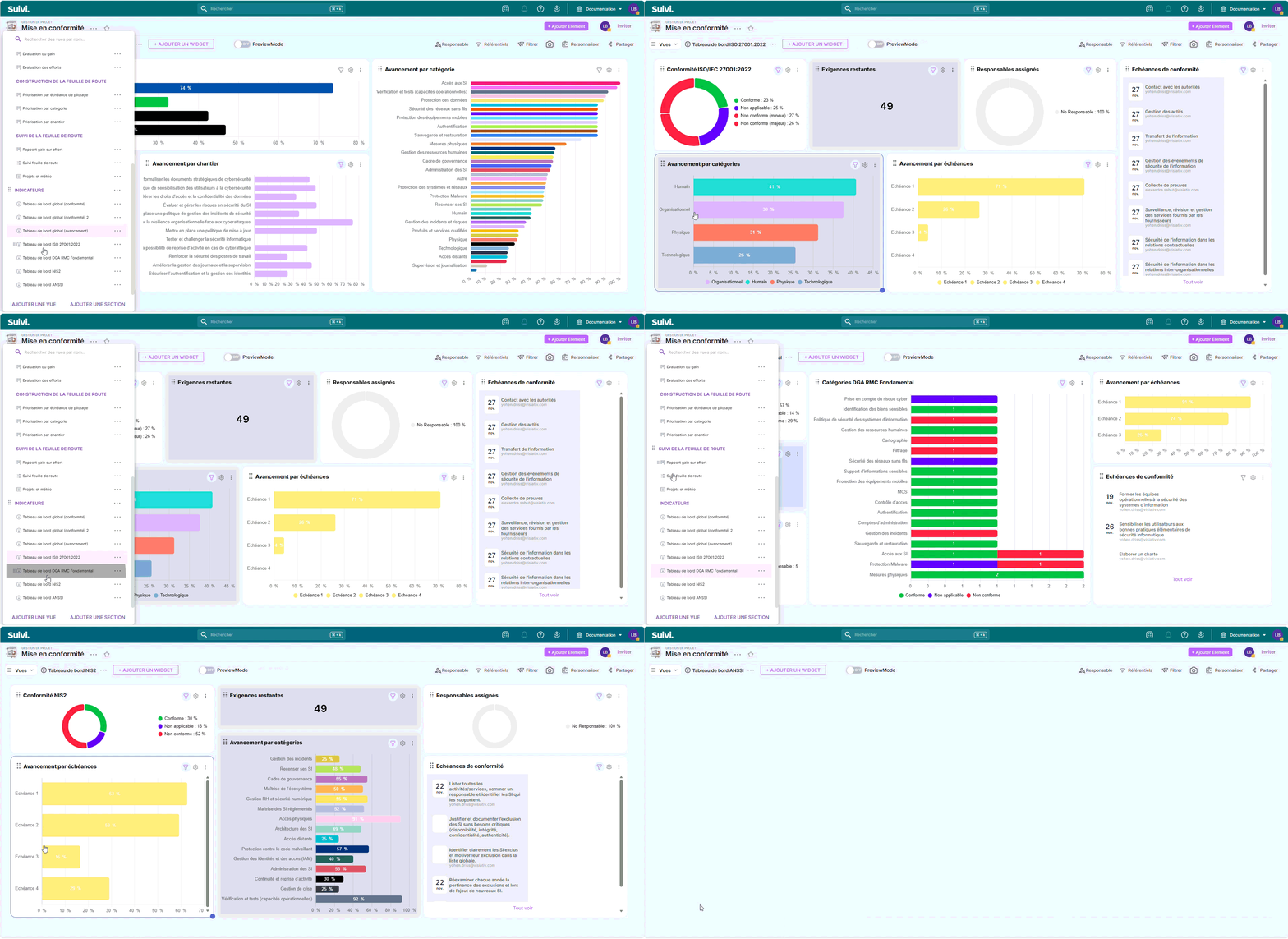
The templateCompliance (category Cybersecurity) allows you to manage your compliance according to several standards (ISO/IEC 27001:2022, NIS2, ANSSI, DGA RMC Fundamental) by evaluating each requirement, attaching evidence, and then prioritizing remediation (gain/effort/risk).
Template objective
- Centralize the requirements issues from cybersecurity repositories in a single board.
- Monitor the status of compliance (compliant / non-compliant / not applicable) and theadvancement treatment.
- Capitalize on expected evidence and the evidence provided (documents, captures, policies, procedures…).
- Help with the prioritization (gain, effort, risk, quickwin, ratio) and to the management via dashboards and dedicated views.
Reference data covered
The template is pre-populated with 273 requirements distributed across 4 reference frameworks:
- ISO27001 : 93 requirements
- NIS2 : 94 requirements
- ANSSI 65 requirements
- DGA (RMC Fundamental) 21 requirements
Each line carries a ID and a tag Reference frameworks to filter / control by frame.
Create a Board from the template
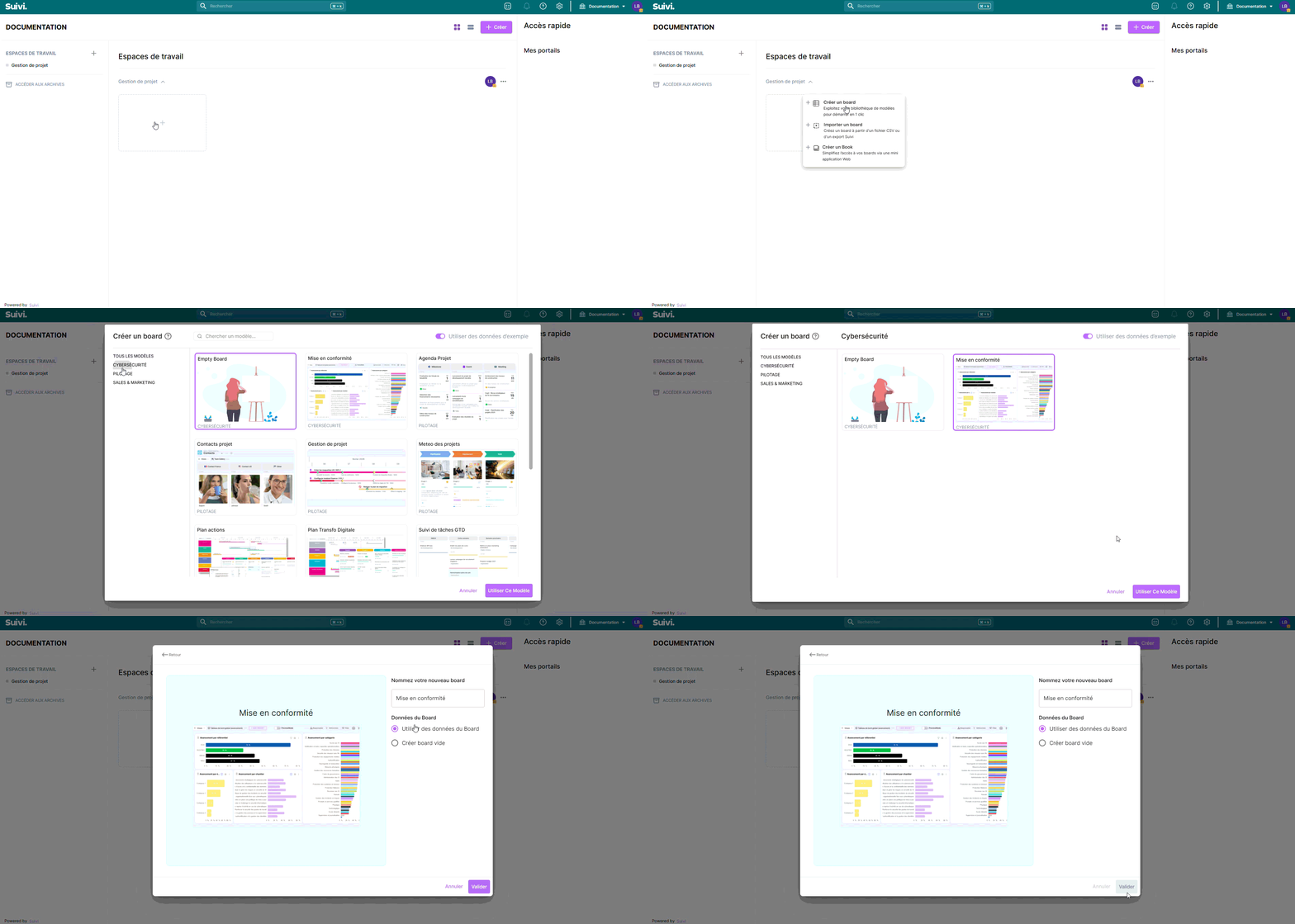
- In the workspace of your choiceclick on "Add a new board".
- Go to the CYBERSECURITY section and search for the template "Compliance".
- To have all the template's featuresyou need to import the test data.
Board structure
Each line represents a requirement (or clause/measure) to be evaluated.
- You enter your compliance status, your advancementand you associate responsible.
- You join your evidence (files), and complete your notes devaluation.
- You then use the “evaluation / prioritization” views to decide what to address first.
Template attributes
| Attribut | Type | Description / usage |
|---|---|---|
| ID | Texte | Identifiant unique de l’exigence (ex : ANSSI-1, 8.14, NIS2-55…). |
| Exigence | Texte | Formulation courte de l’exigence / clause. |
| Description | Texte riche | Contexte / explication de l’exigence (souvent pré-rempli). |
| Description détaillée | Texte riche | Détails complémentaires (souvent pré-remplis selon le référentiel). |
| Référentiels | Tag (multi) | ISO27001, NIS2, ANSSI, DGA. |
| Catégorie | Tag | Domaine de l’exigence (ex : organisationnel, IAM, incidents, données…). |
| Chantier | Tag | Regroupement “workstreams” de remédiation (ex : sensibilisation, gestion incidents, mises à jour, durcissement…). |
| Conformité | Tag | Statut : Conforme / Non conforme / Non applicable. |
| Conformité ISO/IEC | Tag | Statut enrichi : Conforme / Non applicable / Non conforme (mineur) / Non conforme (majeur) / Opportunité d’amélioration. |
| Avancement | Nombre | Progression (souvent utilisée en %). |
| Responsable | Utilisateur (multi) | Un ou plusieurs owners de l’exigence / action de mise en conformité. |
| Mise à jour | Date | Date de dernière mise à jour (suivi). |
| Échéance de conformité | Date | Date prévisionnelle de traitement. |
| Échéance de pilotage | Tag | Regroupement “Echéance 1 → 4” pour piloter par horizon. |
| Eléments de preuve (attendu) | Texte riche | Preuves attendues (souvent pré-remplies). |
| Eléments de preuve (apportés) | Fichiers (multi) | Vos preuves réelles : documents, exports, captures, procédures… |
| Réponses types | Texte riche | Aide au positionnement (notamment sur DGA) : exemples / niveaux de réponse. |
| Notes | Texte riche | Commentaires d’audit, décisions, éléments de contexte, arbitrages. |
| Gain | Nombre | Valeur / bénéfice attendu de la mise en conformité (à définir chez vous). |
| Effort | Nombre | Charge estimée. |
| Risque | Nombre (0–3) | Niveau de risque (score). |
| Ratio Gain Effort | Nombre | Indicateur rapide pour arbitrer. |
| Quickwin | Tag | Marqueur “quick win” (selon votre convention). |
| Priorité | Tag | Immédiat / Urgent / Élevé / Haut / Normal / Bas. |
| Météo | Tag (icônes) | Indicateur visuel (☀️ ⛅ ☁️ 🌧️ ⛈️). |
| Tendance | Tag (icônes) | Indicateur d’évolution (↗ / → / ↘). |
Views included in the template
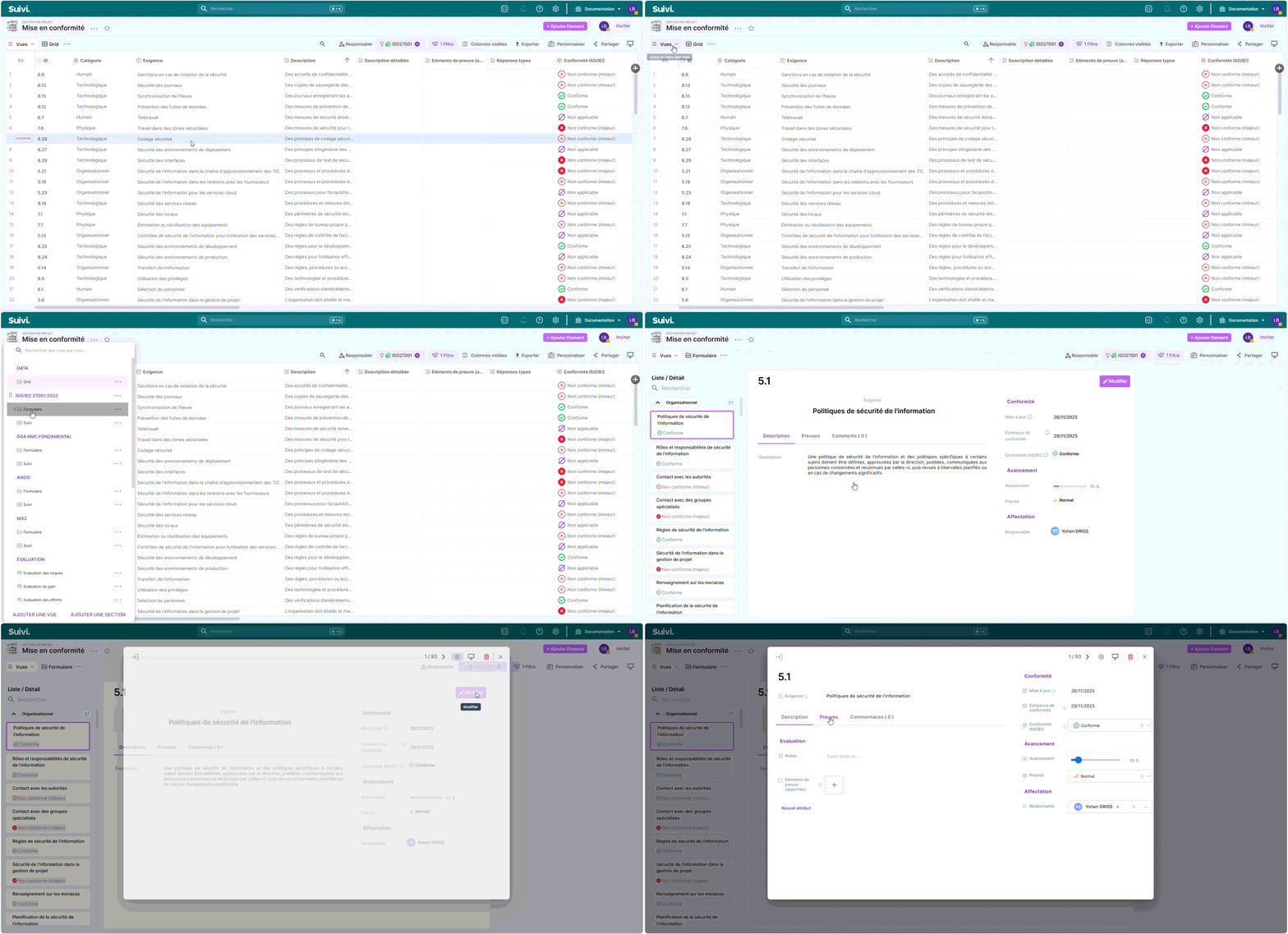
- Form (ListDetail): entry / review of a requirement in “card” mode.
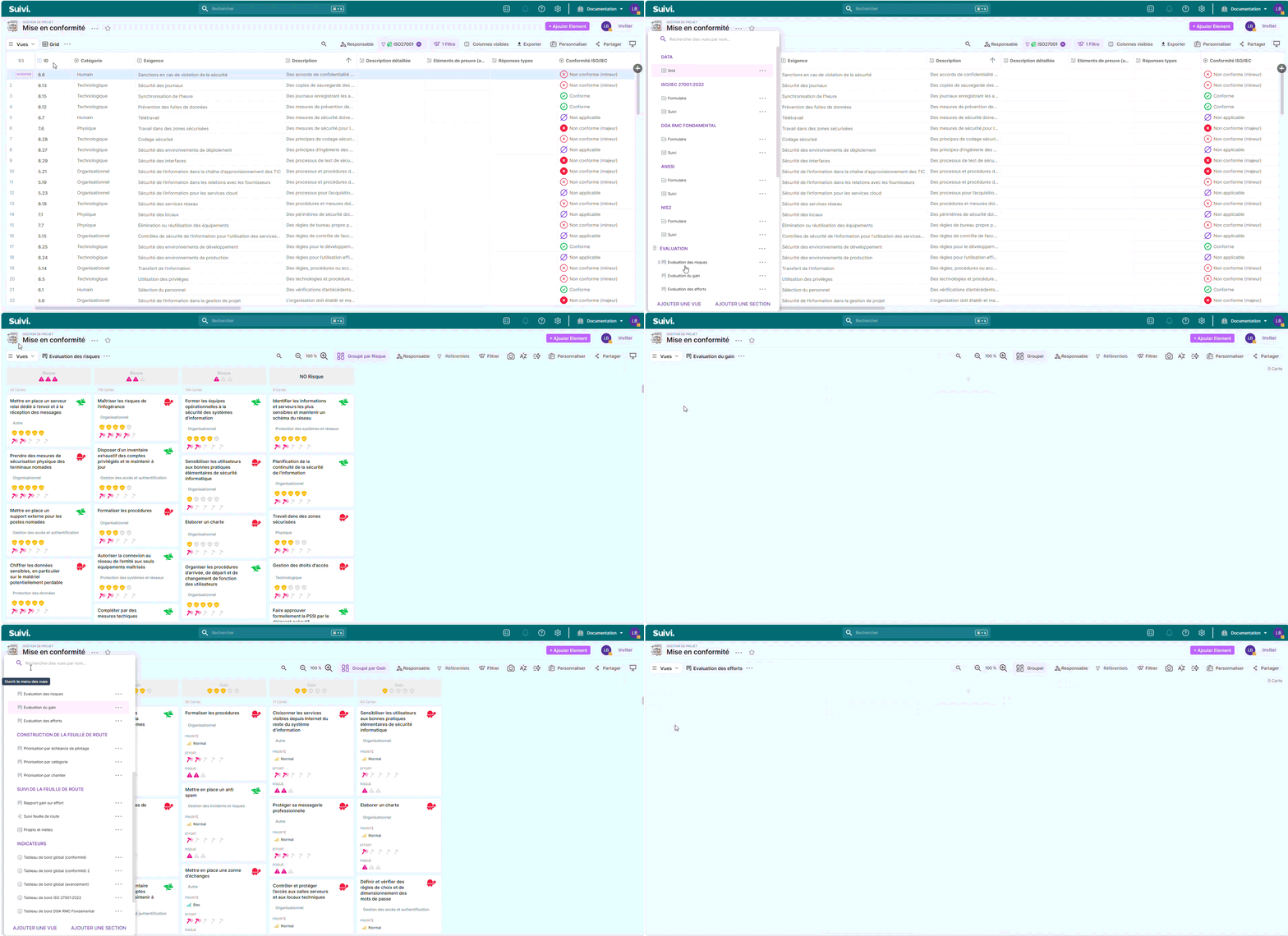
- Evaluation views / scoring (Card):
- Evaluation of gain, effort, risks, and the gain/effort ratio
- Prioritization views (Card):
- by category, by project, by pilot deadline
- Projects and weather (Grid): reading more “piloting” with weather/trend.
- Follow up (Grid): table view for filtering, updating and tracking daily.
- Roadmap tracking (Metrolines): “roadmap” view to structure and communicate the compliance plan.
- Global dashboards :
- global (compliance), overall (progress)
- Dashboards by reference framework :
- ISO 27001:2022, ANSSI, NIS2, DGA RMC Fundamental
How to get started (simple method)
- Filter on the repository(ies) that concern you (tag Reference frameworks).
- For each requirement: complete the Compliance, A Responsible, a Due dateand a first level ofAdvancement.
- Add your evidence provided (files) and complete your Notes along the water's edge.
- Use the views Evaluation / Prioritization to decide what to treat first (gain/effort/risk/quickwin).
- Manage in committee with the dashboards (global + per reference frame) and the roadmap.
Import your requirements (optional)
The template includes CSV import templates (key = ID) to supply or enrich the database (ISO27001, DGA, ANSSI, NIS2).
Best practices
- Keep a ritual For each review (by referent/priority), update the key fields: Compliance, Advancement, Due date And Update.
- Standardize your criteria (Gain / Effort / Risk) within the team (same scale, same rules).
- Limit the evidence Practically speaking: 1 to 3 "concrete" pieces per requirement, rather than a catch-all file.
Specification of views
Form views
Allows the entry and review of a requirement in the form of a detailed sheet to ensure accuracy and traceability.
Evaluation/Scoring Views (Card)
They offer an analysis of the gain, effort, risk and gain/effort ratio to facilitate decision-making.
Prioritization Views (Card)
They present the requirements by category, by project or by deadline to organize the actions according to their importance.
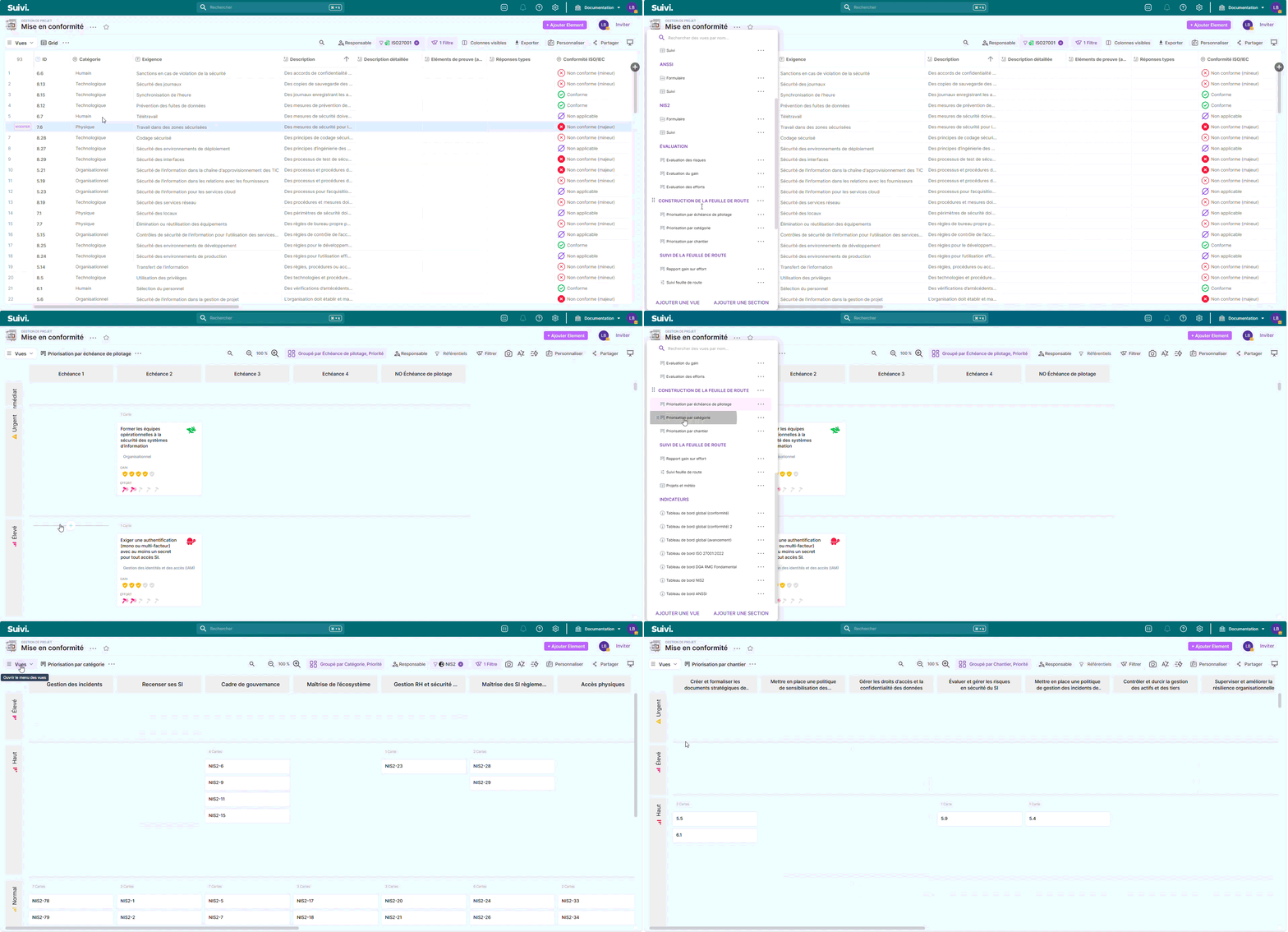
Projects and weather (Grid)
They display a pilot-oriented view with trend and weather indicators to track the overall status of projects.
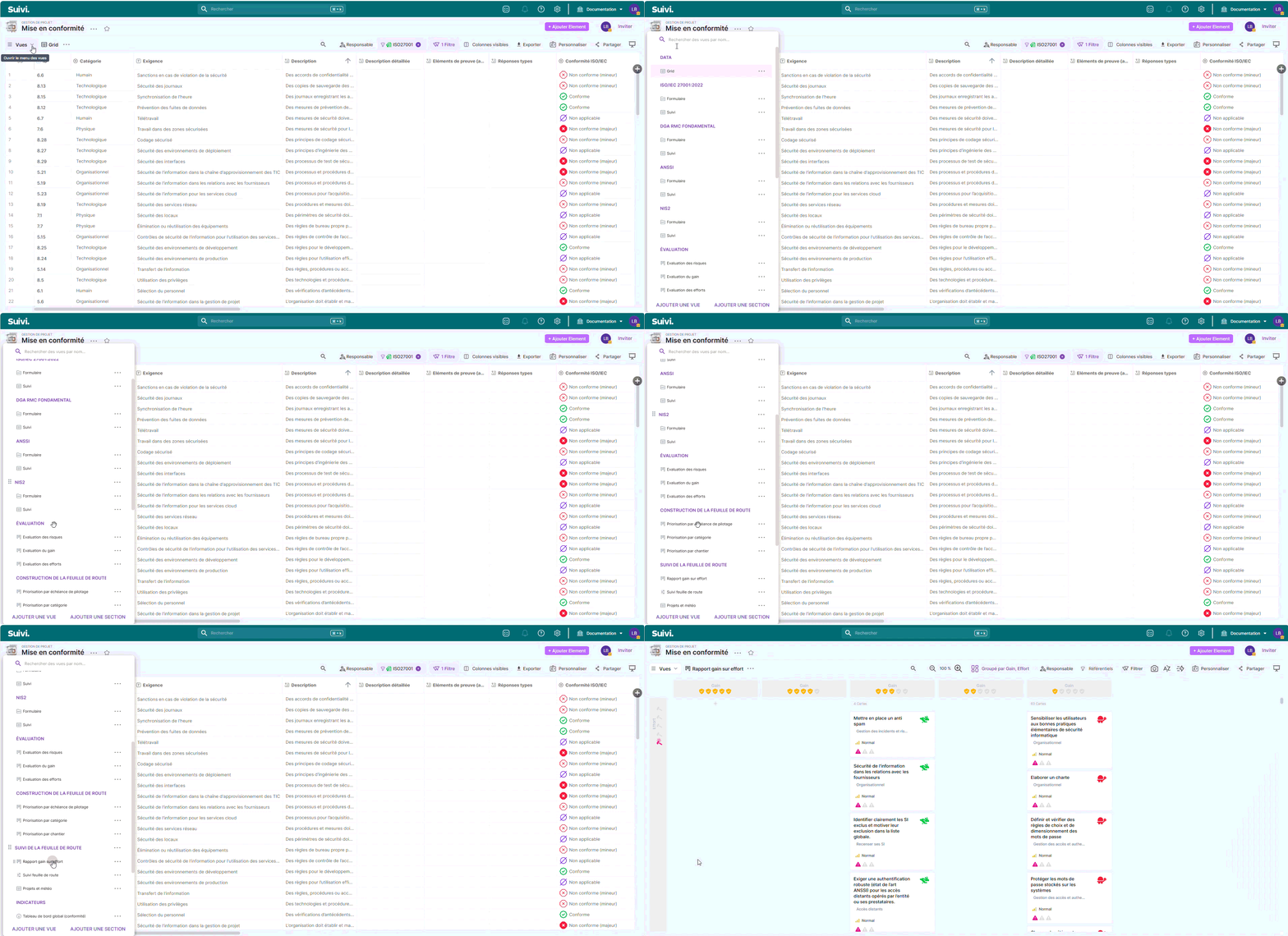
Grid Tracking
They offer an interactive dashboard to filter, update and track daily actions in an operational manner.
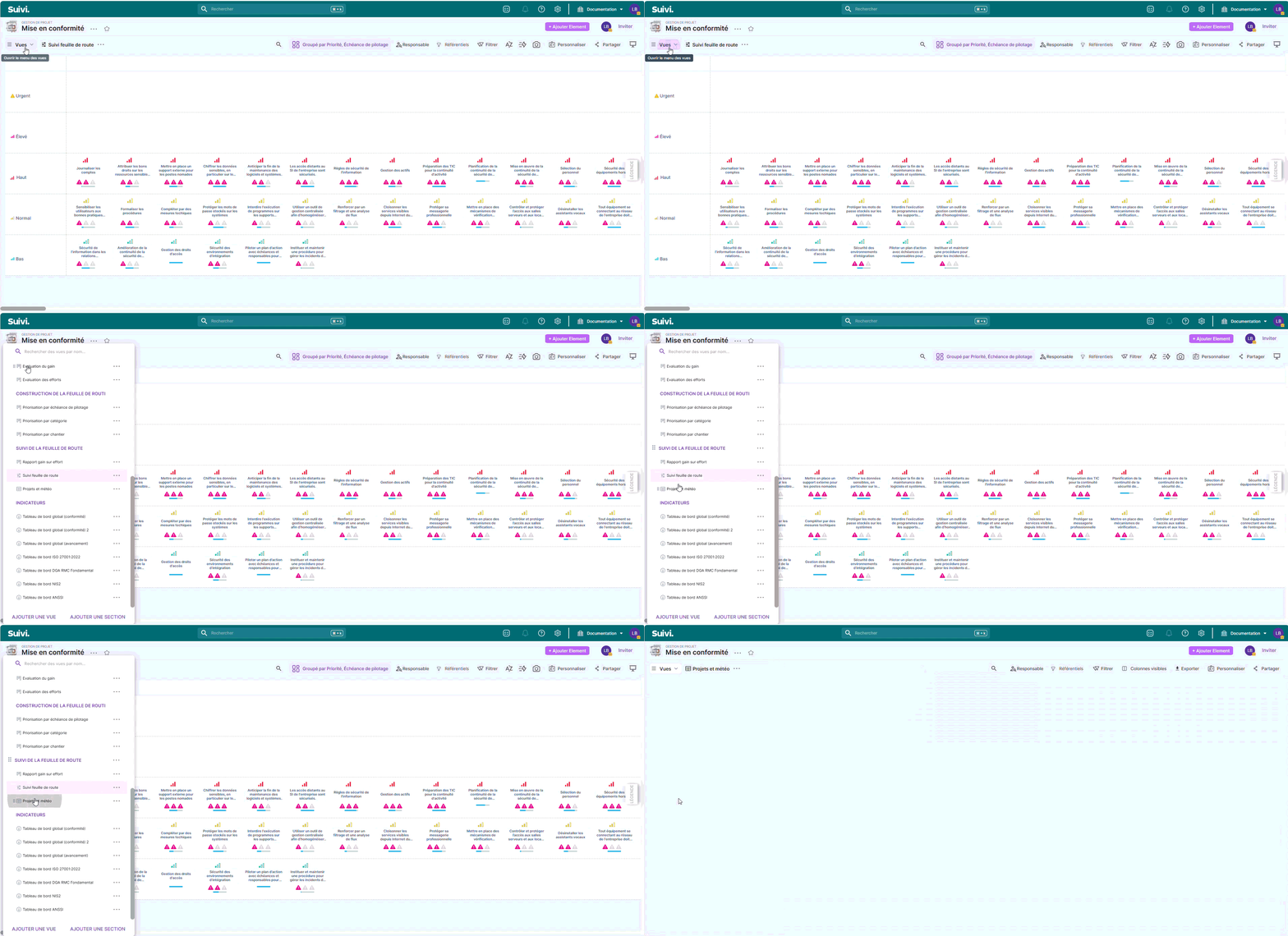
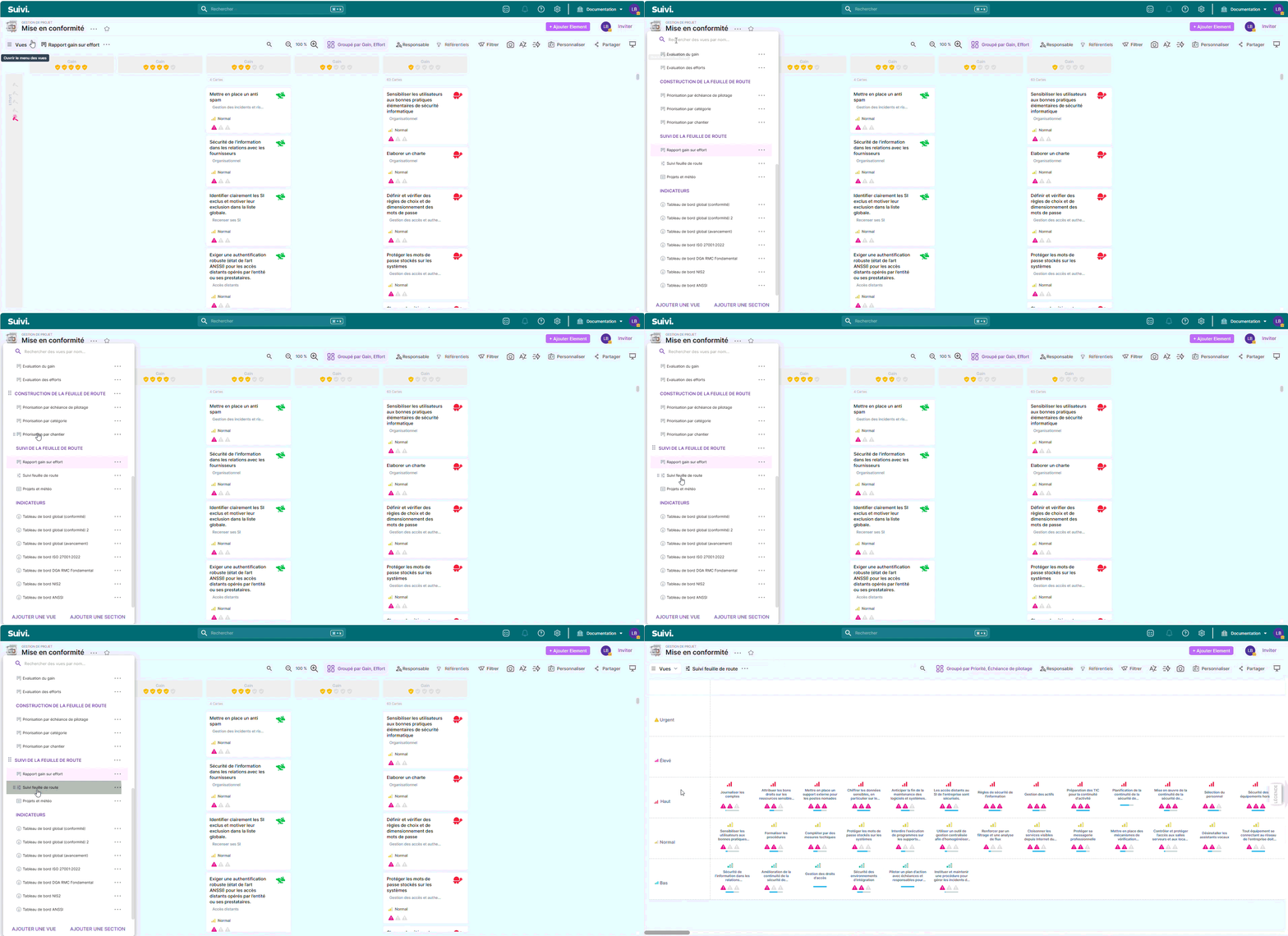
Roadmap monitoring (Metrolines)
They visualize the roadmap to structure and communicate the compliance plan in a clear and progressive manner.
Global dashboards
They include key indicators to monitor compliance and overall progress of initiatives.
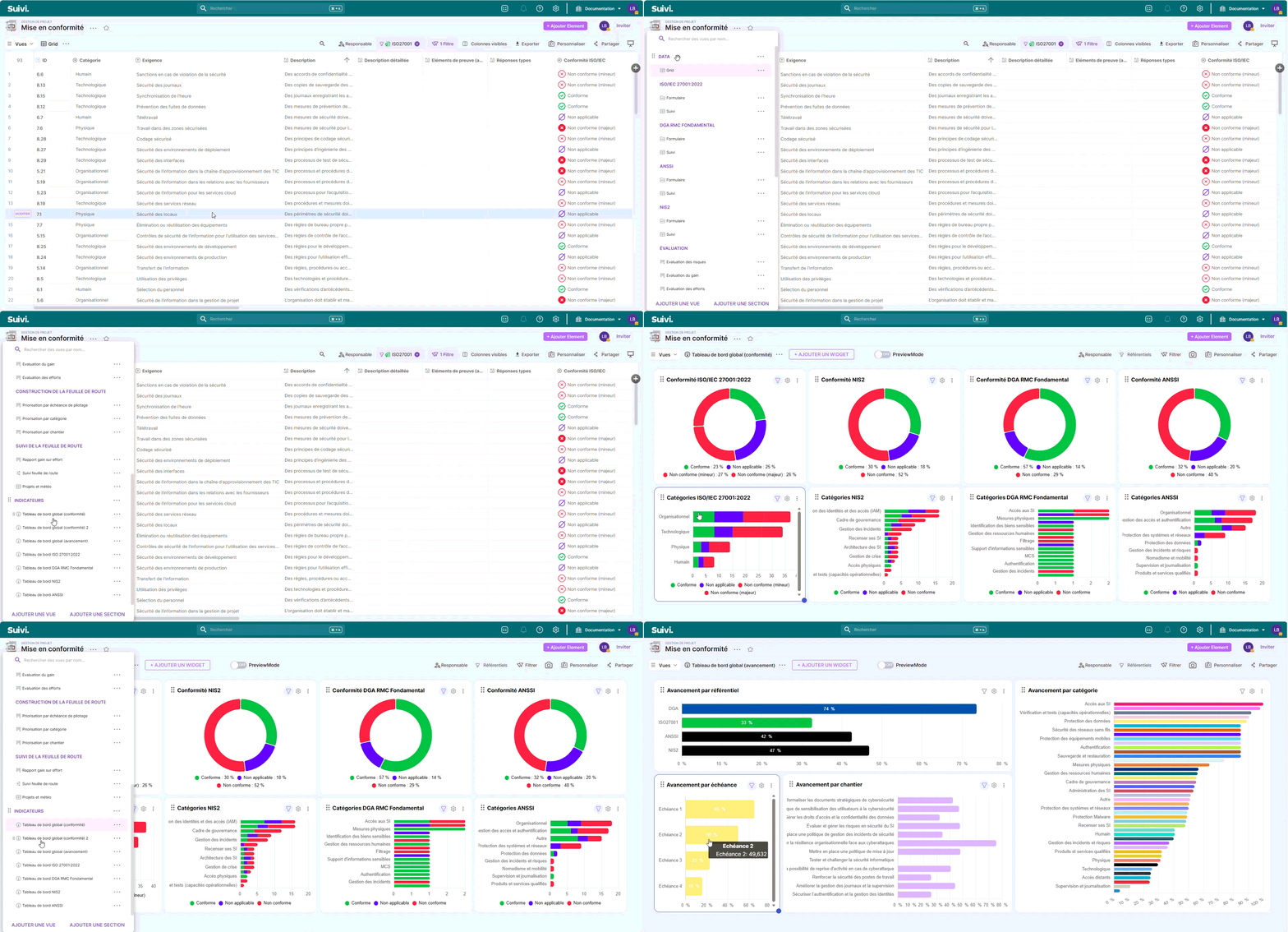
Dashboards by reference framework
Allows detailed analysis by standard or framework (ISO 27001:2022, ANSSI, NIS2, DGA RMC Fundamental) to ensure specific compliance.