Template - Action Plan
The templateAction plan (category Piloting) allows you to centralize, prioritize and track a set of operational actions: who does what, by when, with what level of progress, and with a “weather/trend” reading to facilitate team points.
Template objective
This template is used for:
- structure a action plan (continuous improvement, internal programs, actions resulting from an audit, onboarding, transformation…)
- to ensure simple monitoring: status + responsible party + date + duration + progress
- Facilitate meeting facilitation with ready-to-use visuals: table, kanban, maps, planning
Board structure
Each line represents an action to bring.
Template attributes
| Attribut | Type | Description / usage |
|---|---|---|
| Action | Texte | Titre court et actionnable (verbe + complément). |
| Catégorie | Liste (tags) | Catégorise l’action (utile pour filtrer, regrouper et colorer le planning). |
| Service | Liste (tags) | Service / équipe concernée. |
| Responsable | Utilisateur | Personne en charge de l’action. |
| Status | Liste (tags) | Statut d’exécution (ex : à faire / en cours / en retard / terminé). |
| Avancement | Nombre (%) | Pourcentage d’avancement (affiché avec barre de progression). |
| Météo | Liste (tags + emoji) | Niveau de “santé” / ressenti (très pratique en comité). |
| Tendance | Liste (icônes) | Indique si la situation s’améliore / stagne / se dégrade. |
| Debut | Date | Date de démarrage (sert au planning). |
| Durée | Nombre (durée en jours) | Durée estimée (utilisée pour positionner l’action dans le planning). |
| Notes | Texte riche | Contexte, détails, décisions, liens… |
| Check-list | Checklist | Sous-actions courtes (utile pour découper et suivre finement). |
Pre-configured lists (editable)
Category (Examples): Business KPIs, Innovation, Projects and Actions, Organization, Investments, Optimizations
Service (examples): CEO, HR, R&D, Biz Dev, CFO, IT
Status (examples): To do, In progress, Overdue, Finished
Weather report (Examples): ☀️ Everything is fine, ⛅ Caution, ☁️ Not easy, 🌧️ Difficulties, ⛈️ Conflict
Tendency : arrows (e.g., ↑ / ↗ / → / ↘ / ↓) to express dynamics
Views included in the template
The template includes several pre-configured views to adapt to your uses (data entry, animation, control).
View List of actions
View Painting For :
- quickly capture the actions
- Filter/sort by category, service, status, manager
- to implement the action plan on a daily basis
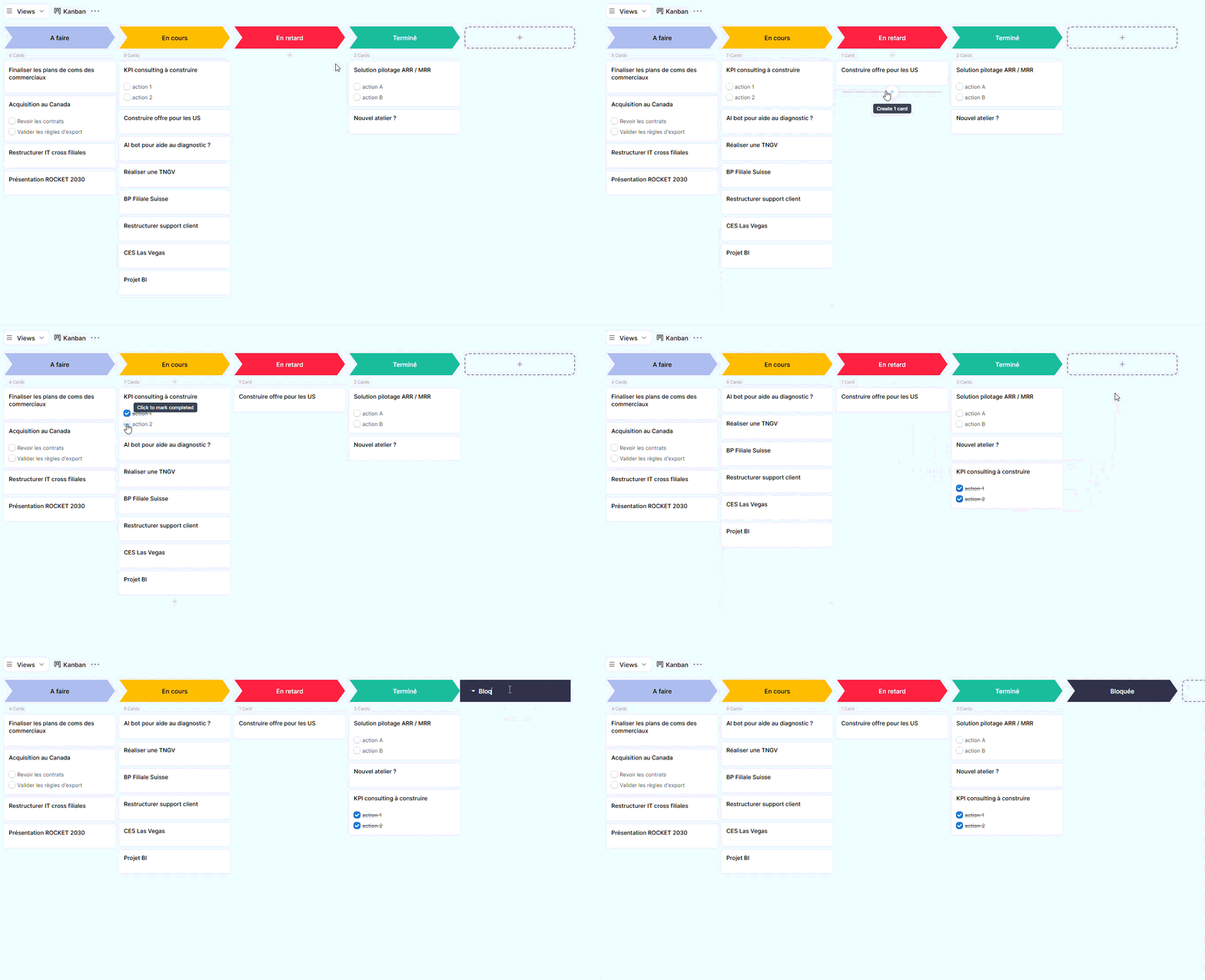
Kanban view
View Kanban (cards) for:
- visually monitor progress by Status
- to lead a weekly meeting (what needs to be done / in progress / blocked / completed)
- display useful information directly on the cards (e.g., checklist)
Map View
View Maps oriented towards “piloting” for:
- visualize actions in map form
- highlight the weather report and theadvancement
- quickly read the context via the notes

Planning View
View Planning (timeline) For :
- position the actions in time starting from Beginning + Duration
- group / color the actions (e.g. by category)
- Identify busy periods, risks of deviation, and actions to reschedule.
Conclusion
The templateAction plan provides a simple and effective basis for getting started quickly: a clear structure, ready-made lists, and views adapted for piloting.
You can use it as is, or adjust it according to your organization (statuses, categories, services, adding a priority, a cost, a risk level, etc.).