Model objective
This model allows you to track all of the organization's projects with a clear, concise vision adapted to governance bodies (management, steering committee, PMO).
It was designed to meet the following needs:
- Quickly visualize the status of the project portfolio
- Identify projects in difficulty
- Monitor committed budgets
- Prioritize the actions to be taken
- Highlight the major risks
- Understanding the trend of development of each project
The model is based on a simple and readable structure, suitable for strategic monitoring.
Create a Board from the template
- In the workspace of your choiceclick on "Add a new board".
- Access the PILOTING section and search for the template "Project Management".
- To discover the template's features, start by importing the test dataThis will allow you to visualize a concrete example and quickly familiarize yourself with the structure.
Once you're ready, you can move on to a blank template in order to create your own personalized board.
[GIF to insert]
Data structure
Each line of the board represents a project.
The model includes, in particular, the following information:
- Officials (sponsor and project manager)
- Overall project status
- Advancement (in %)
- Project period (planned start and end dates)
- Budgets (planned / consumed)
- Main risk and criticality
- Trend of development
This data allows for quick decision-making and helps guide priorities.
The views included in the model
The model contains several complementary views, designed to facilitate the reading and analysis of the portfolio.
1. Data table
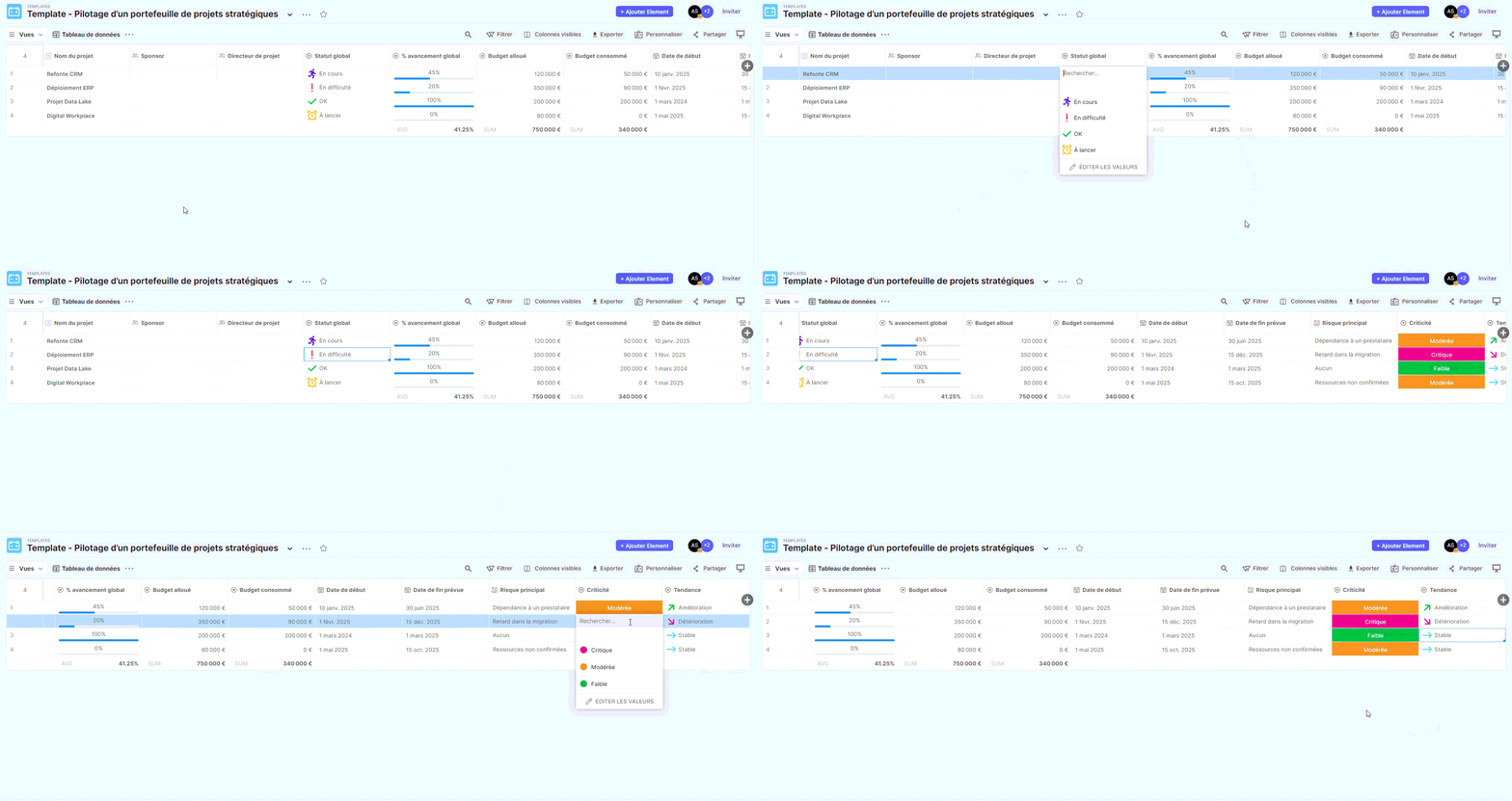
Description :
Raw view containing all the board columns.
Use :
- View the full details of the information
- Conduct ad hoc research
- Export or import data
This view serves as a reference document but is not intended for committees.
2. Strategic Synthesis
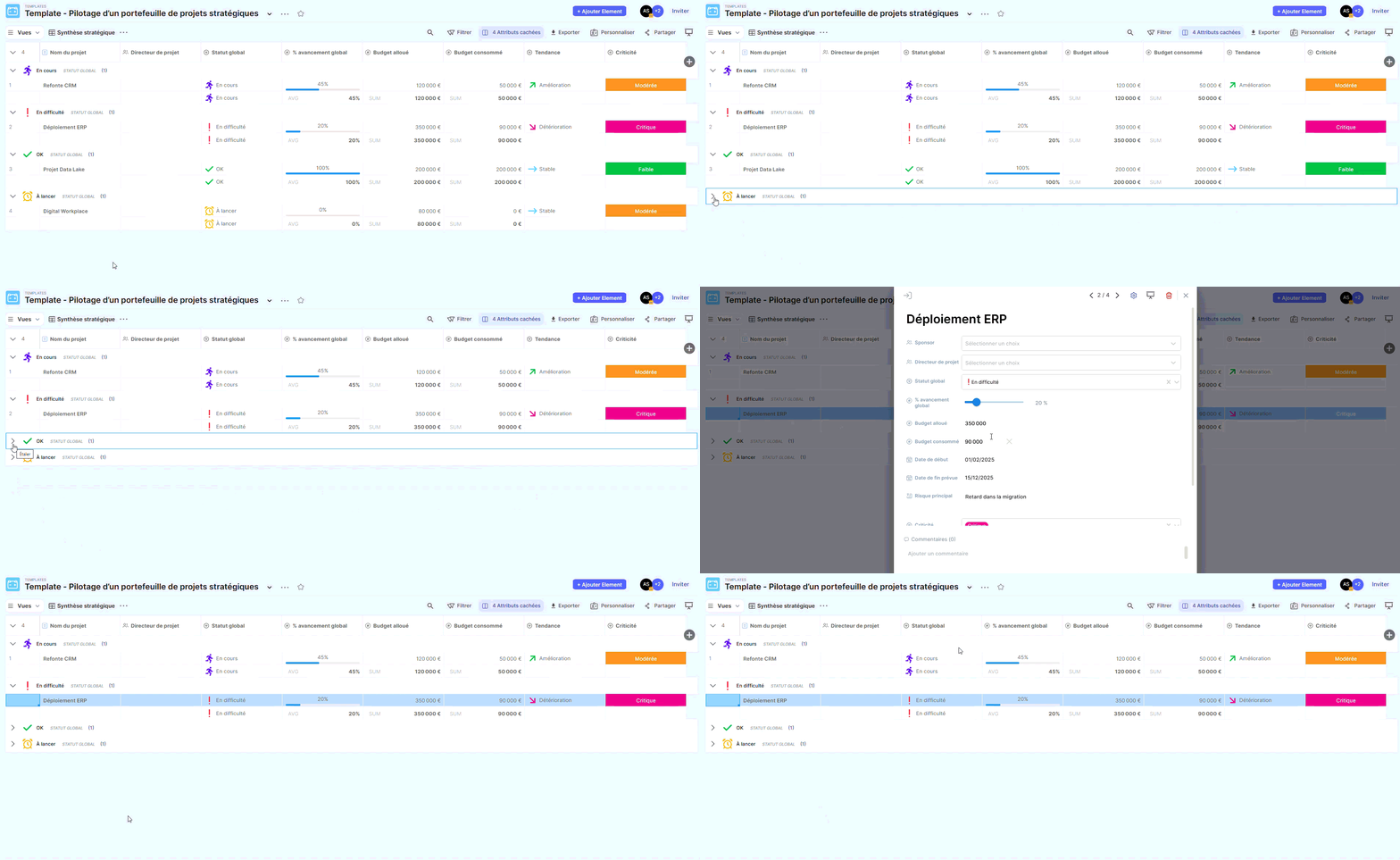
Description :
Summary table view offering an overview of the project portfolio.
Use :
- Quick reading of the statutes
- Progress analysis
- Budget visualization
- Preparation of steering committees
This is the most suitable view for a comprehensive presentation.
3. Global status tracking (Kanban)
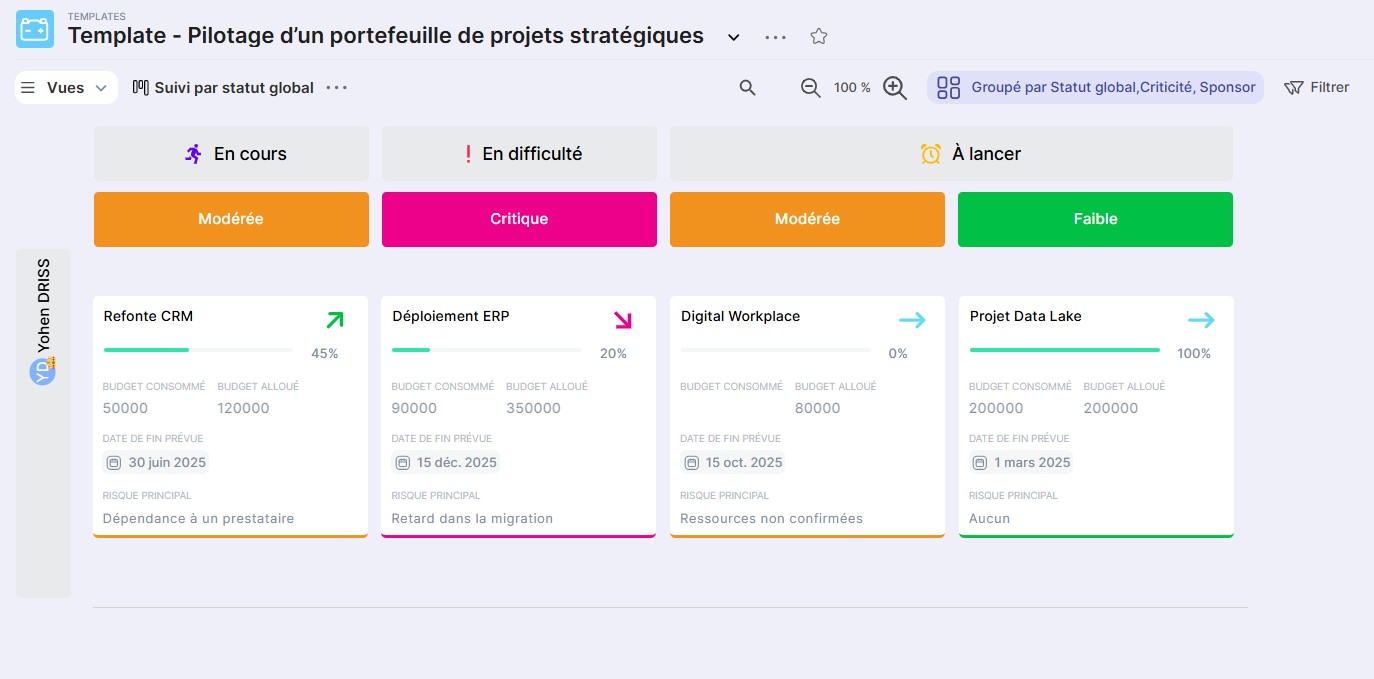
Description :
Kanban view allowing visualization of projects grouped by status.
Use :
- Immediately identify projects in difficulty
- Identify sensitive projects (via criticality assessment)
- Observe the distribution of projects by sponsor
Ideal for collaborative analysis in meetings.
4. Project Timeline
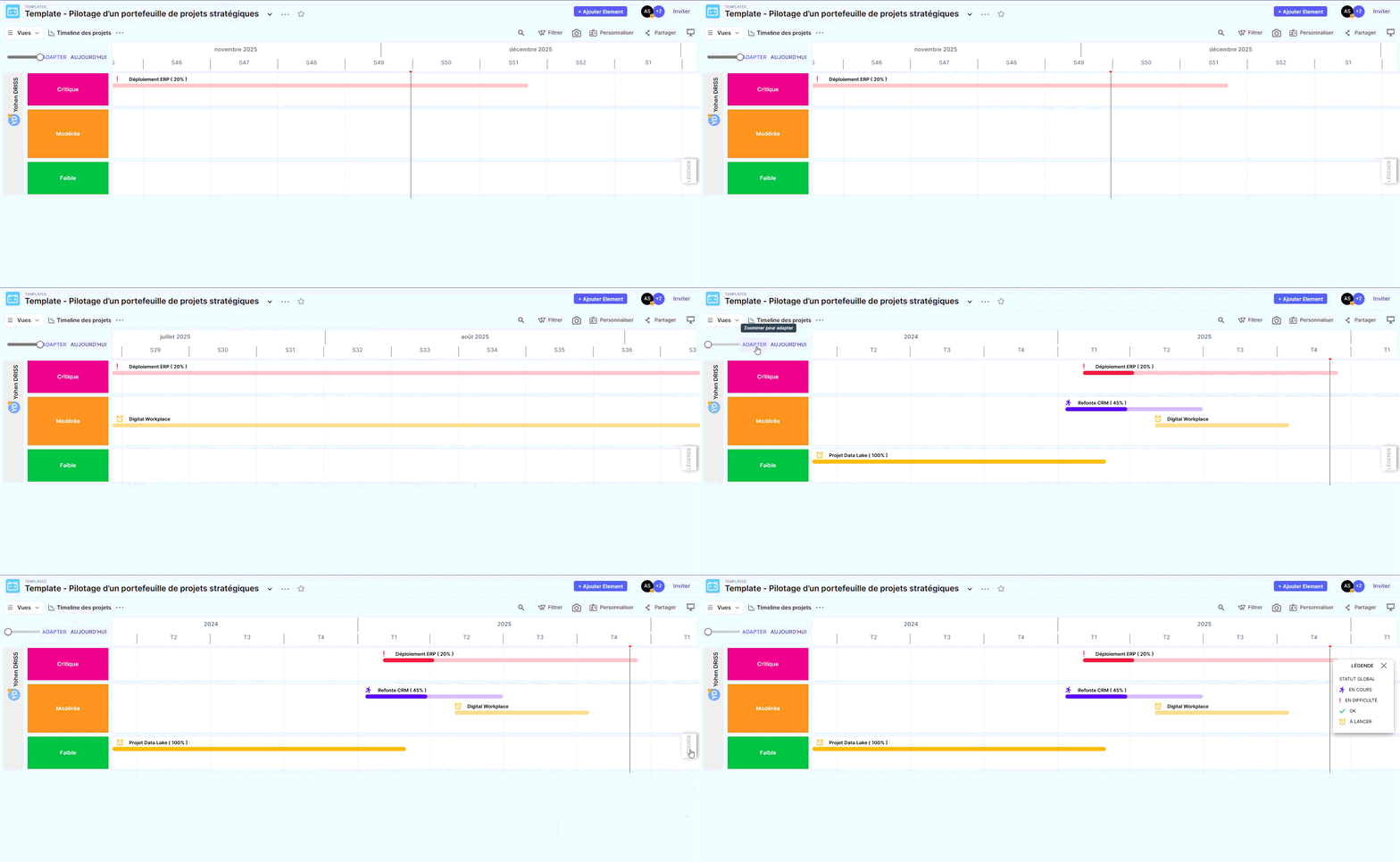
Description :
Chronological view showing the duration of each project.
Use :
- Check the sequence of projects
- Identify significant overlaps
- Detecting the risks of overload or impossible scheduling
This view is useful for anticipating calendar impacts.
5. Risky Projects
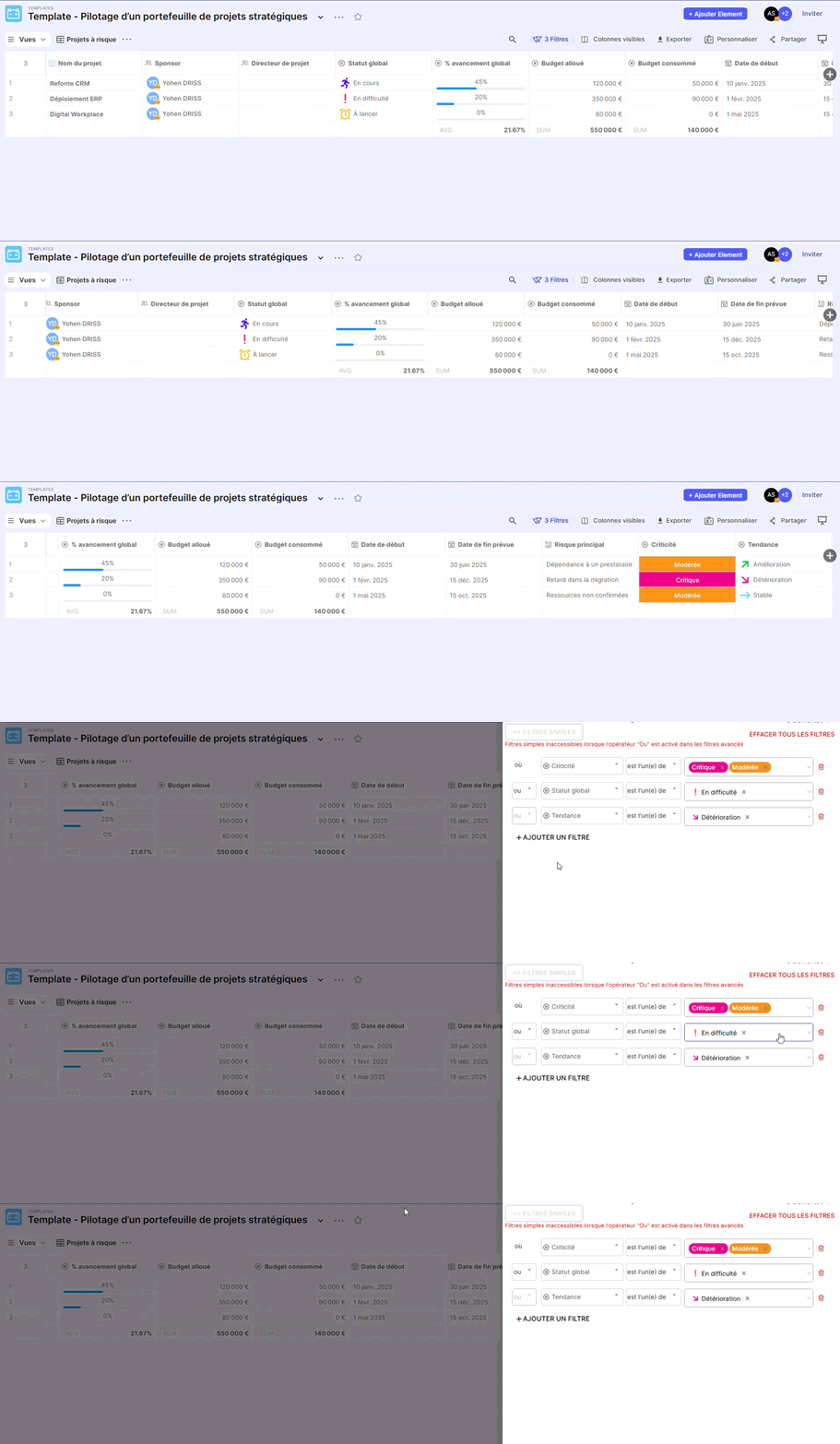
Description :
Filtered view highlighting only sensitive projects.
Use :
- Focus attention on projects requiring immediate action.
- Prepare the warning signs before the committee meetings.
- Monitor the evolution of risks over time
An essential perspective for effective governance.
6. Dashboard
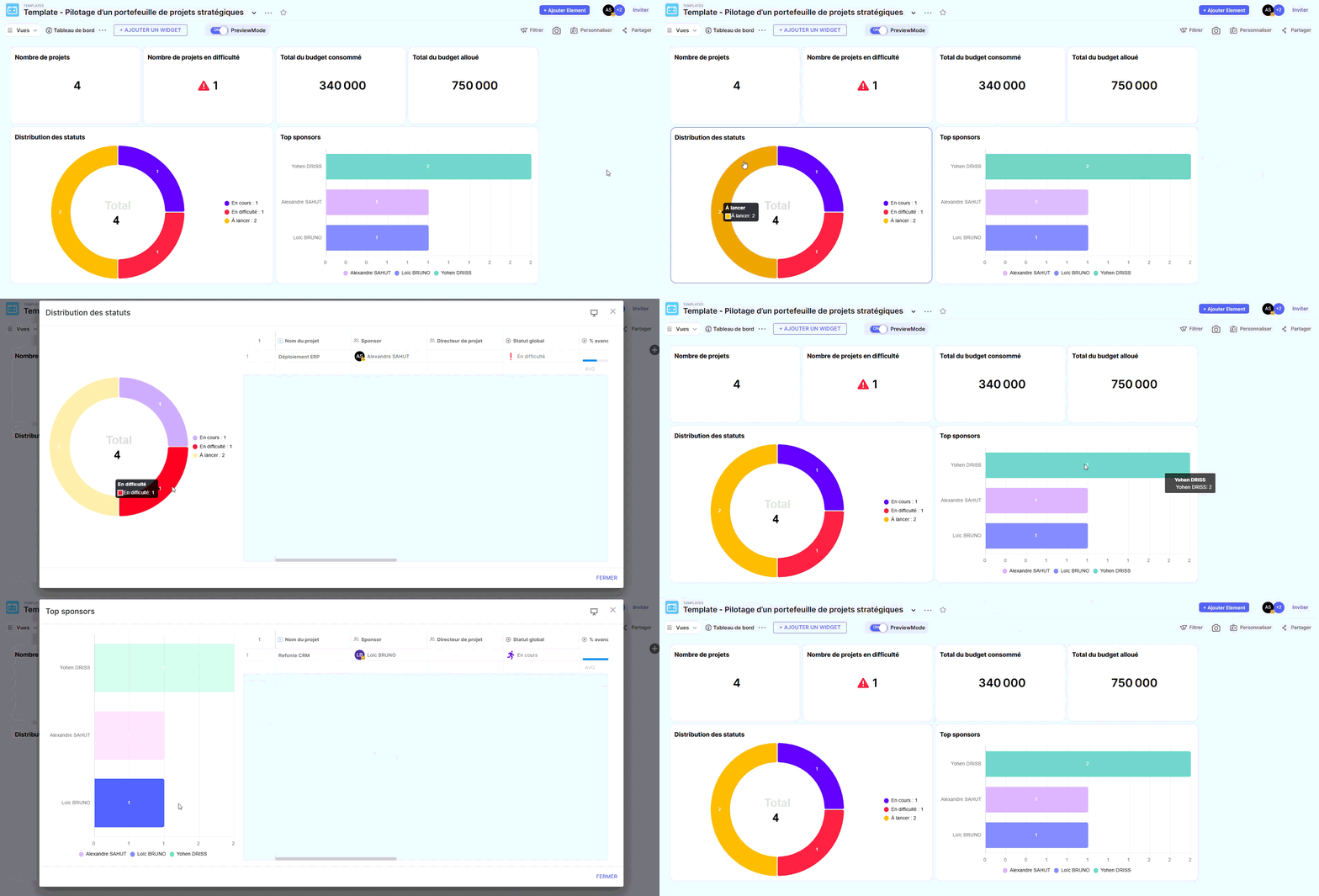
(Available if the feature is enabled)
Description :
Summary view grouping several key indicators of the project portfolio.
Use :
- Presentation to the management committee
- Monthly or quarterly analysis
- Monitoring of indicators: number of projects, breakdown by status, budgets, criticality…