Template objective
The template Management of Project allows you to organize and track all the tasks necessary to execute a project.
It offers a centralized view of operational actions, their progress, those responsible, and priorities.
It provides a simple, structured and effective basis for managing the operational work of a project.
Create a Board from the template
- In the workspace of your choiceclick on "Add a new board".
- Access the PILOTING section and search for the template "Project Management".
- To discover the template's features, start by importing the test dataThis will allow you to visualize a concrete example and quickly familiarize yourself with the structure.
Once you're ready, you can move on to a blank template in order to create your own personalized board.
Create a board from a template
Board structure
Each line represents a task to be completed.
Template attributes
| Attribut | Type | Description |
|---|---|---|
| Tâche | Texte | Nom de l’action ou de l’élément à réaliser. |
| Description | Texte | Informations complémentaires ou contexte. |
| Sous-tâches | Checklist | Liste courte d’actions qui composent la tâche. |
| Statut | Liste | Avancement de la tâche (à faire, en cours, terminé). |
| Responsable | Utilisateur | Personne en charge. |
| Échéance | Date | Date cible de réalisation. |
| Priorité | Liste | Niveau d’importance. |
| Type | Liste | Catégorie de la tâche (Design, Technique, Document, Formation). |
| Livrables | Livrable | Livrables des tâches |
Views included in the template
The template includes several pre-configured views to facilitate activity tracking.
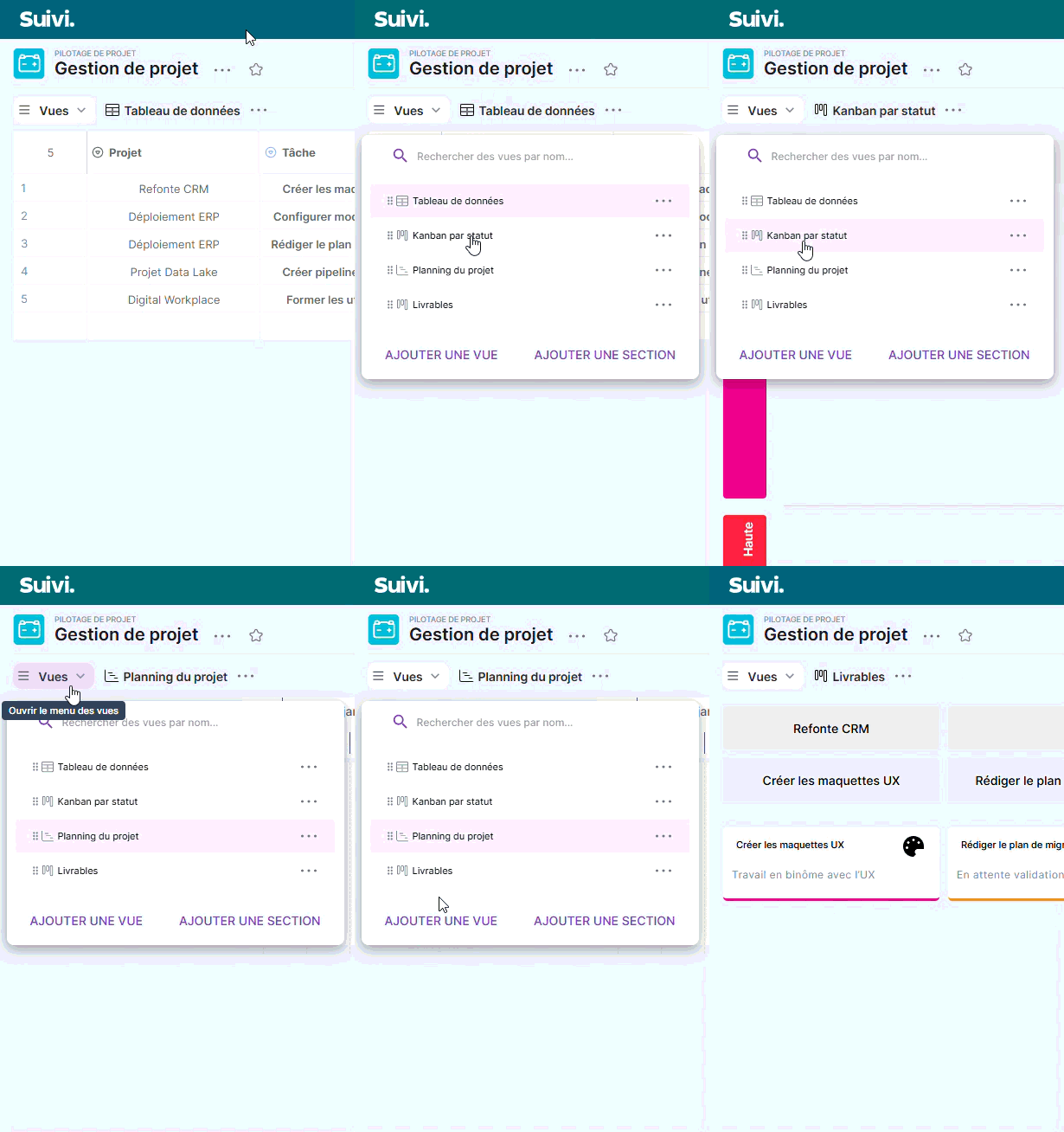
Data Table View
Structured view displaying all tasks with their main attributes.
Ideal for daily data entry and updates.
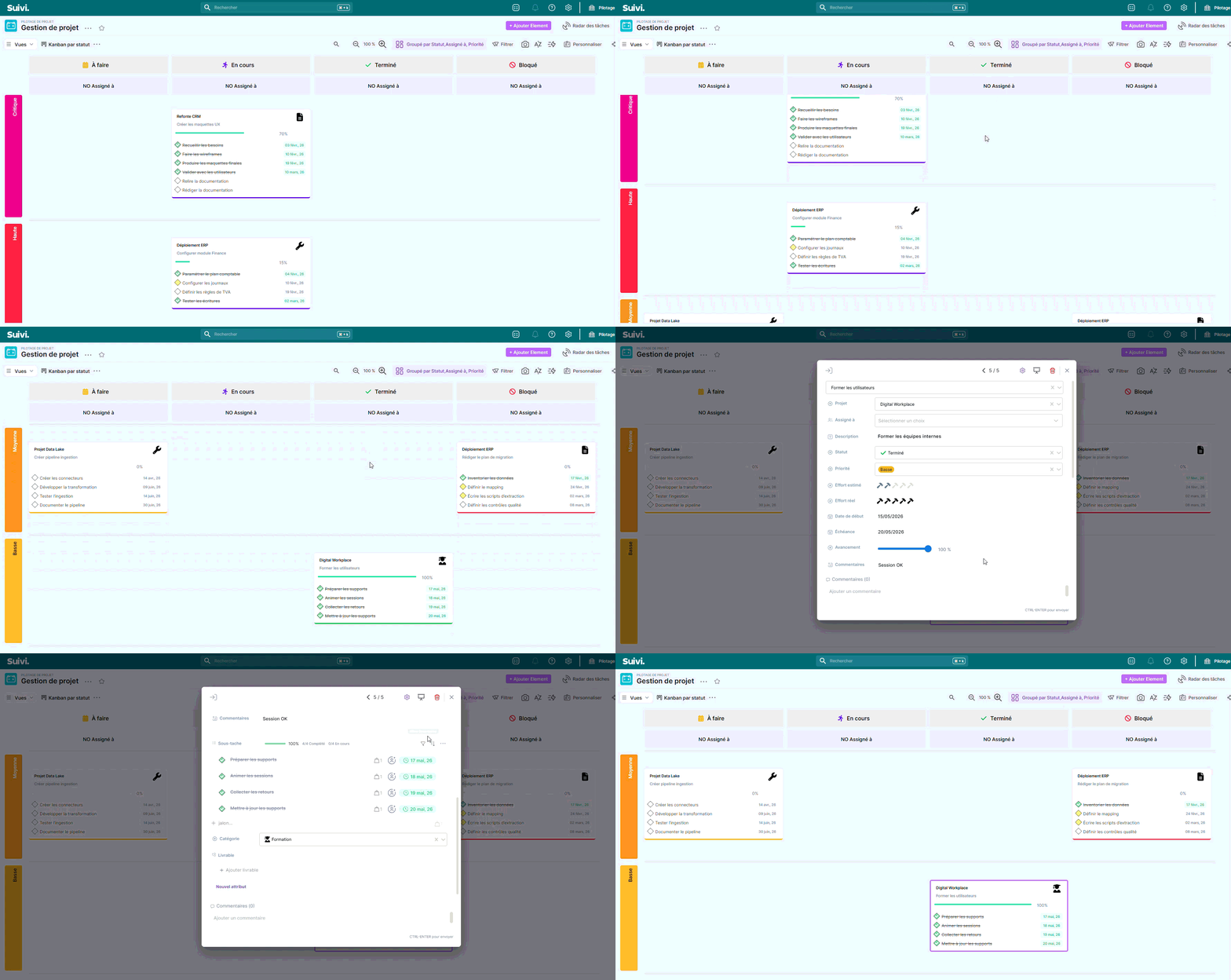
Kanban view by status
Visual view allowing you to track the progress of tasks according to their status.
Useful for quickly visualizing what needs to be done, is in progress, or is completed.
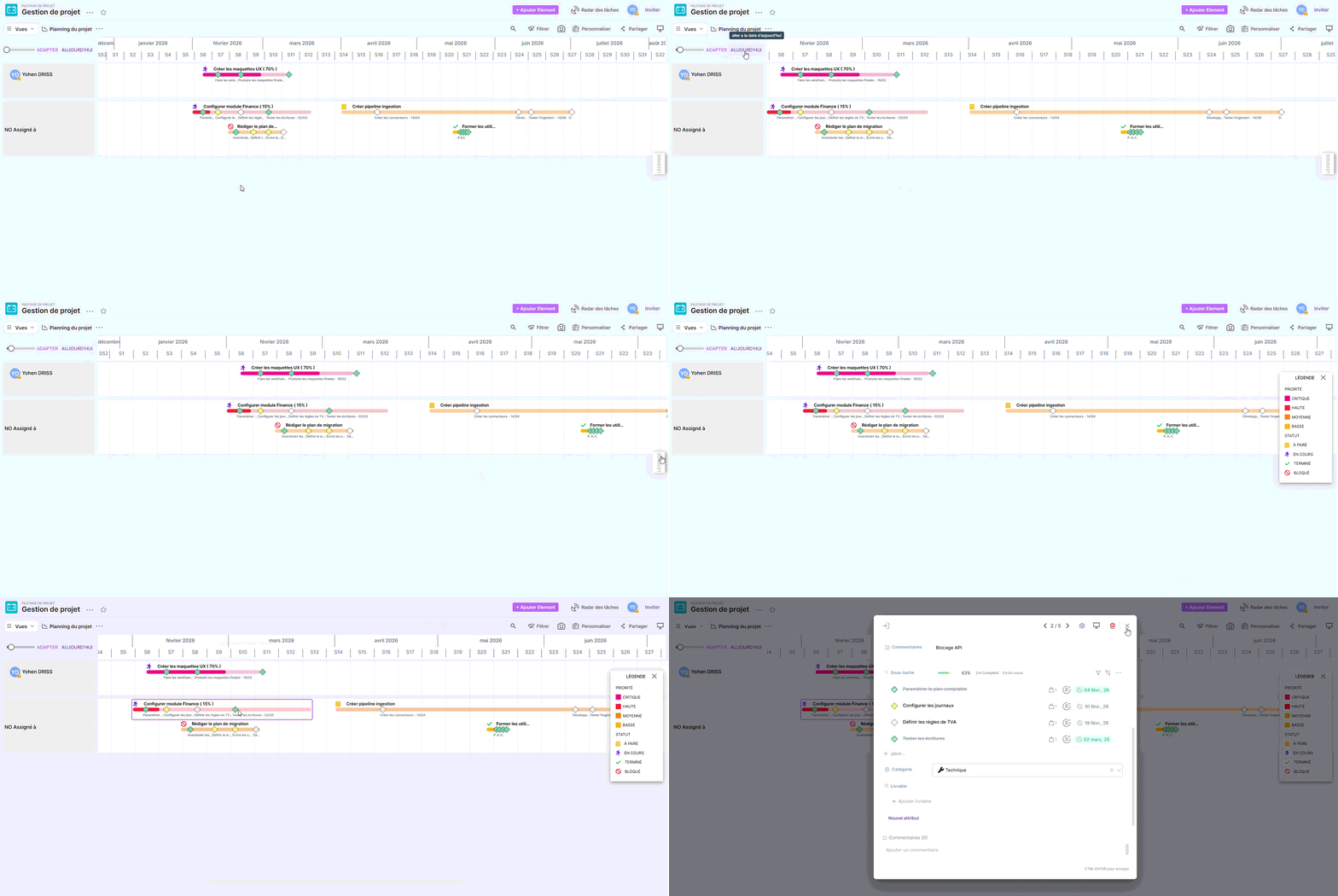
Project Planning View
Timeline view displaying tasks according to their dates.
It helps to identify deadlines, busy periods and potential scheduling conflicts.
View Deliverables
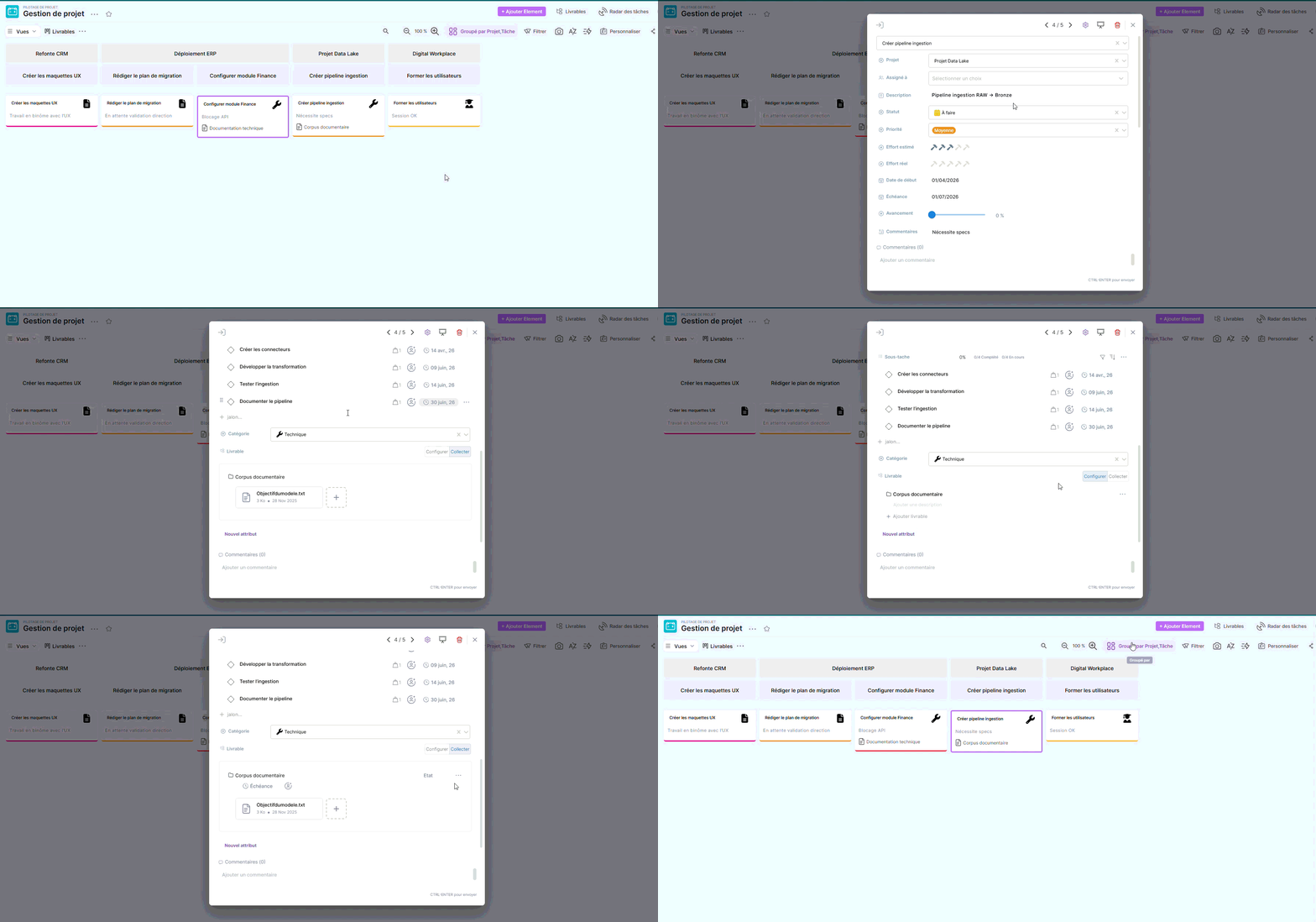
View dedicated to tracking the elements to be produced within the project.
It allows you to view deliverables, their status, their responsible parties and their deadlines, in order to ensure smooth execution and validation without delay.
Conclusion
The templateProject Management offers a clear and immediately usable structure for managing operational tasks.
It can be used as is or adjusted to suit your organization's needs by adding columns, adapting statuses, or integrating it into a larger set of project templates.