Project Management Template - Project Weather

A template to manage your projects at a glance (weather, trends, progress, milestones, planning).

3 min read

Template — Project Weather

The templateProject Weather used to pilot a portfolio of projects In a simple and visual way: where is each project at, is it improving or deteriorating, what is the level of progress, and what are the upcoming milestones.

What is the purpose of this template?

  • To have a overview of all your projects (weekly review / steering committee / portfolio committee).
  • Quickly view the weather report (risks / hard points) and the tendency (Is it improving or not?)
  • Follow the maturity, L'advancement, THE planning and the key milestones.
  • Prioritize the topics (priority) and clarify who is responsible for each one. responsible.

What the template contains

A “projects” database with 5 ready-to-use views:

  • Portfolio 📚 (maps)
  • List of projects (painting)
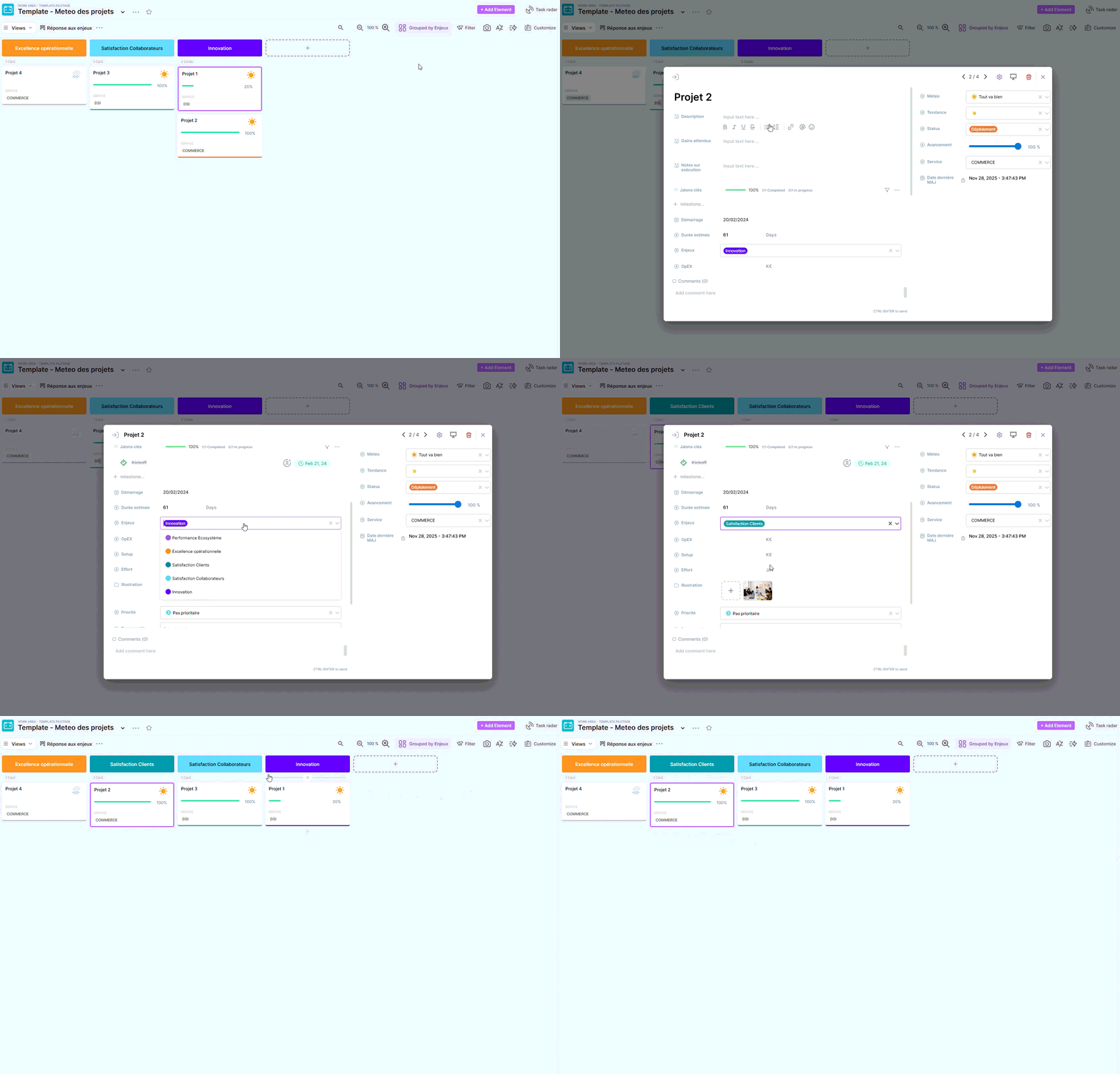
  • Response to the challenges (maps)
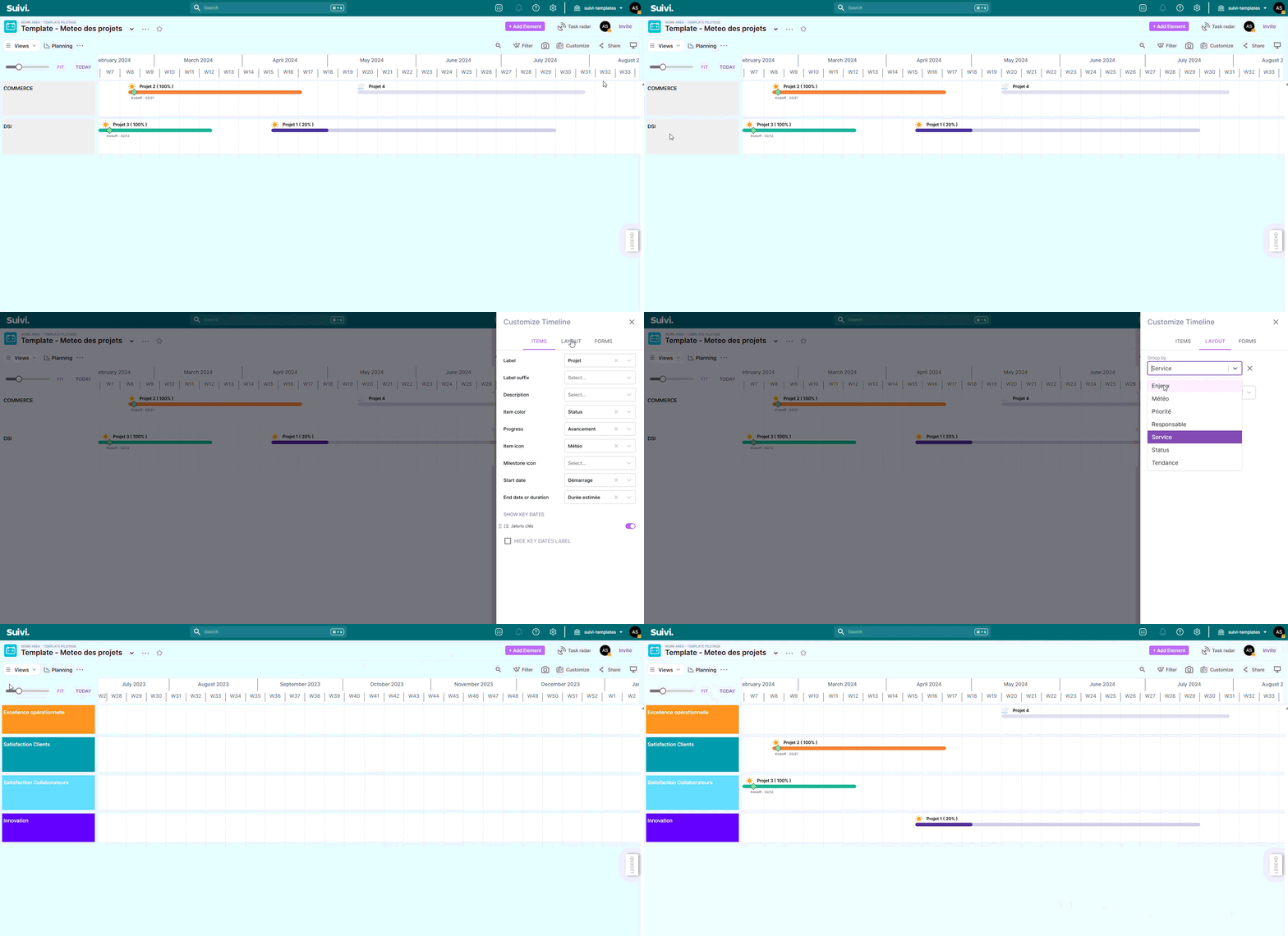
  • Planning (planning)
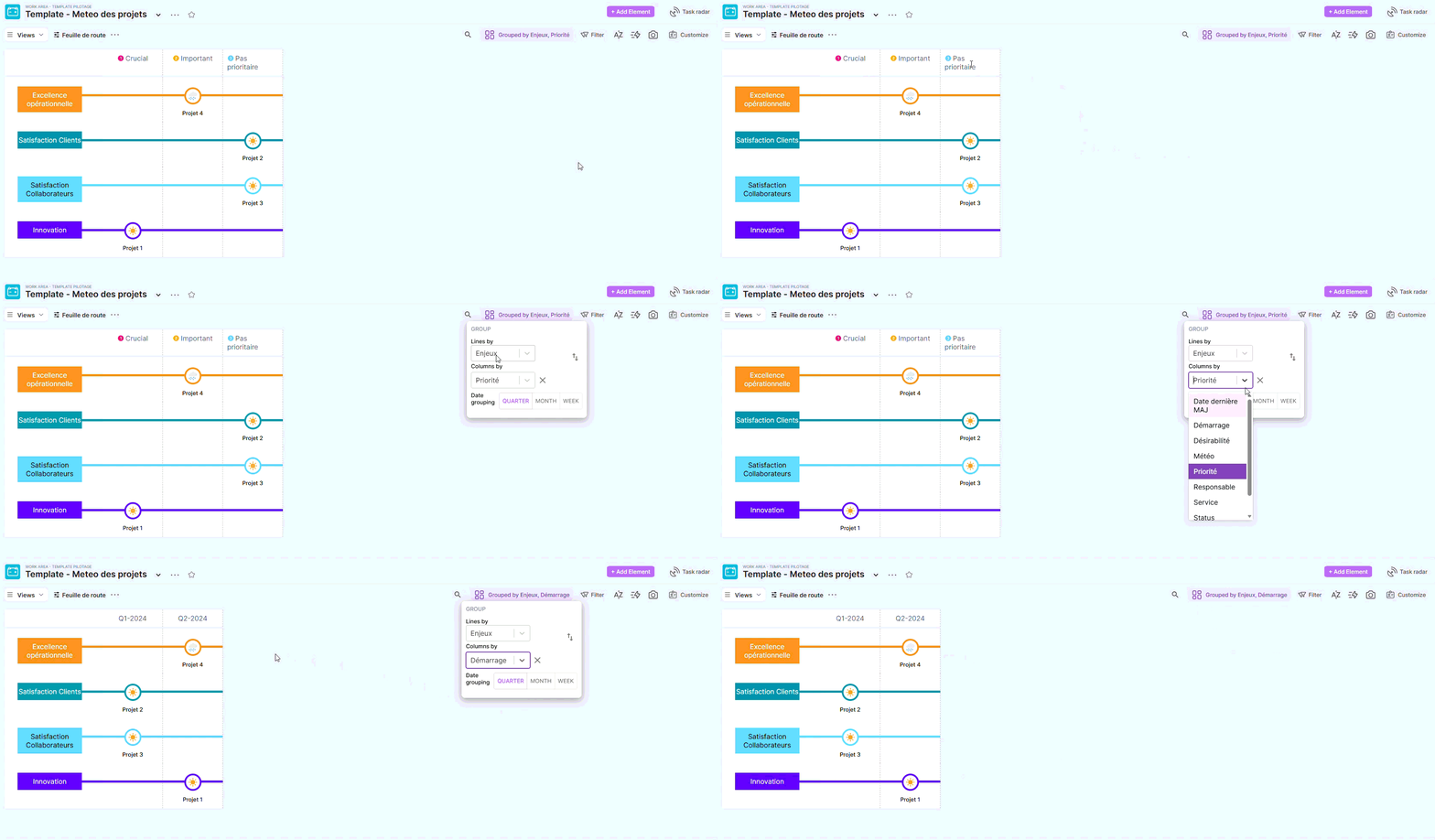
  • Roadmap (metro lines)

Board structure

You manage a list of projects, and each card/line corresponds to a project. The idea: to regularly update the bare minimum (weather + trend + progress), and to complete as things go along (milestones, notes, budget, effort).

Template properties (fields)

ChampTypeÀ quoi ça sertExemple
ProjetTexteNom du projet“Refonte onboarding”
DescriptionTexte richeRésumé clair du projetContexte + objectif
Gains attendusTexte richeValeur attendue / bénéficesROI, impacts métiers
Notes sur exécutionTexte richePoints de suivi / notes de pilotagedécisions, risques, etc.
EnjeuxTagRegrouper vos projets par enjeuxBusiness, Innovation…
ServiceTagÀ quel service / périmètre rattacherPROD, COMMERCE, DSI…
ResponsableUtilisateurOwner(s) du projet@Prénom Nom
Status (Maturité)TagStade du projetÀ lancer / Planification / Conception / Déploiement / RUN…
Avancement% (avec barre)Progression du projet0 → 100%
MétéoTag (emoji)Santé globale du projet☀️ Tout va bien / ⛅ Prudence / ☁️ Pas facile / 🌧️ Difficultés / ⛈️ Conflit
TendanceTag (flèches)Évolution depuis la dernière revue↑ ↗ → ↘ ↓
PrioritéTag (icône)Priorisation rapide1️⃣ Crucial / 2️⃣ Important / 3️⃣ Pas prioritaire
DémarrageDateDate de début (ou prévue)2025-01-15
Durée estiméeDurée (jours)Durée prévisionnelle30 jours
Jalons clésChecklist (jalons)Jalons visibles dans le planningKickoff, Go/No-Go…
OpEXNombre (K€)Coûts récurrents estimés15 K€
SetupNombre (K€)Coûts de mise en place / one-shot40 K€
EffortNombre (J/H)Charge estimée120 J/H
IllustrationFichier (image)Image de couverture des cartesvisuel du projet
DésirabilitéNote (❤️/5)“Appétence”/attractivité4/5
Date dernière MAJAutoDernière mise à jourAutomatique

Ready-to-use views

Portfolio 📚 (map view)

  • “Quick piloting” view: projects are navigated like a tracking wall.
  • The cards highlight: weather report, advancement, service and visual.
  • Very useful for a portfolio review or a short meeting.

List of projects (table view)

  • The “management” view: perfect for edit quickly (sorting, filtering, bulk updating).
  • Recommended when you are updating many fields at once (progress, status, weather…).

Addressing the challenges (map view)

  • View strategy : reading by challenges to answer:
    • “Which projects address this challenge?”
    • “Do we have gaps in our net?”
  • Very practical for preparing a steering committee/executive committee meeting.

Planning (planning view)

  • Chronological view based on:
    • Startup + Estimated duration
    • Key milestones (displayed as milestones)
  • Ideal for identifying overlaps, bottlenecks, and anticipating passage points.

Roadmap (metro-lines view)

  • Highly readable "roadmap" view:
    • Sections by challenges
    • Sublevels by priority
    • Badge weather report to sense the risk areas
  • Use this to share an “executable” roadmap with a wider audience.

How to get started (in 10 minutes)

  1. Add your projects
  • Create one map per project.
  • Please provide at least the following information: Project, Manager, Department, Challenges.
  1. Make piloting come alive
  • For each review (weekly or bi-weekly), update:
    • Weather report (state at time T)
    • Tendency (compared to the last review)
    • Advancement (0–100%)
    • Status / Maturity
  1. Outline the next steps
  • Add 3 to 7 key milestones maximum.
  • Position startup And estimated duration to populate the Planning.

Good practices (very effective)

  • One single golden rule If the weather deteriorates, add one line in “Execution Notes” with:
    • the problem,
    • the impact,
    • the next action (and the person responsible).
  • Keep a Weather report factual (health), and a Tendency comparative (evolution).
  • Limit the required fields to encourage usage: a template that is 60% complete but up-to-date is better than a perfect but abandoned template.

Did this answer your question?