Template Objective
The Customer Requests template allows a support or customer service team to centralize all customer inquiries in the form of structured tickets, whether it's a simple question, a product issue, a modification request, or an improvement suggestion.
Each request is qualified upon creation (affected product, urgency, criticality, feedback type), assigned to a handler, then tracked through to the response provided to the customer and ticket closure, with complete traceability of exchanges and attachments.
It provides a simple customer ticketing base, directly usable without a dedicated support tool, and adaptable as an internal register or as a shared entry point with the customer.
Create a Board from the Template
- In the workspace of your choice, click on "Add a new board".
- Access the INDUSTRY template category and search for the "Customer Requests" template.
- To discover the template's features, start by importing the test data. This will allow you to visualize a concrete example and quickly familiarize yourself with the structure. Once ready, you can switch to a blank template to create your own custom board.
Board Structure
Each row represents a customer request submitted to support or customer service.
Template Attributes
| Attribute | Type | Description |
|---|---|---|
| Reference | Text | Unique ticket identifier, automatically generated (TICK prefix). |
| Request Title | Text | Summary title of the customer request. |
| Attachment | File | Document or screenshot provided by the customer with the original request (photo, export, log, etc.). |
| Description | Rich Text | Detailed description of the customer's need or problem encountered. |
| Status | List | Ticket progress status (To Do, Acknowledged, In Progress, Resolved, Product Bug, Product Enhancement, Rejected, Awaiting Expert Feedback, Awaiting Customer Feedback, Reopened). |
| Urgency | List | Priority level of the request (Urgent, High, Normal, Low). |
| Product / Equipment | List | Product, machine, or equipment related to the request. |
| Severity | List | Impact of the problem on product usage (Blocking, Severe, Annoying, Minor). |
| Feedback Type | List | Nature of the request (Question, Modification, Enhancement, Defect). |
| Response | Rich Text | Response provided to the customer, written by the support team. |
| Response Elements | File | Documents attached to the response (procedure, fix, export, etc.). |
| Acknowledgment Date | Date | Date when the request was taken over by support. |
| External Ticket | URL | Link to the corresponding ticket in an external tool (technical tracker, for example). |
| Estimated Response | Date | Estimated date for customer response. |
| Assigned To | User | Person responsible for handling the request. |
| Creation Date | Date | Ticket creation date (automatic). |
| Creator | User | Person who created the ticket (automatic). |
| Last Modified | Date | Date of last ticket update (automatic). |
| Last Contributor | User | Last person who modified the ticket (automatic). |
| Actions | Checklist | Actions to be performed to process the request. |
| Environment | List | Environment related to the request (Preproduction, Production). |
| Difficulty | Number | Estimated complexity level for processing the request, in rating form. |
Views included in the template
The template includes several preconfigured views to cover the entire ticket processing cycle, from entry to closure.
Table
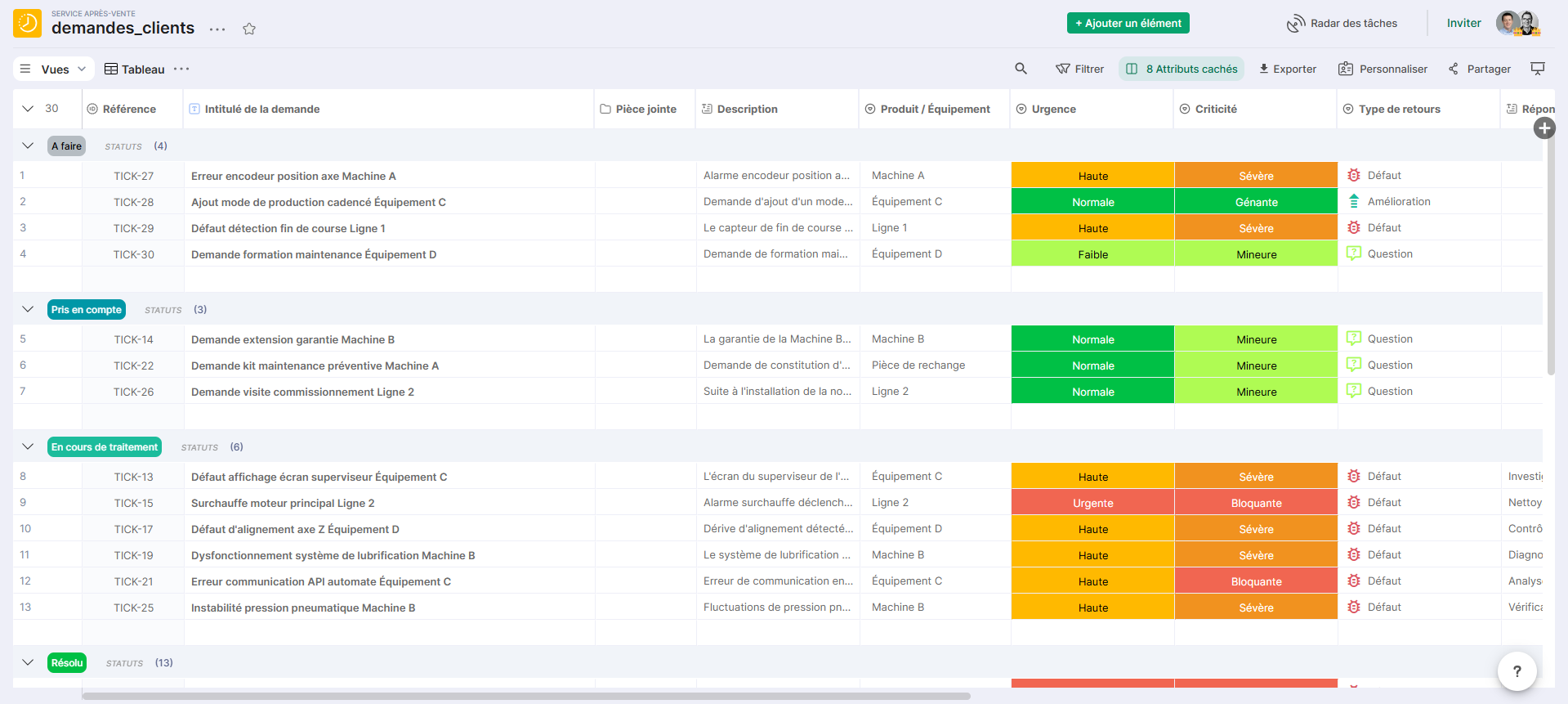
Table view displaying all tickets with their qualification attributes: status, urgency, criticality, product, feedback type, and assigned owner.
Reference view for entry, daily updates, and request processing.
Dashboard
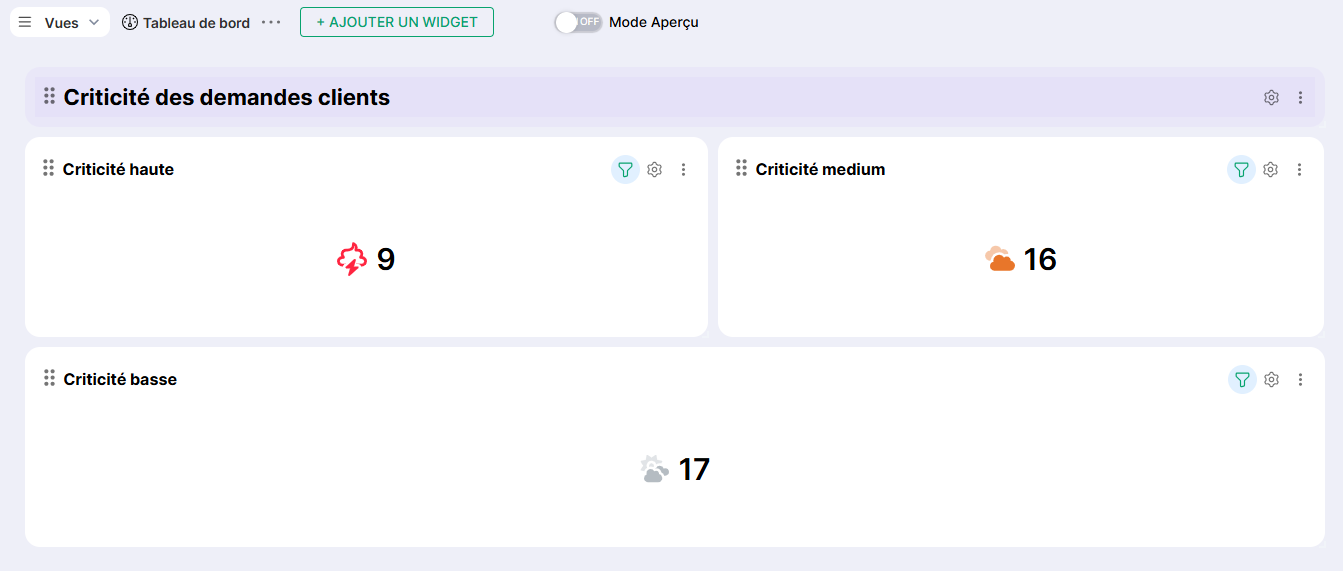
Summary view providing an aggregated overview of the ticket portfolio, with breakdown by criticality level (blocking, severe, annoying, minor).
Useful for the support manager to monitor the volume of priority requests and anticipate processing workload.
Criticality Matrix
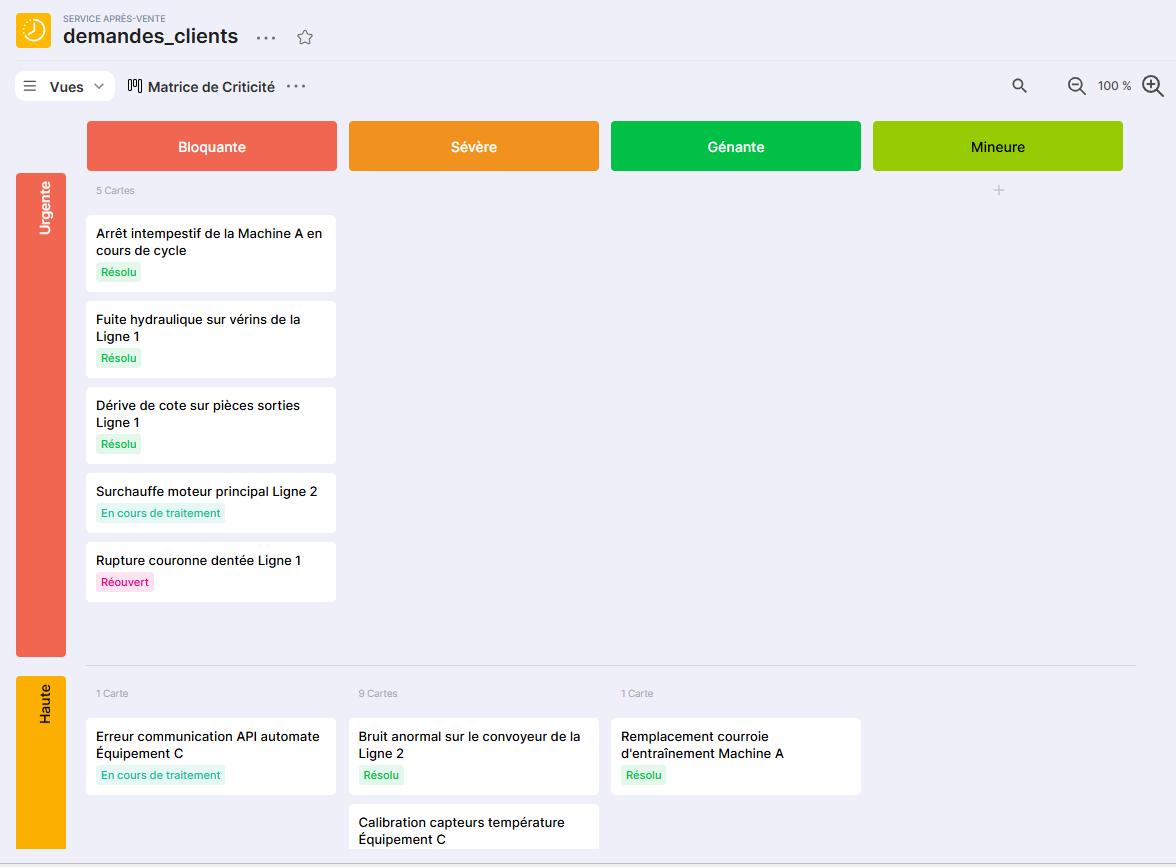
Card view crossing criticality (in columns) and urgency (in rows) for each request, with status displayed as a subtitle.
Allows you to identify at a glance tickets that are both critical and urgent, and to prioritize their handling without ambiguity.
Responses
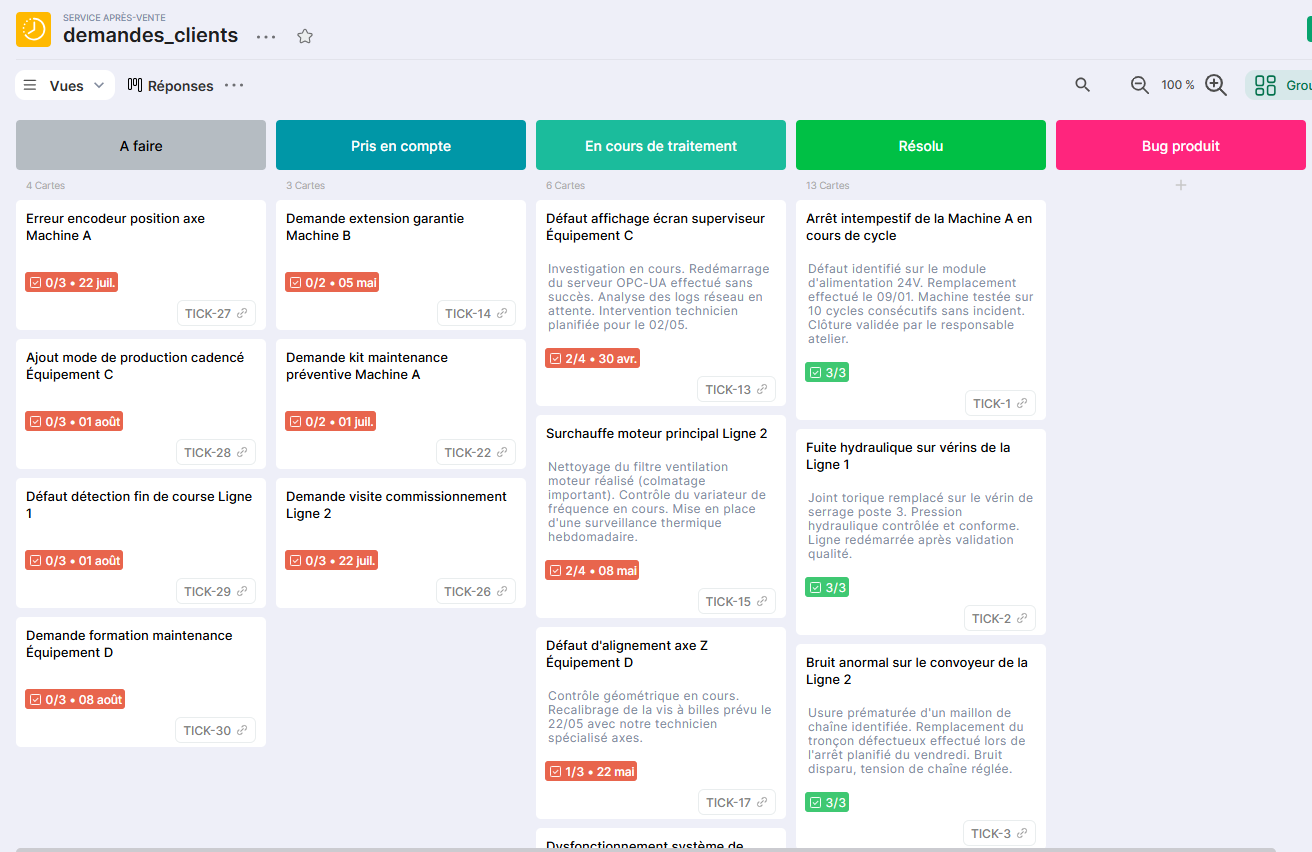
Card view grouping tickets by status, with the already drafted response displayed directly on the card.
Ideal for the support team when drafting and reviewing responses before sending them to the customer.
Feedback by Products
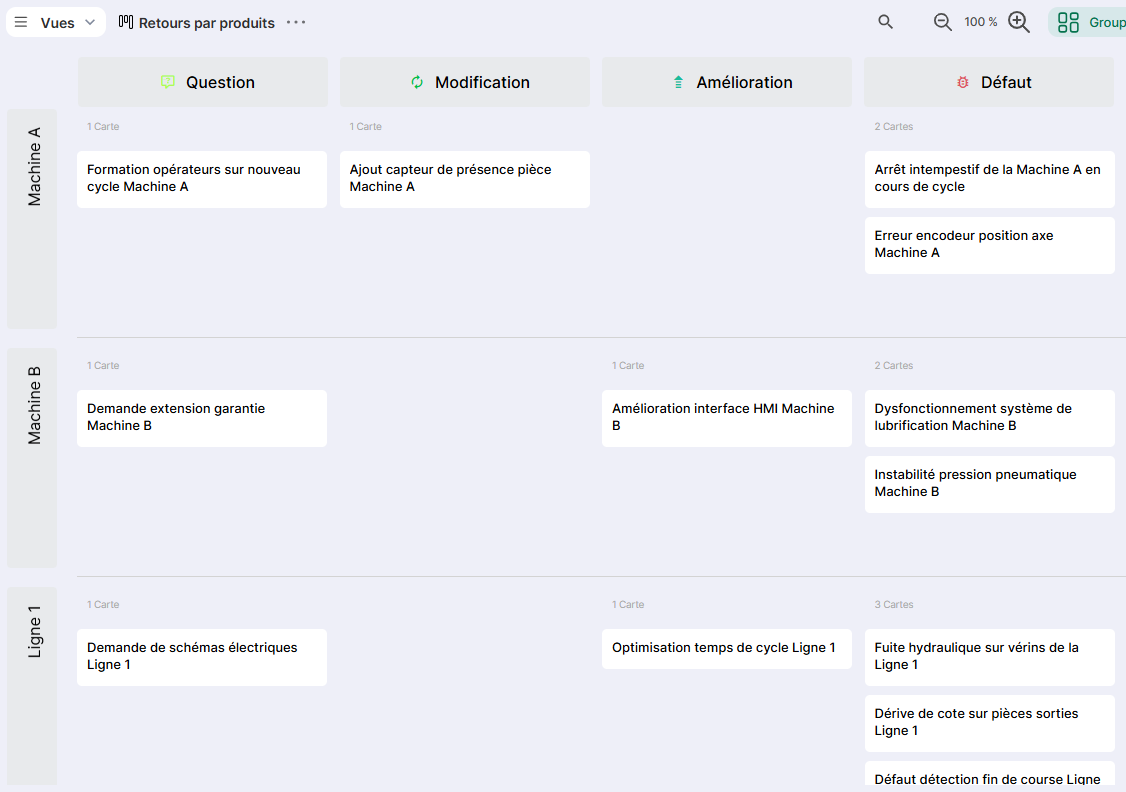
Card view crossing the type of feedback (in columns) and the product or equipment concerned (in rows).
Allows you to identify products generating the most questions, issues, or improvement requests, and to guide product priorities.
Request List
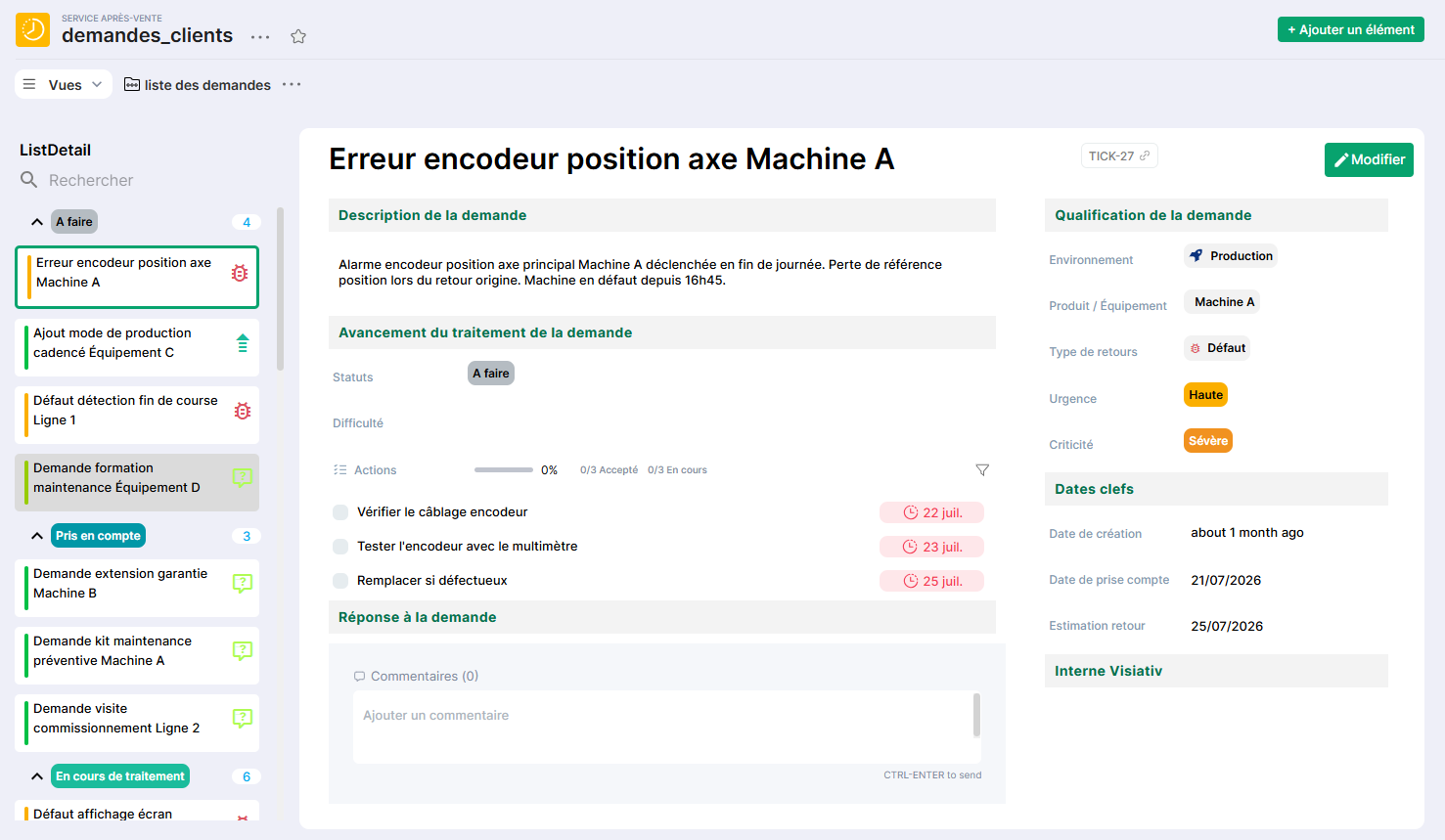
List view with detail panel, grouping tickets by status, with the return type displayed as a badge and urgency indicated by color.
Inbox-style view, designed for quick ticket processing on the fly, similar to a classic ticketing tool.
Response and Progress
List view with detail panel, grouping tickets by status, with urgency displayed as a subtitle and return type as a badge.
Complements the previous view for suivi of processing progress and the response provided to each request.
Report
Table view dedicated to data extraction and analysis, including all ticket attributes.
Useful for producing periodic support activity reports or sharing a status overview with management.
Submitting a Return
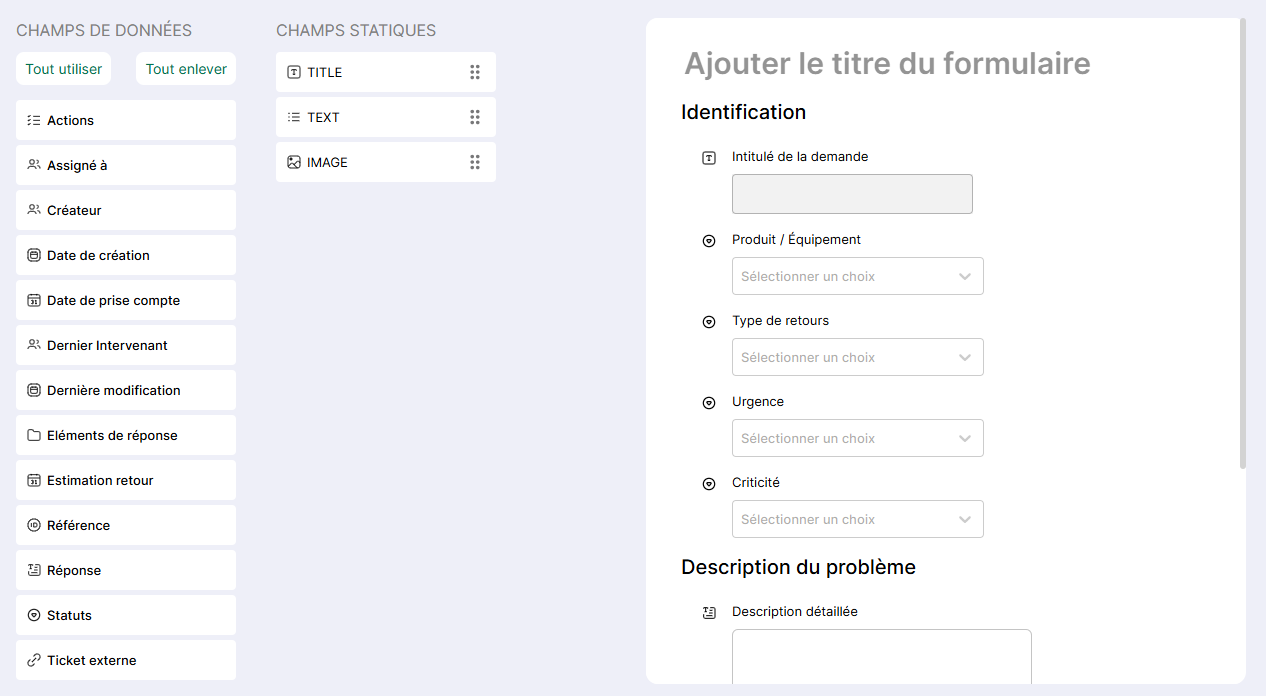
Creation form dedicated to submitting a new request, with essential fields for qualification: title, product concerned, urgency, criticality, return type, description, and attachments.
Entry point for customer ticketing: this form can be shared internally as a single entry point, or integrated into a portal to allow customers to submit their own requests.
Conclusion
The Customer Requests template provides a simple and immediately operational customer ticketing foundation, from request submission to closure.
It can be used standalone or integrated into a broader support portal, complementing a production suivi or case management template, to provide a consolidated view of customer service across the entire product lifecycle.