Template Purpose
The Study Management template allows an Engineering Department to centralize and manage all ongoing studies, whether they are related to client projects or internal initiatives.
It provides a comprehensive overview of each study's progress, allocated and consumed workload, key milestones and deliverables to be produced, while clearly identifying the responsible project manager or designer.
It serves as a structured and operational foundation for organizing the department's study portfolio, facilitating workload allocation decisions and ensuring traceability of internal and external deliverables.
Create a Board from the Template
- In the workspace of your choice, click on "Add a new board".
- Access the INDUSTRY template category and search for the "Suivi Management" template.
- To discover the template's features, start by importing the test data. This will allow you to visualize a concrete example and quickly familiarize yourself with the structure. Once ready, you can switch to a blank template to create your own personalized board.
Board structure
Each row represents a study in progress or planned within the office.
Template attributes
| Attribute | Type | Description |
|---|---|---|
| Study | Text | Title of the study or mission to be carried out. |
| Description | Rich text | Summary description of the study (context, scope, objectives). |
| Status | List | Study progress (To do, In progress, On hold, Completed, Blocked). |
| Category | List | Study theme (e.g.: Modularity, Health safety, Cost reduction…). |
| Client | List | Name of the client associated with the study. |
| Project | Text | Reference of the project or business to which the study is attached. |
| Project manager / designer | User | Person in charge of the study within the office. |
| Start | Date | Study start date. |
| Study duration | Number | Expected duration of the study (in days). |
| Estimated workload | Number | Planned workload for the study (in days). |
| Consumed workload | Number | Actual workload spent on the study to date (in days). |
| Progress | Number | Study completion rate (in %). |
| Key milestones | Checklist | List of the study's main milestones, displayed as visual milestones. |
| Key actions | Checklist | Important actions not to forget during the study. |
| Internal deliverables | Deliverables | Documents or outputs for internal use (calculation notes, plans, reports…). |
| External deliverables | Deliverables | Documents or outputs for the client (specifications, report, validated plans…). |
| 3D view | URL | Link to a digital model or 3D rendering associated with the study. |
| Thumbnail | File | Visual or illustration representing the study in the Kanban and Study mapping views. |
Views included in the template
The template includes several preconfigured views to facilitate suivi and management of the study portfolio.
Studies in progress
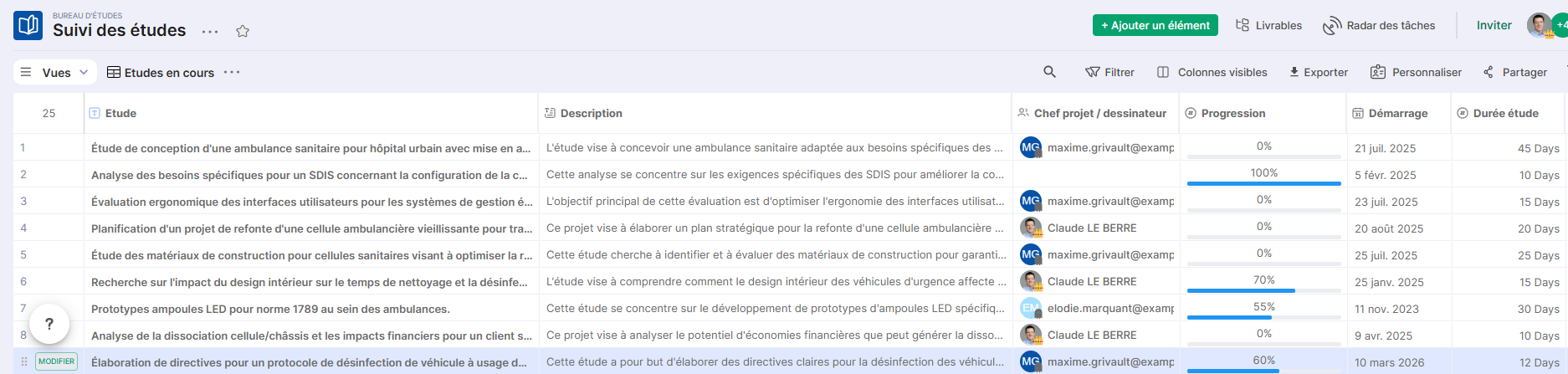
Table view displaying all studies with their main attributes: status, client, project, manager, workload and progress.
Ideal for data entry, daily updates and progress reviews.
Study schedule
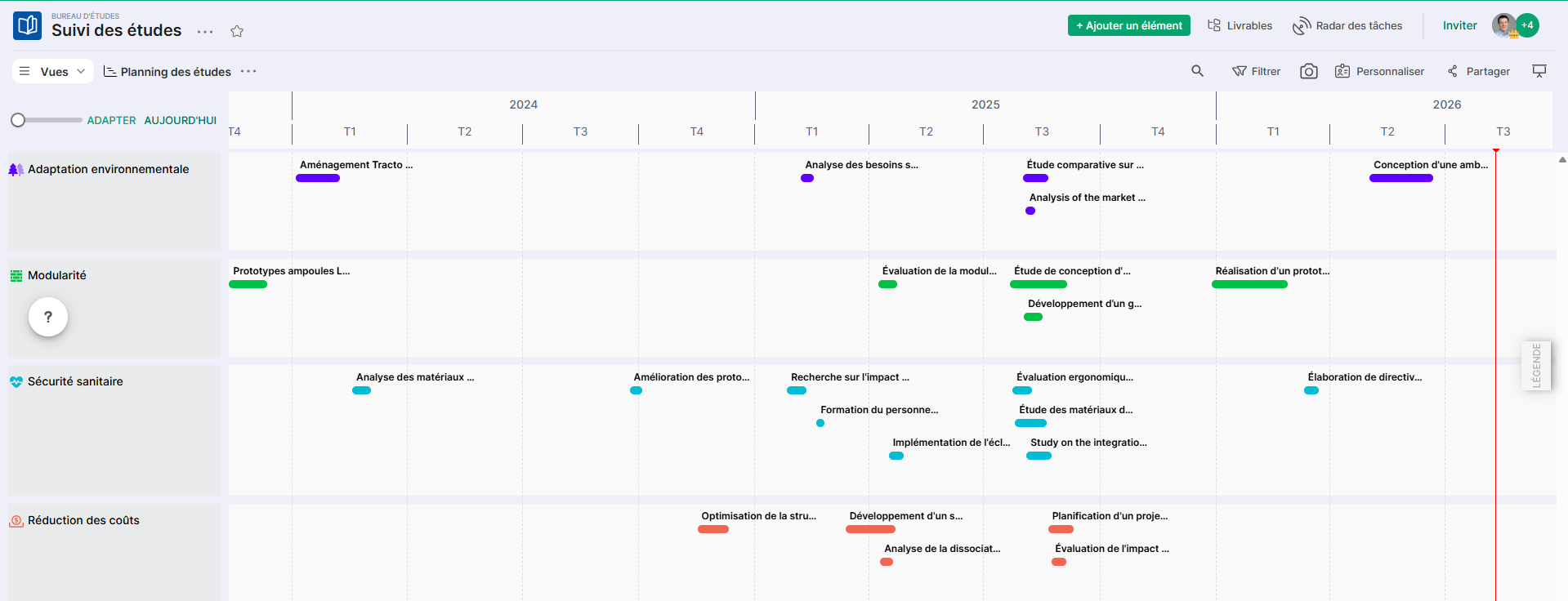
Schedule view displaying studies based on their start date and duration.
Allows you to identify busy periods, overlaps and ensure that the office's capacity is well distributed over time.
Gantt view
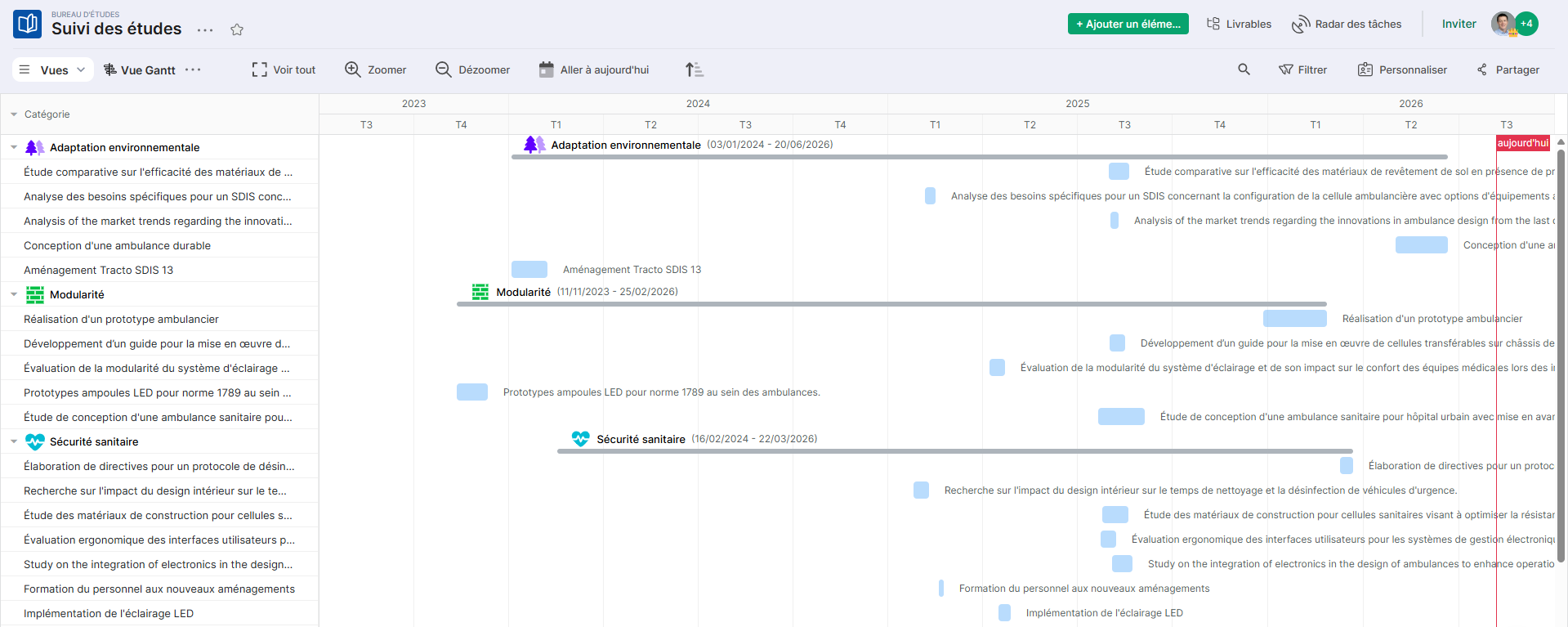
Gantt view displaying the sequence of studies as timeline bars.
Useful for visualizing dependencies between studies, anticipating delays, and managing the overall planning of the office.
Studies by category
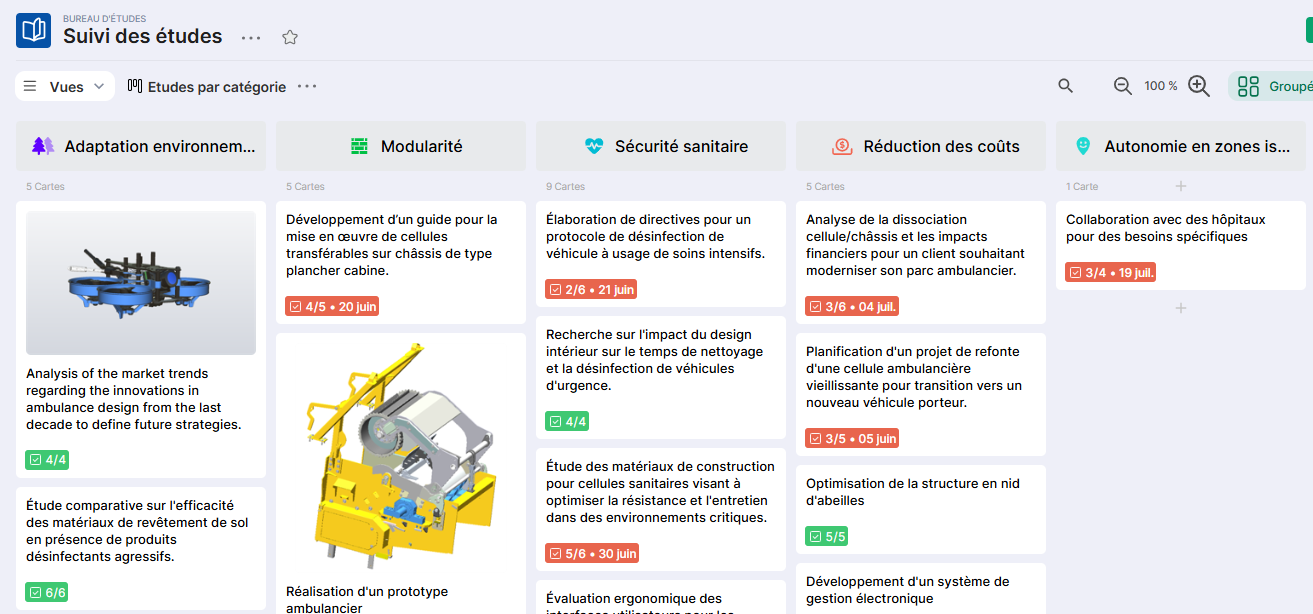
Column view grouping studies by thematic category.
Allows you to visualize the portfolio distribution by area of expertise and identify the most requested types of studies.
Studies by status
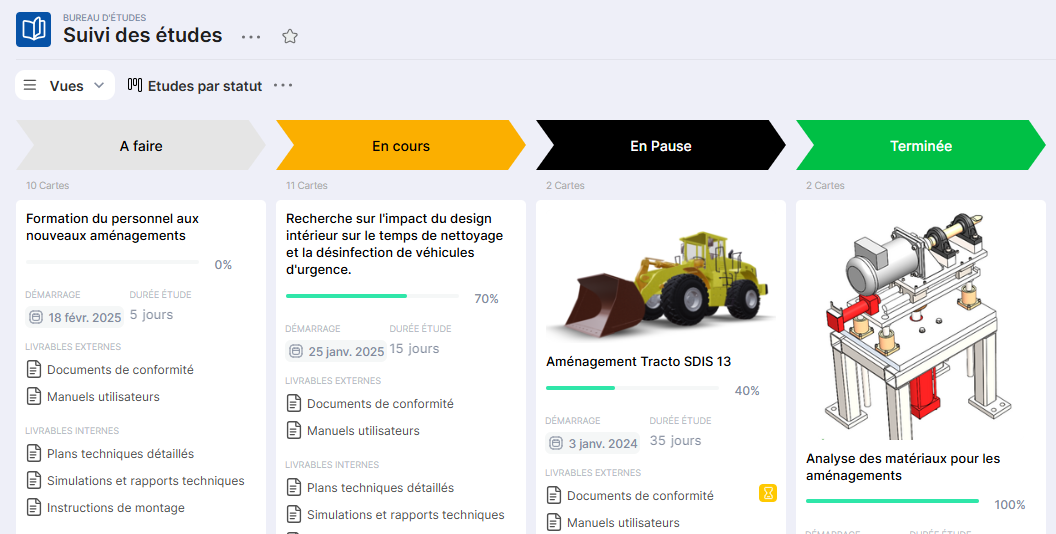
Column view grouping studies by progress status (To do, In progress, On hold, Completed, Blocked).
Useful for a quick visual suivi of the portfolio status and for identifying blocked studies requiring action.
Studies by drafter
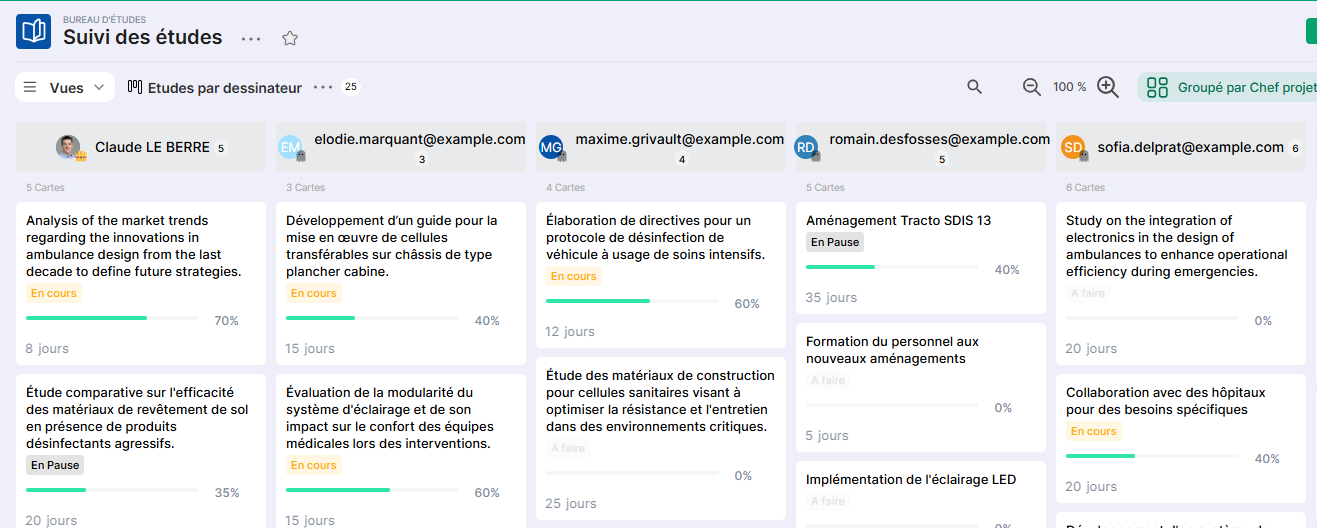
Column view grouping studies by project manager or responsible designer.
Facilitates individual workload management and allows quick identification of overloaded or underutilized resources.
Study Mapping
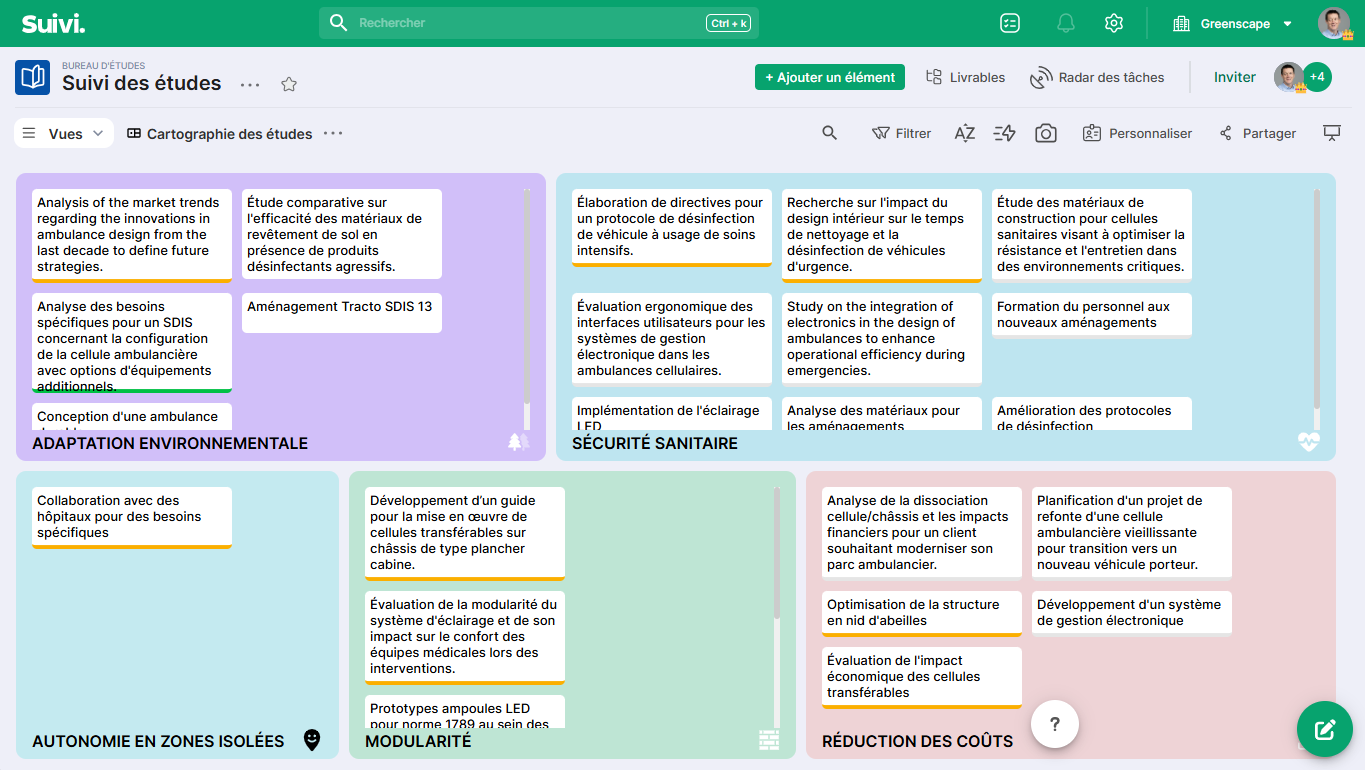
Mosaic view displaying studies as visual cards with thumbnails, grouped by category.
Ideal for obtaining a visual map of the study portfolio, whether for a meeting presentation or to share a summary overview with management.
Conclusion
The Study Management template offers a complete and immediately usable structure for managing an industrial Design Office portfolio.
It can be used as is or adapted according to your organization's specific needs: adding business columns, customizing categories, integrating into a multi-project management portal, or connecting to a Business Management template.