The Compliance template (category Cybersecurity) allows you to manage your compliance according to multiple frameworks (ISO/IEC 27001:2022, NIS2, ANSSI, DGA RMC Fundamental) by evaluating each requirement, attaching evidence, and then prioritizing remediation actions (gain/effort/risk).
Model Description
- Centralize requirements from cybersecurity frameworks in a single board.
- Track compliance status (compliant / non-compliant / not applicable) and processing progress.
- Compile the expected evidence and the evidence provided (documents, screenshots, policies, procedures, etc.).
- Assist with prioritization (gain, effort, risk, quick wins, ratio) and management through dashboards and dedicated views.
Covered Frameworks
The template is pre-populated with 273 requirements distributed across 4 frameworks:
- ISO27001: 113 requirements (20 clauses and 93 Annex A controls)
- NIS2: 94 requirements
- ANSSI: 65 measures
- DGA (Fundamental RMC): 21 requirements
Each row has an ID and a Frameworks tag to filter/manage by framework.
List of attributes
| Attribute | Type | Description / usage |
|---|---|---|
| ID | Text | Unique identifier of the requirement (e.g., ANSSI-1, 8.14, NIS2-55…). |
| Requirement | Text | Short formulation of the requirement / clause. |
| Description | Rich text | Context / explanation of the requirement (often pre-filled). |
| Detailed description | Rich text | Additional details (often pre-filled according to the framework). |
| Frameworks | Tag (multi) | ISO27001, NIS2, ANSSI, DGA. |
| Category | Tag | Domain of the requirement (e.g., organizational, IAM, incidents, data…). |
| Workstream | Tag | Remediation workstream grouping (e.g., awareness, incident management, updates, hardening…). |
| Applicability | Tag | Yes / No |
| Compliance | Tag | Status: Compliant / Non-compliant. Enriched status: Non-compliant (minor) / Non-compliant (major) / Improvement opportunity / Strength / Sensitive point. |
| Progress | Number | Progress (often used as %). |
| Owner | User (multi) | One or more owners of the requirement / compliance action. |
| Update | Date | Last update date (suivi). |
| Compliance deadline | Date | Expected processing date. |
| Evidence (expected) | Rich text | Expected evidence (often pre-filled). |
| Evidence (provided) | Files (multi) | Your actual evidence: documents, exports, screenshots, procedures… |
| Standard responses | Rich text | Positioning guidance (especially for DGA): examples / response levels. |
| Notes | Rich text | Audit comments, decisions, context elements, trade-offs. |
| Gain | Number | Value / expected benefit of compliance (to be defined by you). |
| Effort | Number | Estimated workload. |
| Risk | Number (0–3) | Risk level (score). |
| Gain Effort Ratio | Number | Quick indicator for prioritization. |
| Quick win | Tag | "Quick win" marker (according to your convention). |
| Priority | Tag | Immediate / Urgent / Elevated / High / Normal / Low. |
| Weather | Tag (icons) | Visual indicator (☀️ ⛅ ☁️ 🌧️ ⛈️). |
| Trend | Tag (icons) | Evolution indicator (↗ / → / ↘). |
Suggested views
- Form (ListDetail): Allows entry / review of a requirement in "card" mode.
- Evaluation/scoring views (Card):
- Evaluation of benefit, effort, risks, benefit/effort ratio for each measure
- Prioritization views (Card):
- Presentation of measures by category, by workstream, by monitoring deadline
- Projects and status (Grid): more "management-focused" view with status/trend.
- Suivi (Grid): table view to filter, update and track on a daily basis.
- Suivi roadmap (Metrolines): roadmap view to structure and communicate the compliance implementation plan.
- Global dashboards (Dashboard):
- global (compliance), global (progress)
- Dashboards by framework (Dashboard):
- ISO 27001:2022, ANSSI, NIS2, DGA RMC Fundamental
- Reports:
- SoA (Statement of Applicability)
- Audit report (internal or external)
Quick Start
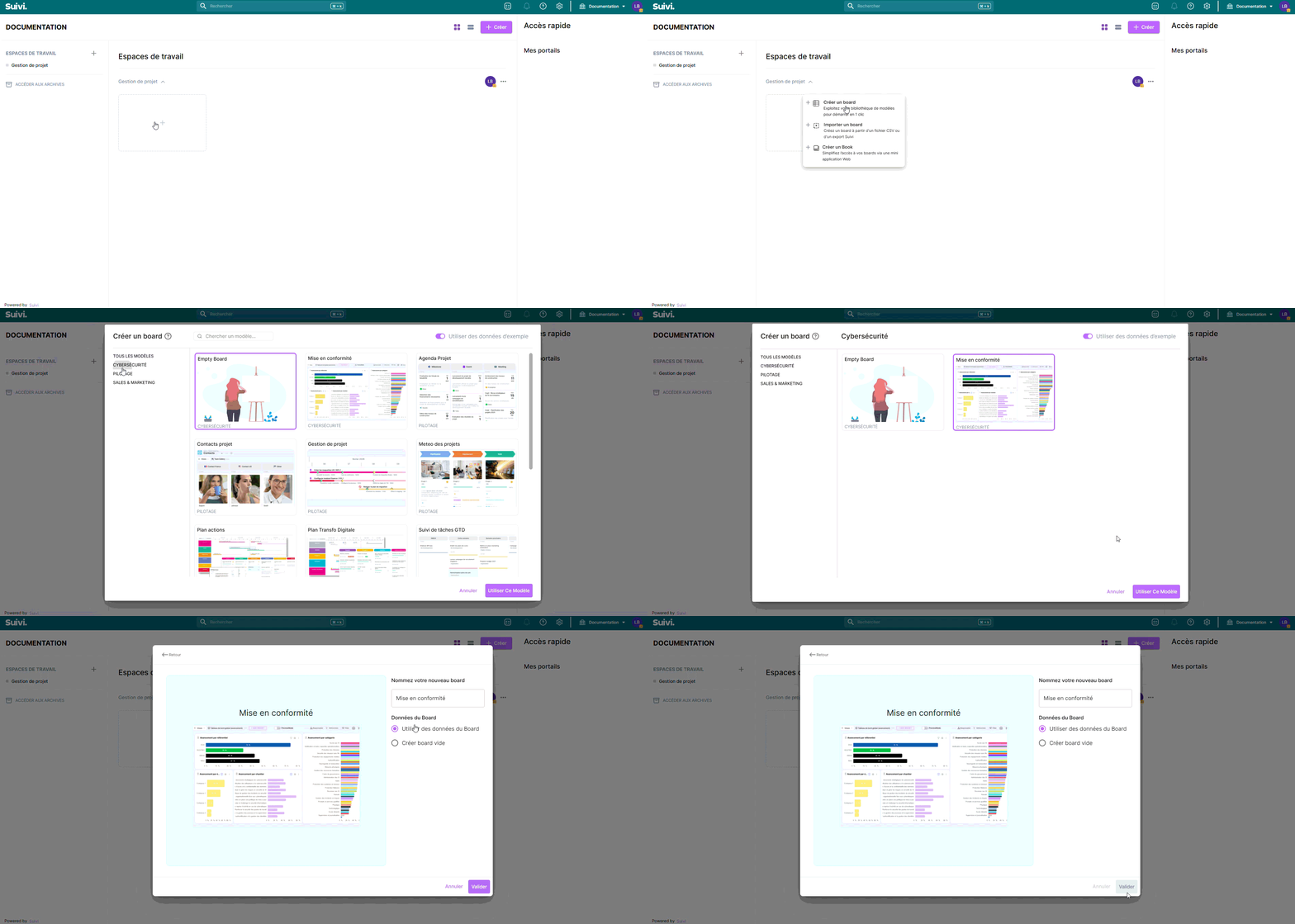
Create a Board from the Template
- In the workspace of your choice, click on "Add a new board".
- Go to the CYBERSECURITY section and search for the template "Compliance".
- To access all template features, you must import the test data.
Board structure
Each row represents a requirement (or clause/measure) to be evaluated.
- You enter your compliance status, your progress, and assign owners.
- You attach your evidence (files), and complete your assessment notes.
- You then use the "evaluation / prioritization" views to decide what to address first.
- Filter by the framework(s) that apply to you (Frameworks tag).
- For each requirement: complete the Compliance, an Owner, a Deadline, and an initial Progress level.
- Add your supporting evidence (files) and complete your Notes as you go.
- Use the Evaluation / Prioritization views to decide what to address first (gain/effort/risk/quick win).
- Manage in committee using the dashboards (global + by framework) and the roadmap.
Import your requirements (optional)
The template includes CSV import templates (key = ID) to populate or enrich the database (ISO27001, DGA, ANSSI, NIS2).
Best Practices
- Maintain a ritual: at each review (by owner / priority), update the key fields: Compliance, Progress, Deadline and Last Updated.
- Standardize your criteria (Gain / Effort / Risk) within the team (same scale, same rules).
- Limit evidence to what's useful: 1 to 3 solid pieces per requirement, rather than a catch-all folder.
Specific Use Cases
Requirements Review
These views can be used as part of an internal or external audit. They allow for the evaluation of the applicability and compliance of measures against the selected framework.
The compliance attribute allows an auditor to assess this value according to the chosen framework. In the specific case of ISO 27001, the framework's compliance levels are implemented (Non-compliant (minor) / Non-compliant (major) / Opportunity for improvement / Strength / Sensitive point).
Form views allow for the entry and review of requirements in the form of detailed records to ensure accuracy and traceability.
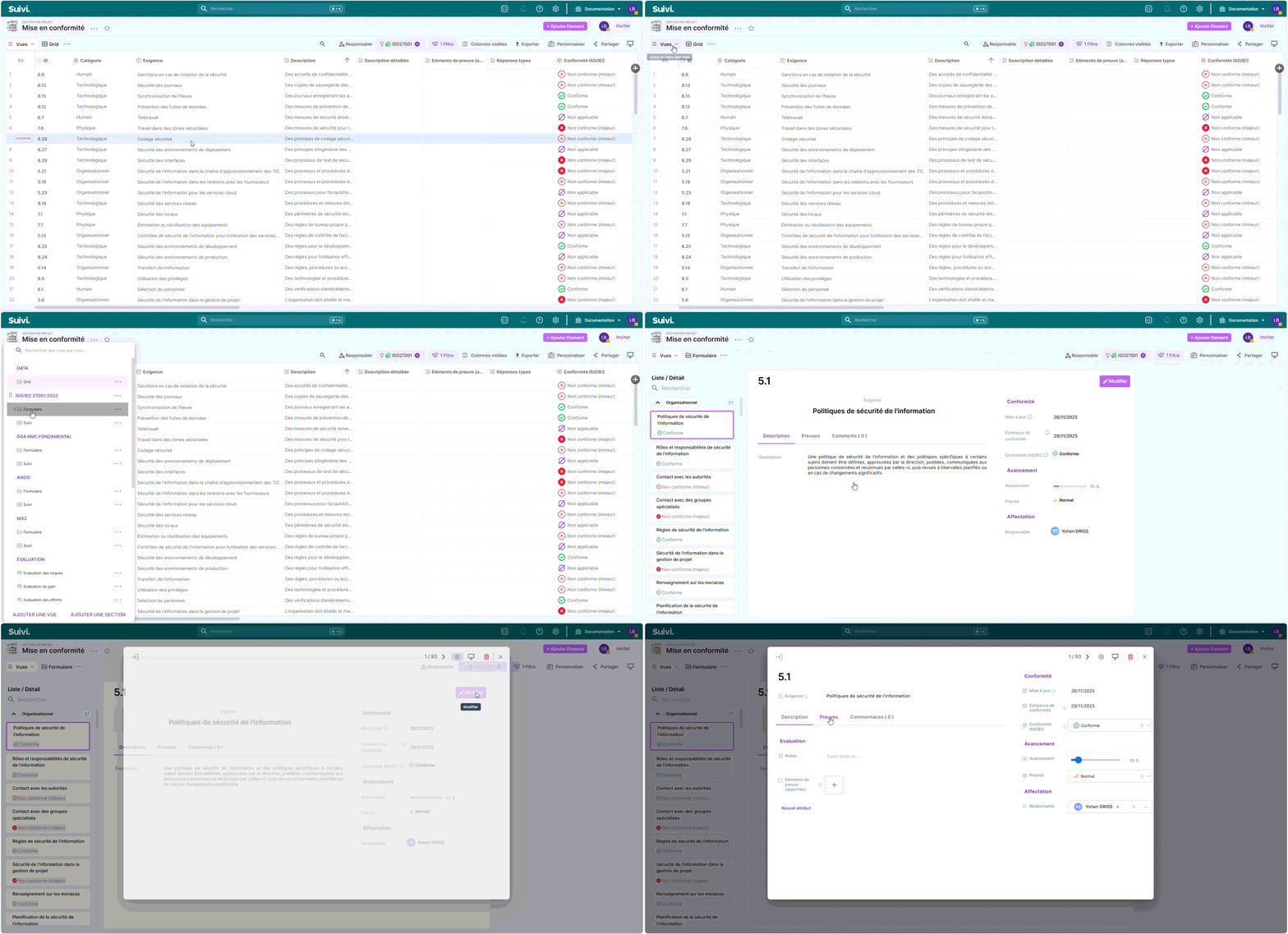
A single form is provided per framework, grouping the information specific to it.
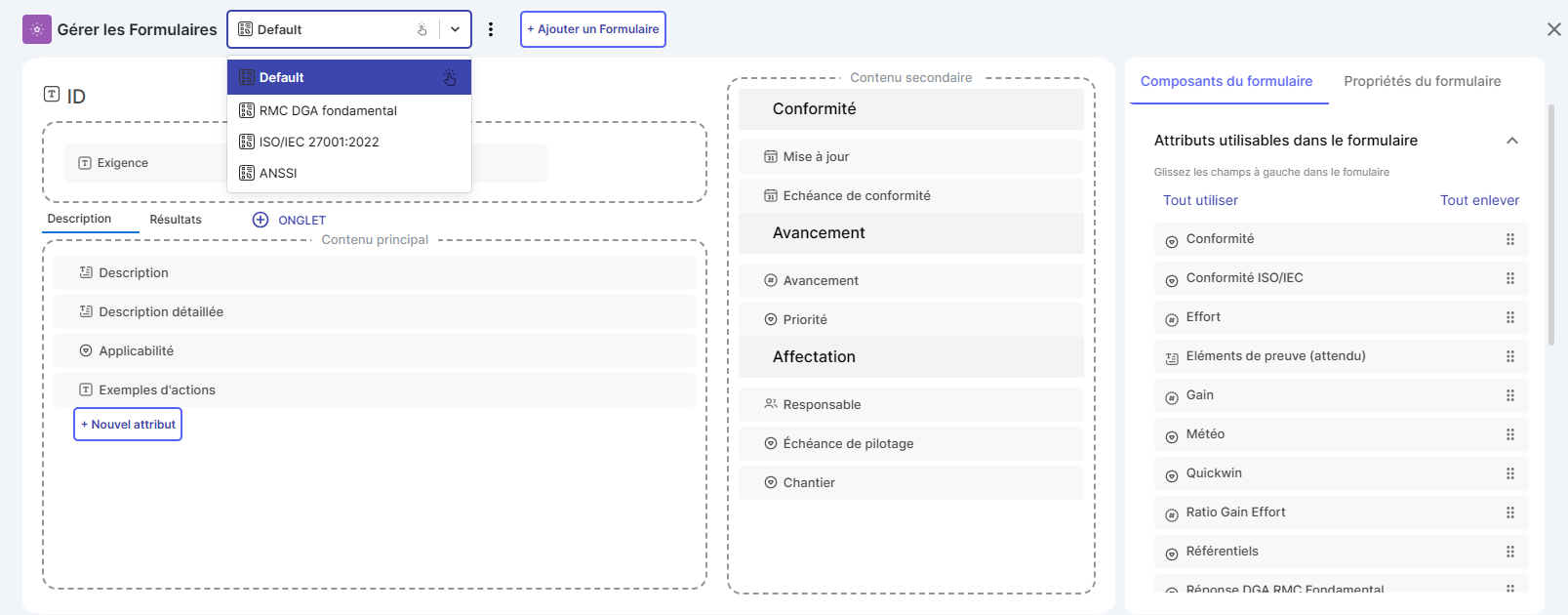
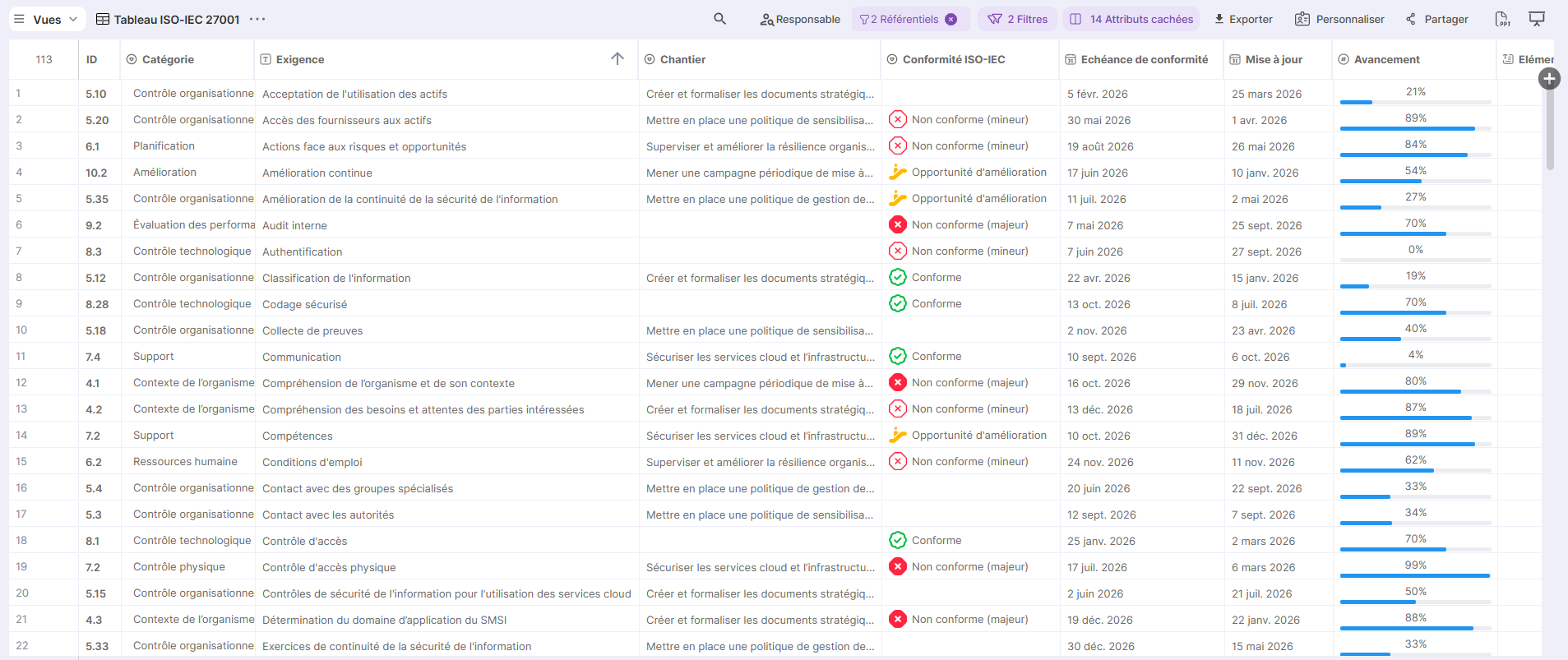
Table views offer a more global perspective, suitable for a suivi macro.
Measure Evaluation
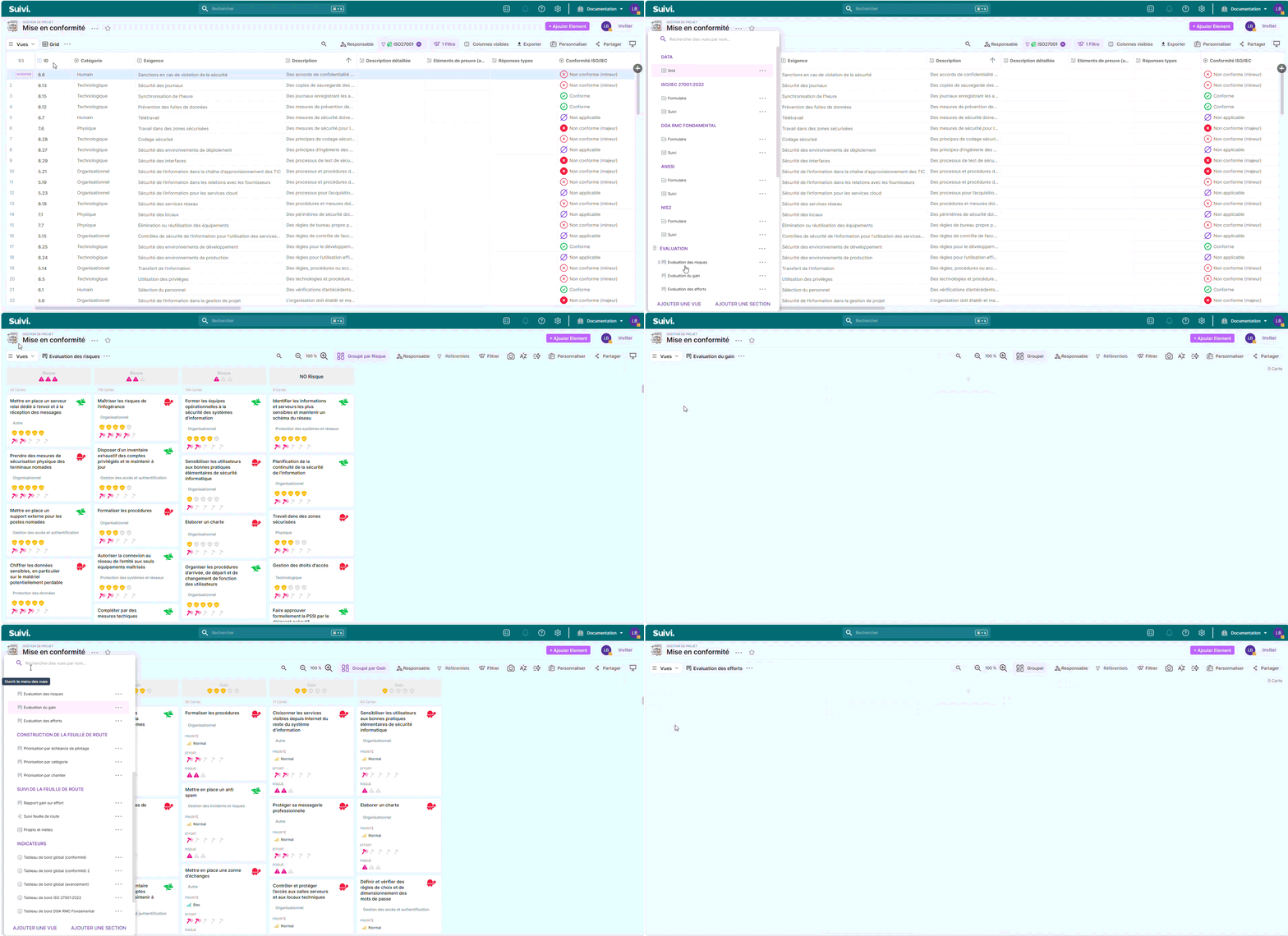
The evaluation section allows the CISO to analyze each measure and update it with attributes such as:
- The update date and monitoring deadline
- A compliance tag (in accordance with a chosen framework)
- Progress level and priority
- Assignment of a responsible person, a deadline, or a project.
Pre-configured views will allow prioritization according to the following criteria:
- Risk assessment
- Benefit assessment (what implementing the measure can bring)
- Effort assessment (what implementing the measure can cost)
- Benefit/effort ratio (will help determine the most efficient actions to implement)
The evaluation scales can be determined by the CISO.
Roadmap Construction
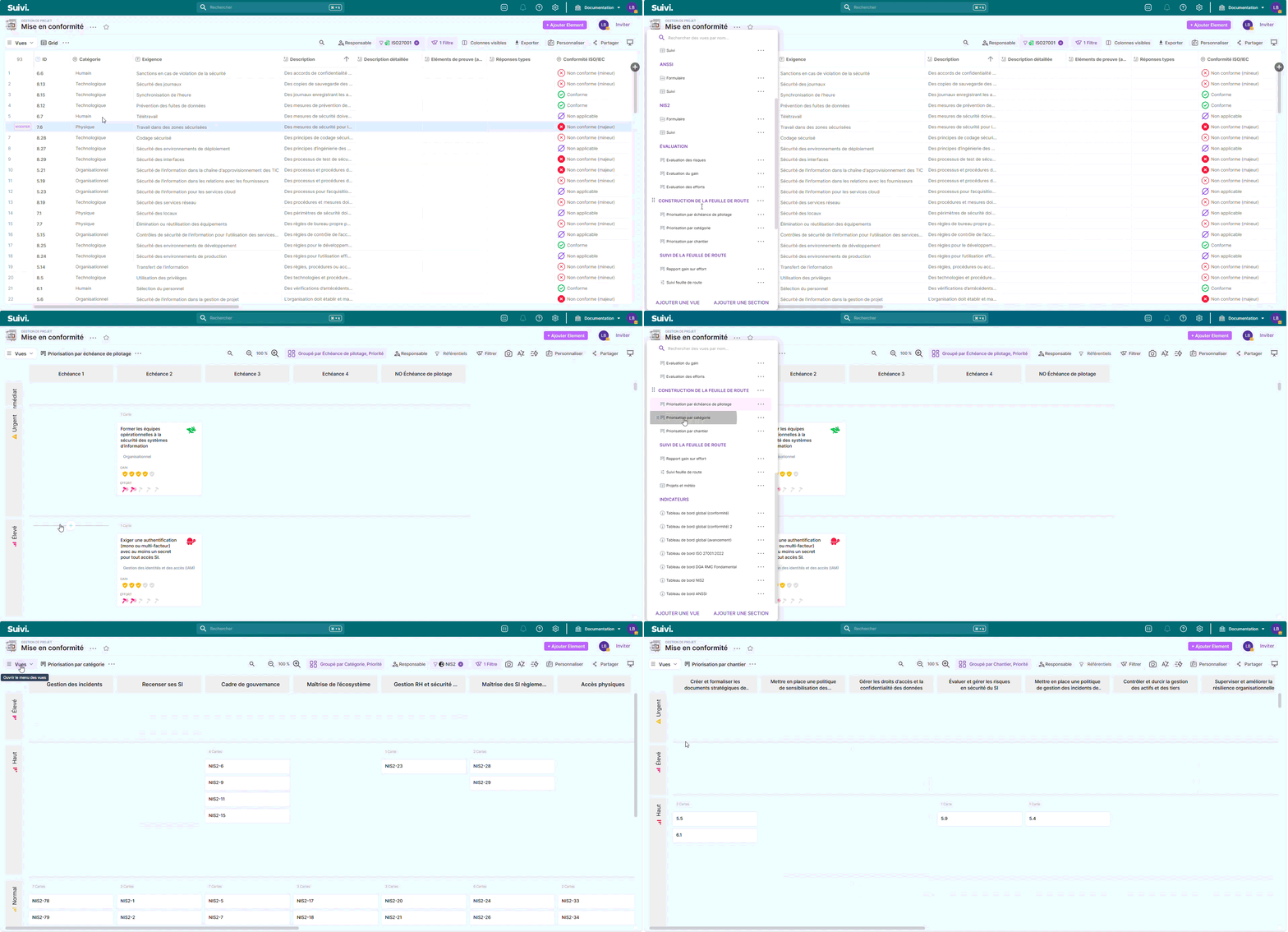
The roadmap construction views will allow the CISO to plan the actions to be implemented. They will thus have a panoramic view of all the measures to be put in place:
- By deadline date (monthly or quarterly committee for example)
- By workstream, if it groups measures by theme (awareness, governance, backup, etc.)
These views provide a complete overview of the measures to be implemented and allow planning their schedule over a determined period following an audit or assessment.
Suivi of the roadmap
This view will provide a linear and temporal suivi of the initial project.
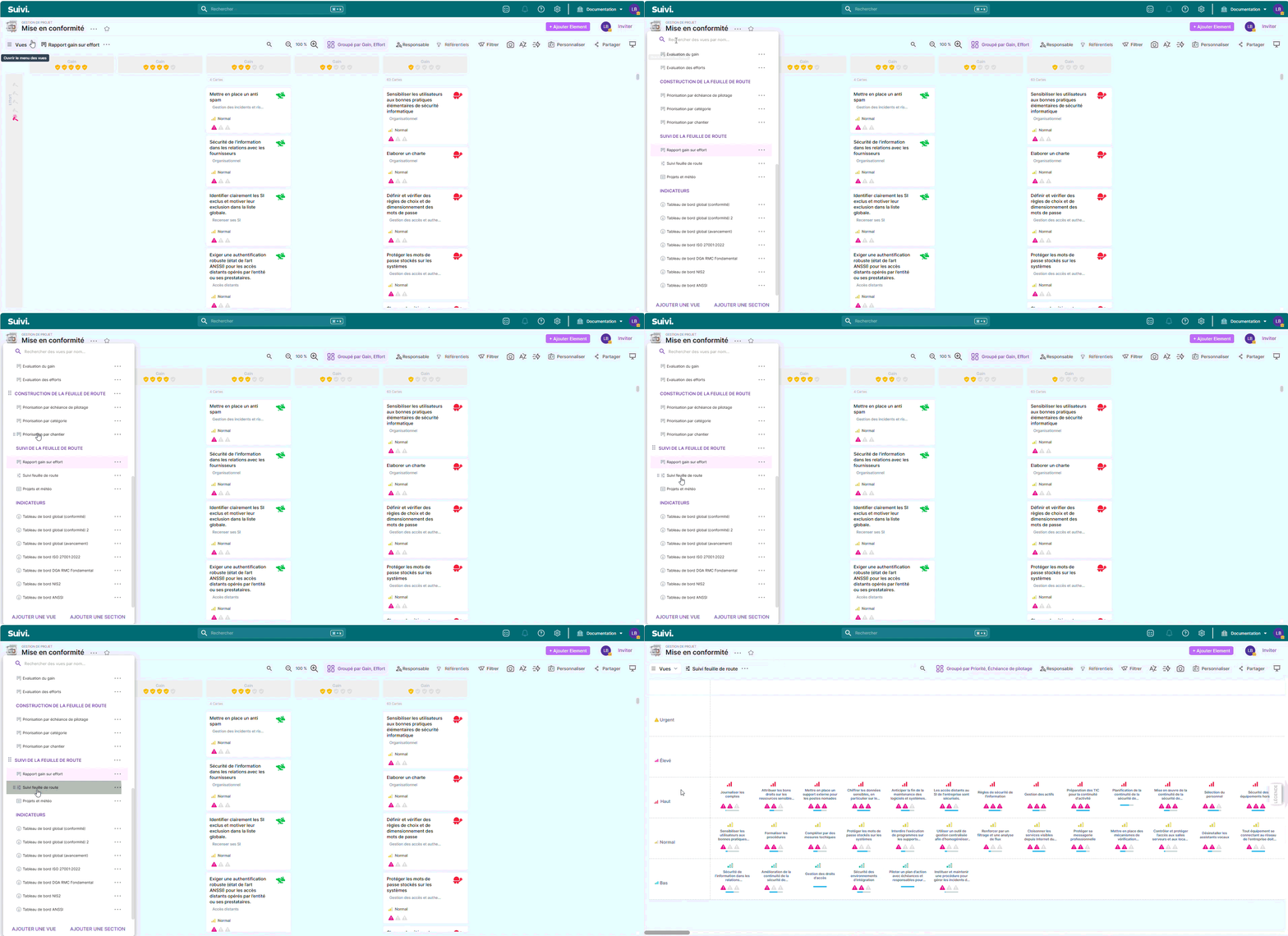
The interactivity and available options will allow you to reschedule and reprioritize measures as the project evolves according to the constraints encountered.
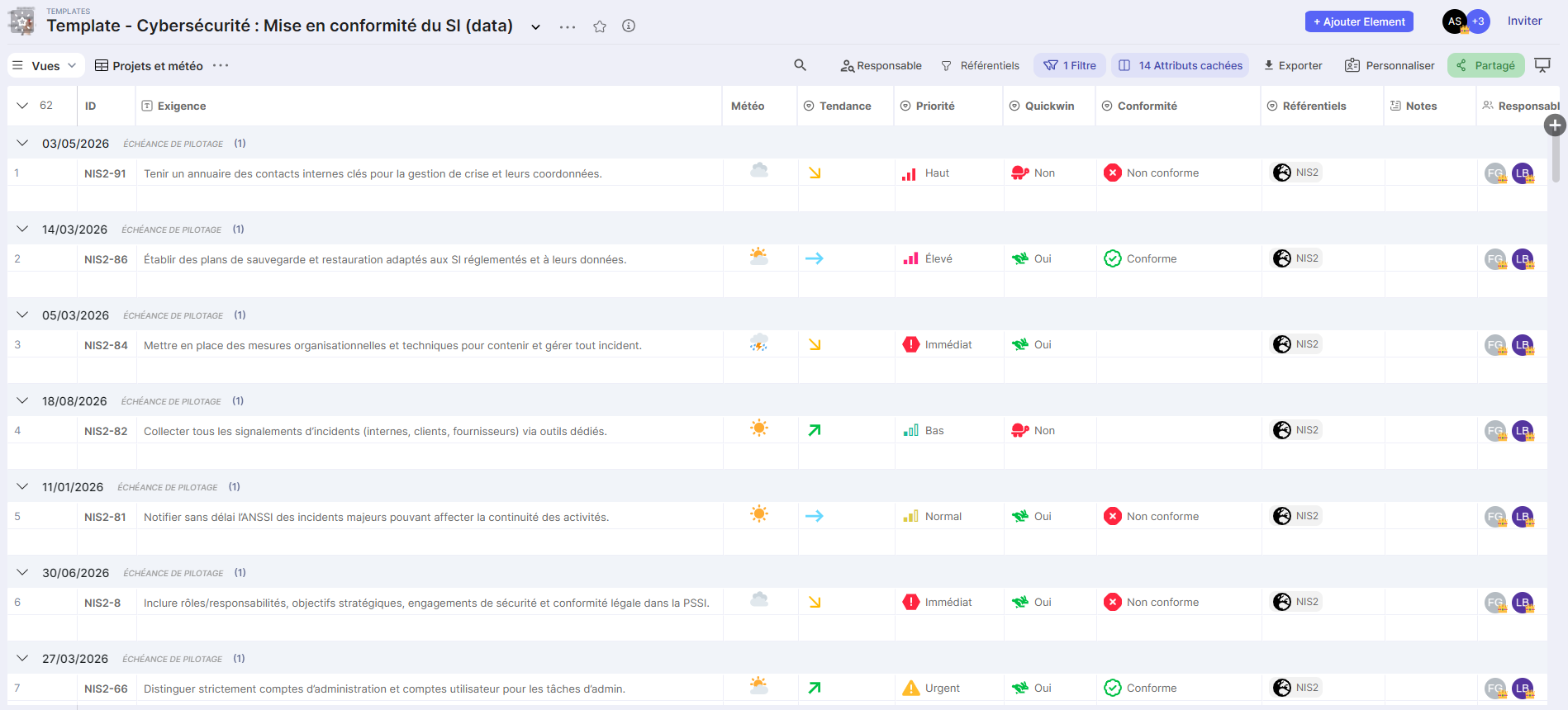
A "weather and trends" oriented view is also provided to have a synthetic overview of the status of measures
The Projects and weather view is management-oriented with trend and weather indicators to track the overall status of projects.
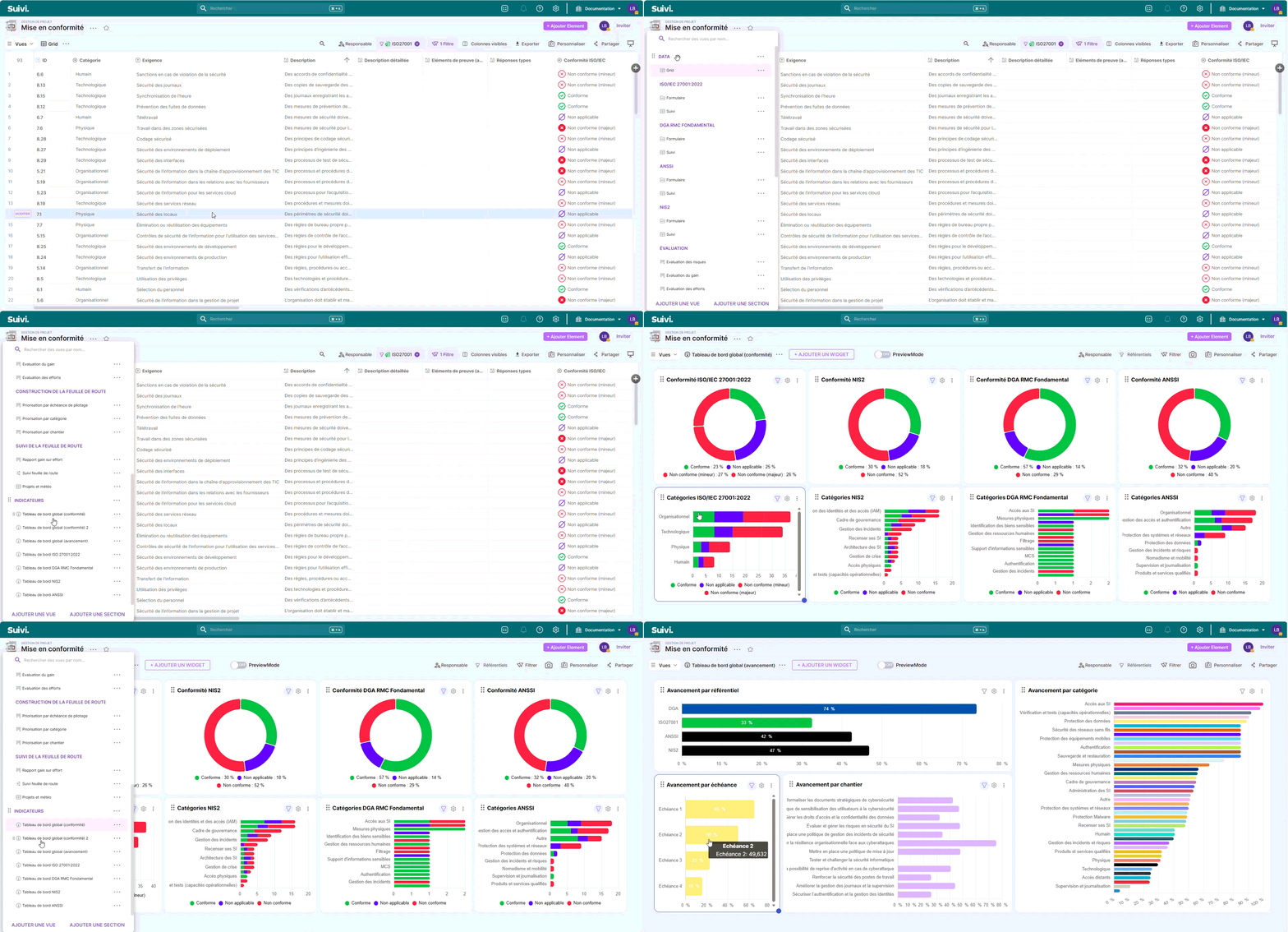
Dashboards
Global Dashboards
Two dashboard views (global) bring together key indicators to monitor compliance and overall progress of initiatives.
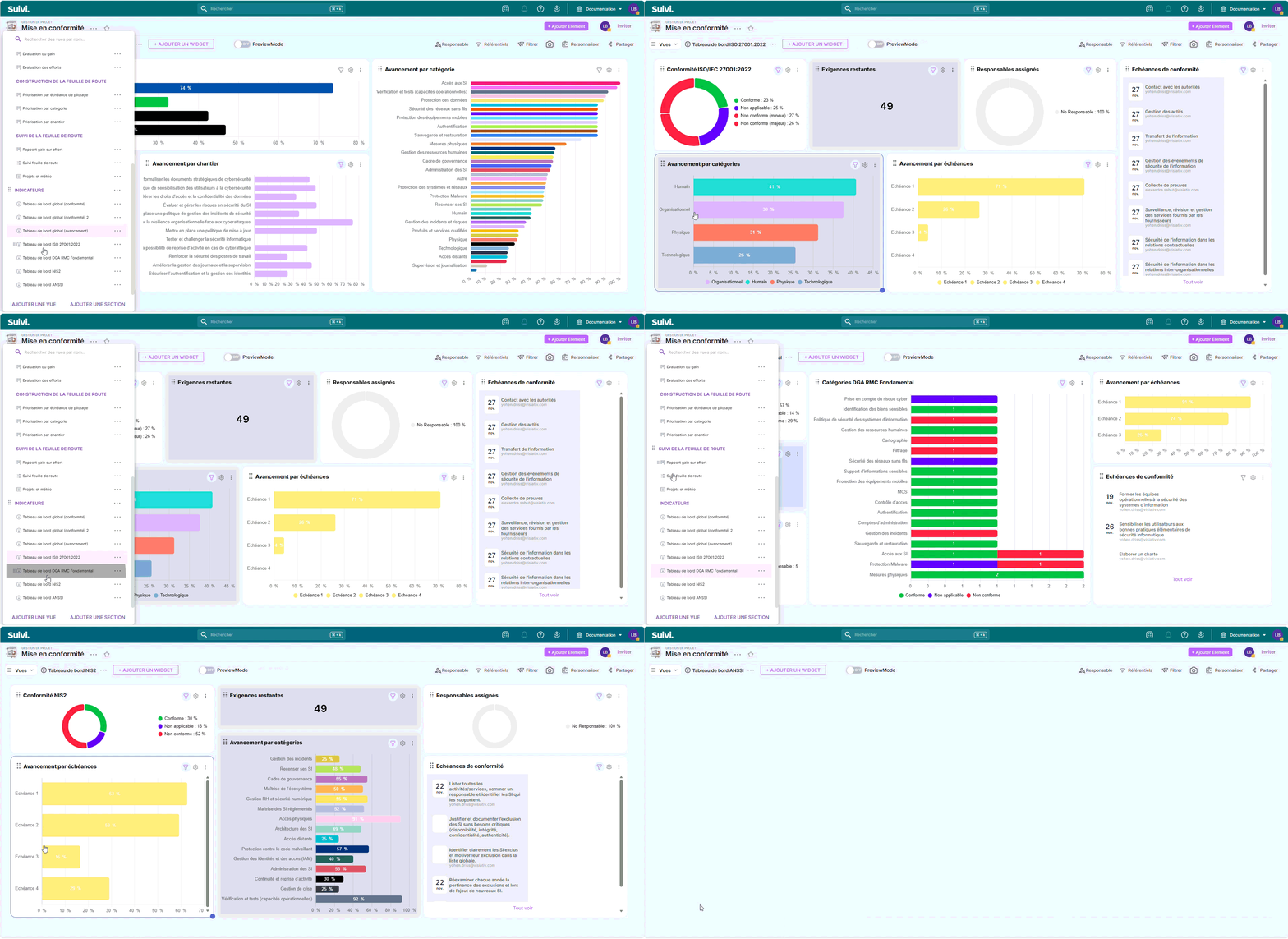
Dashboards by Framework
These views provide detailed analysis by standard (ISO 27001:2022, ANSSI, NIS2, DGA RMC Fundamental) and enable tracking compliance evolution based on milestones defined over time.
Additional Documents
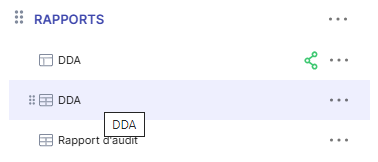
- SoA (Statement of Applicability)
- Audit report
Statement of Applicability
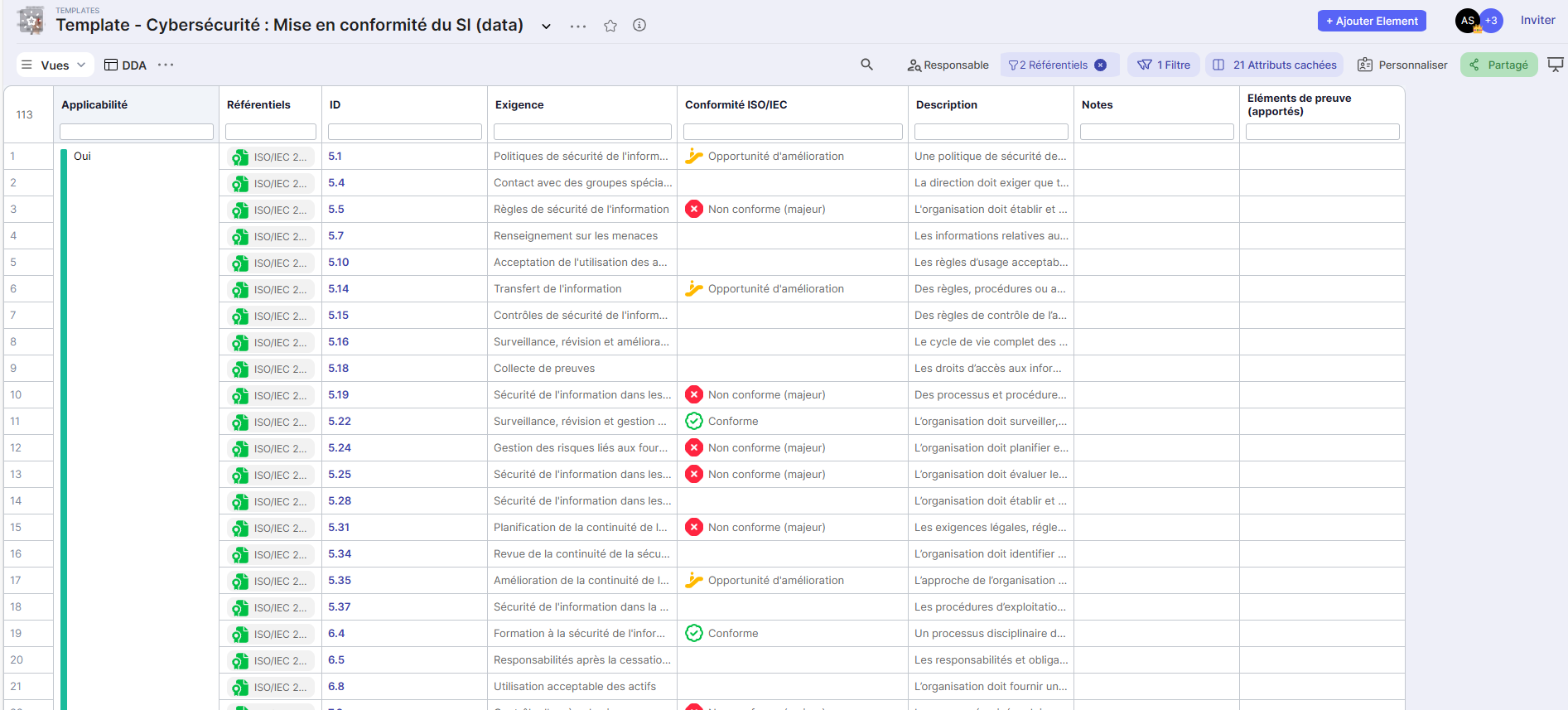
The "table" view of the SoA allows you to generate an Excel file that can be used for ISO/IEC 27001:2022 certification. It generates the list of all security controls from Annex A and their applicability (or non-applicability) with justifications for use.
Audit Report
The "audit report" view allows an auditor to complete the various compliance and applicability requirements and attach notes and documents. They can also generate a deliverable in PPT format for a third party
The Audit Report view contains the key elements necessary for preparing a compliance report.
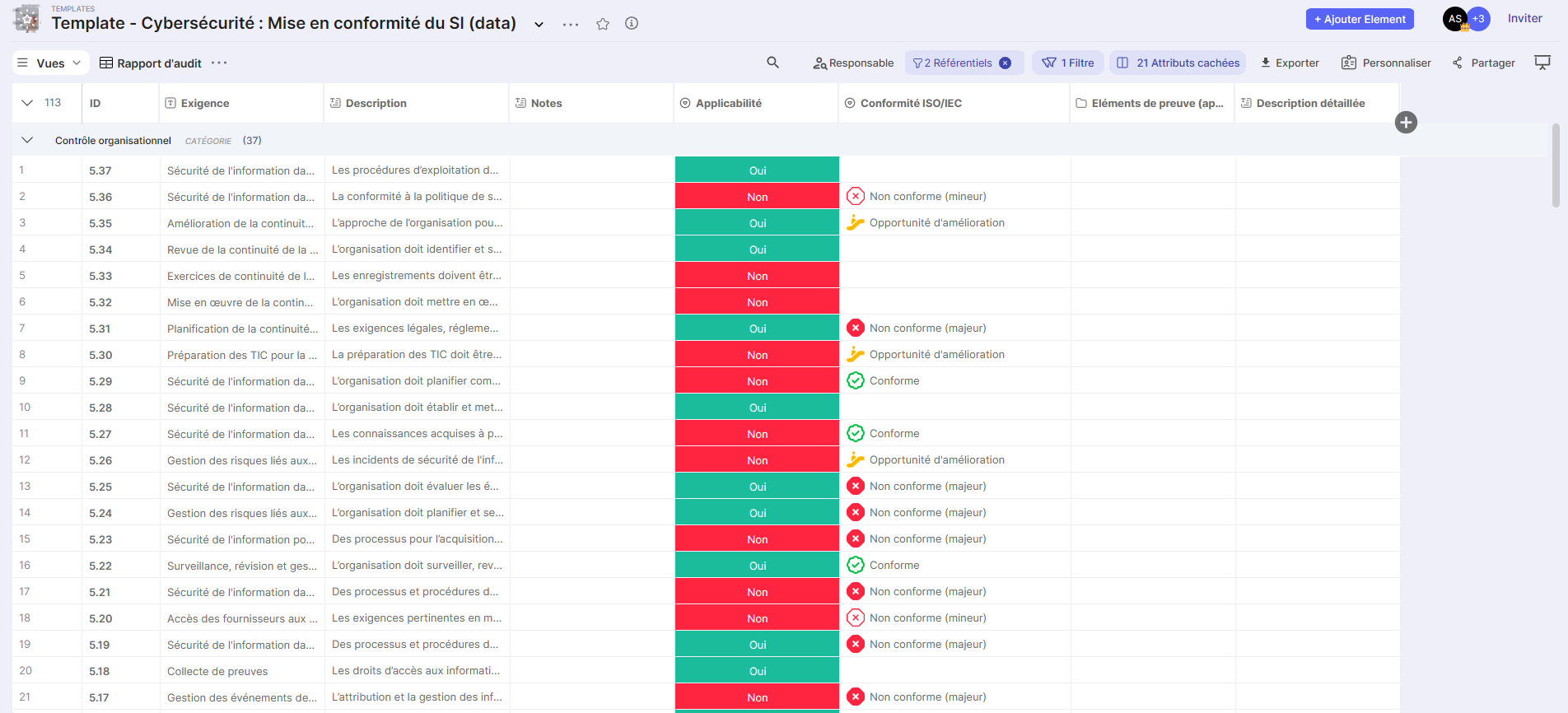
The "Notes" fields can be filled in with the various gaps identified (in relation to the requirement).
These views provide a complete overview of the measures to be implemented and allow for scheduling their planning over a defined period following an audit or assessment.