Template Overview
The template allows you to track project progress in terms of milestones, phases, priority, owner, key dates, and completion.
It is designed for project managers, project directors, PMOs, or anyone responsible for managing a project portfolio.
This template provides:
- a clear view of milestone progress,
- a temporal suivi (schedule, calendar),
- a detailed view of each element,
- a visual summary using the board table,
- a focus on risks and urgent matters.
Create a Board from the template
- In the workspace of your choice, click on "Add a new board".
- Go to the MANAGEMENT section and search for the template "Project Portfolio".
- To discover the template's features, start by importing the test data. This will allow you to visualize a concrete example and quickly familiarize yourself with the structure.
Once ready, you can switch to a blank template to create your own custom board.
[GIF to insert]
Board structure
The board contains the following elements:
| Attribute | Type | Role |
|---|---|---|
| Project name | Text | Project to which the milestone belongs |
| Milestone | List | Name of the key stage |
| Phase | List | Project phase (Scoping, Design, …) |
| Milestone owner | User | Person responsible for the milestone |
| Deliverable type | List | Document, Development, Testing, … |
| Milestone status | List | To do, In progress, Completed, Blocked |
| Completion percentage | Numeric | Milestone progress |
| Priority | List | Low, Medium, High, Critical |
| Start date | Date | Planned start |
| Planned end date | Date | Expected end |
| Actual end date | Date | Completed on … |
| Comment | Rich text | Additional notes |
Available Views
Data Table
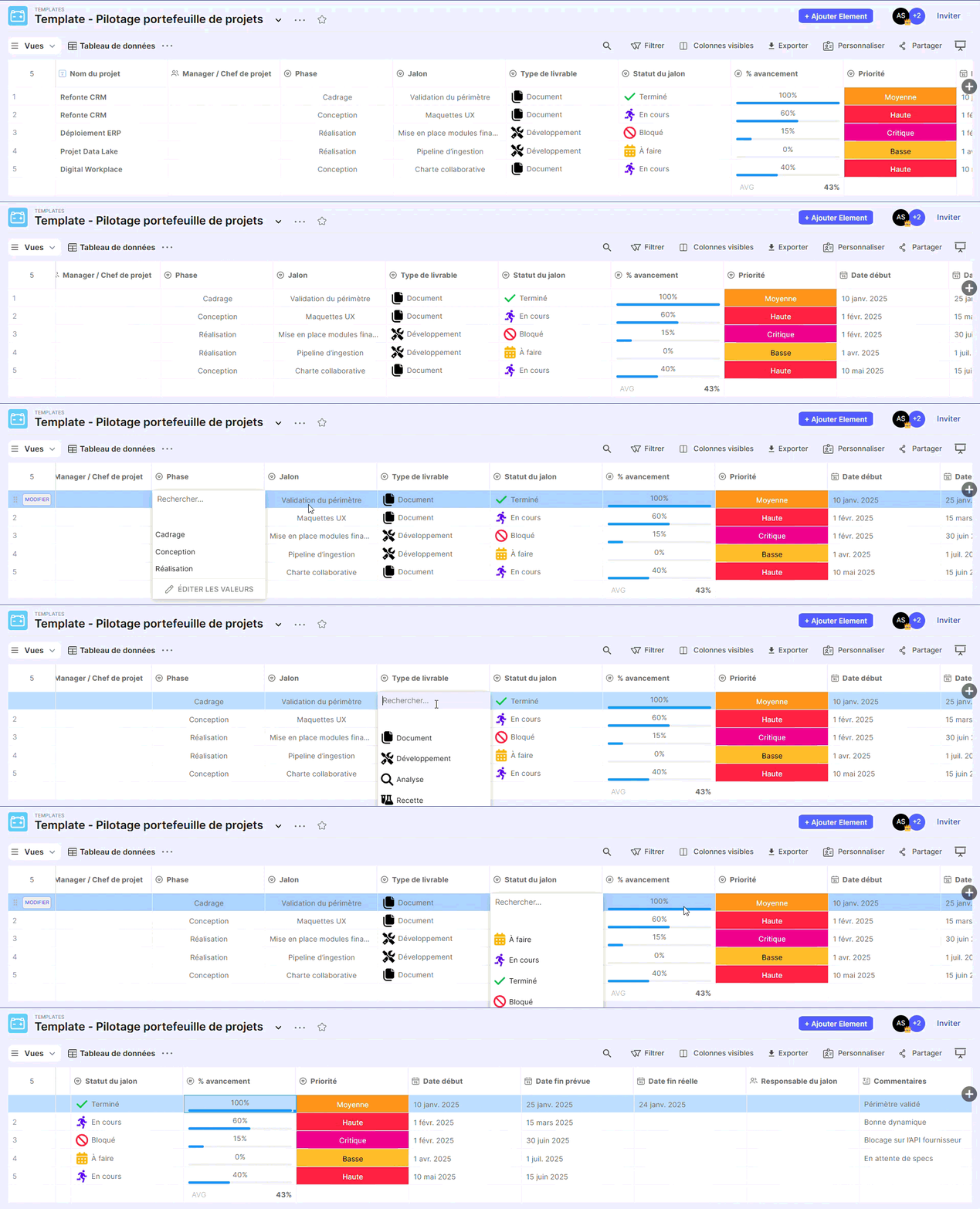
Purpose
Display all raw rows from the board
Ideal for:
- complete exploration,
- data verification,
- CSV import/export.
Detailed Suivi of milestones (Table)
Objective
Visualize milestones organized by phase.
Reading
Each phase groups the corresponding milestones.
Allows identification of delays, blockers, and the overall status of each phase.
Milestone Progress (Kanban)
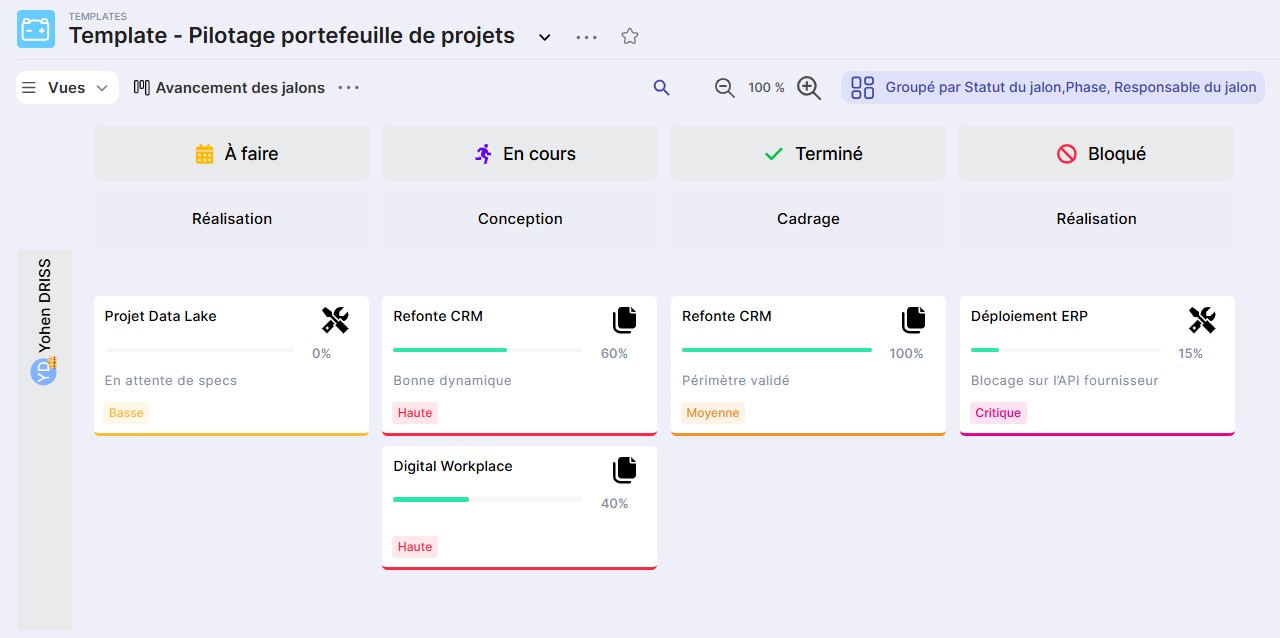
Objective
Visual and operational Suivi of milestone status.
Reading
Milestones are distributed according to:
- Columns: Milestone Status
- Sub-grouping: Phase
- Rows: Milestone Owner
Allows you to immediately see who has what, and in what state.
Milestone Planning
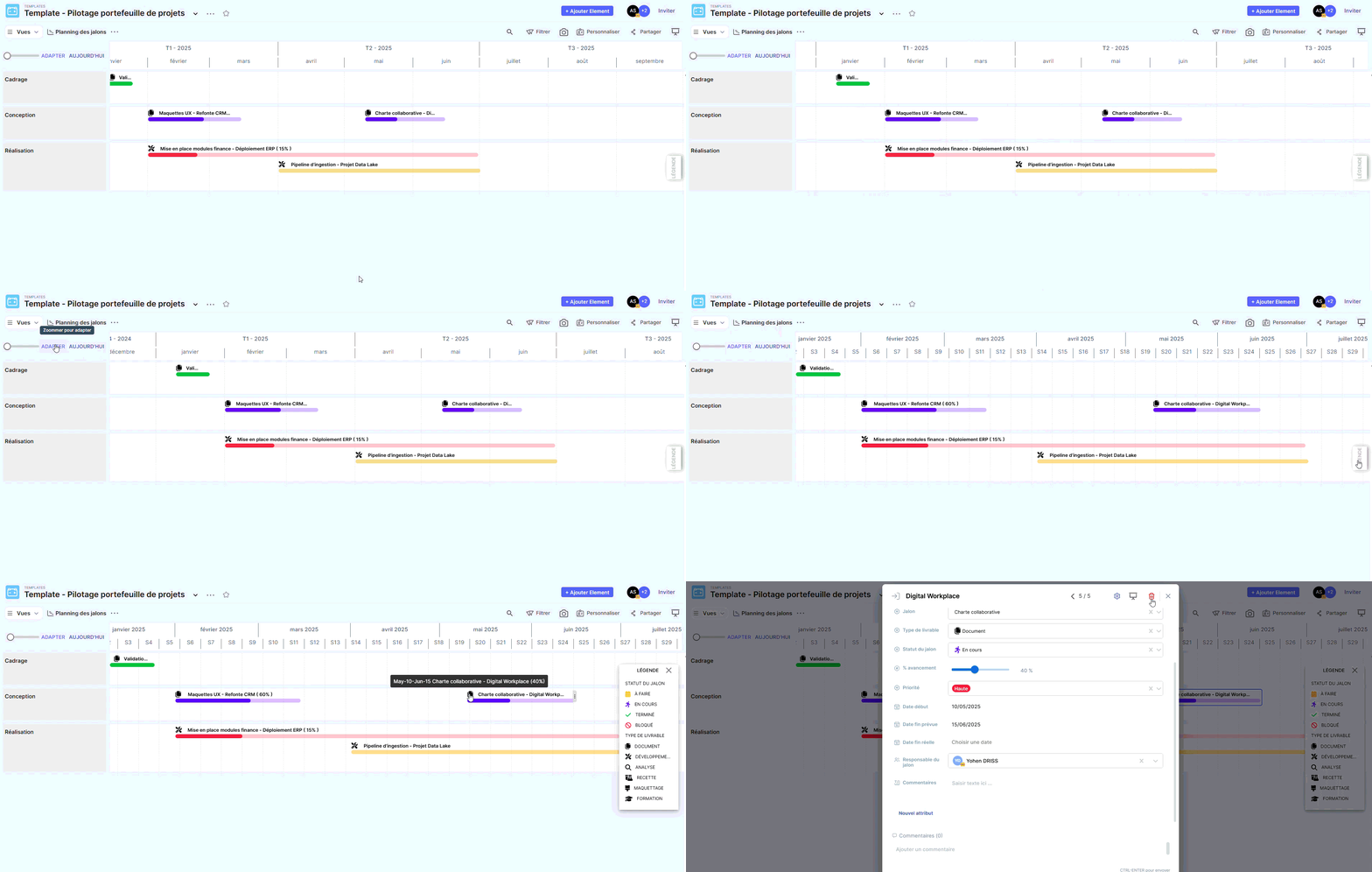
Objective
Display milestones over time to visualize overlaps, delays, and time-based workloads.
Deadline Calendar
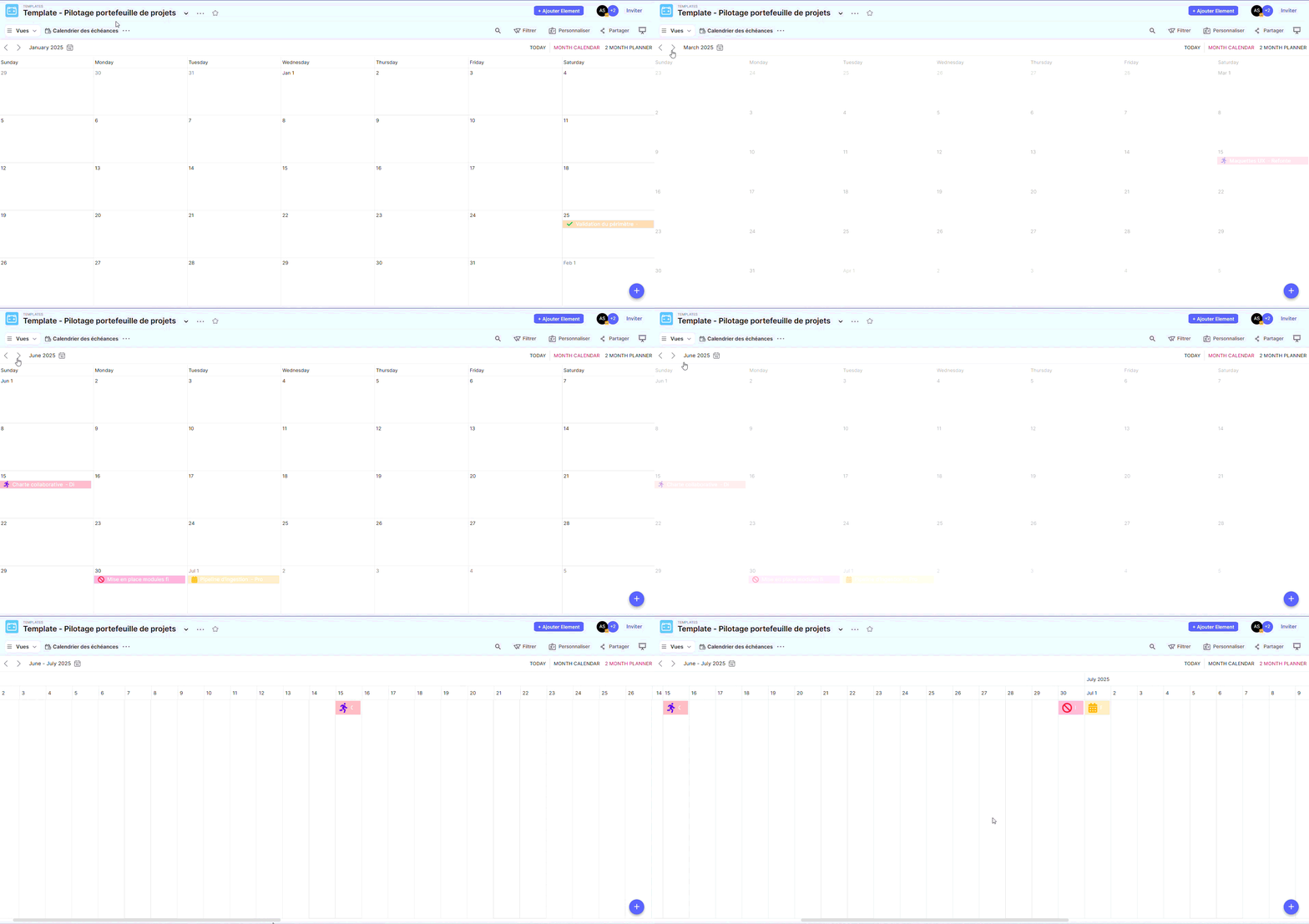
Objective
Visualize key project dates in a monthly calendar.
Critical Milestones
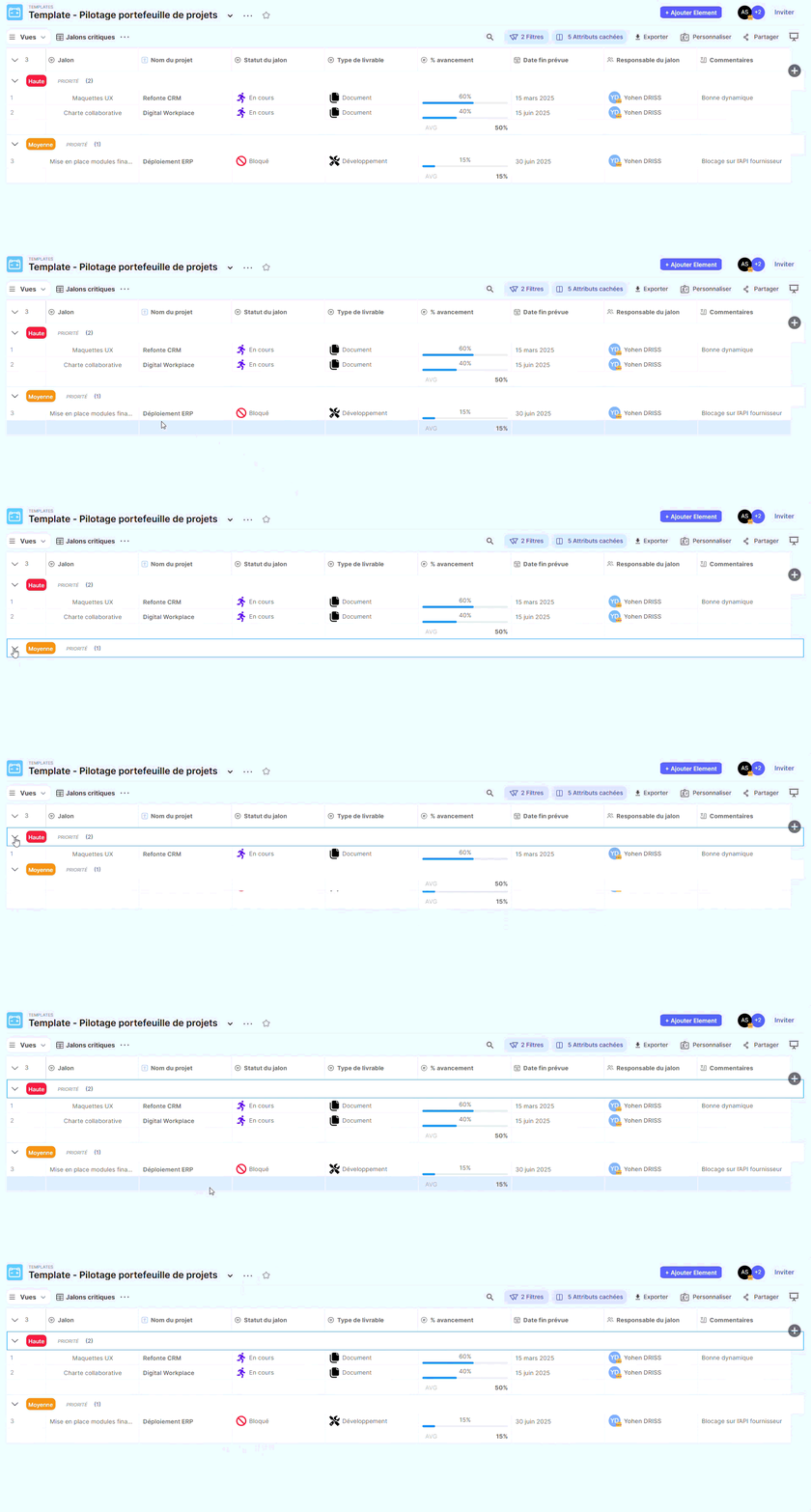
Objective
Highlight milestones that require special attention.
Recommended Filters
Display only:
- Priority = High and Critical
- OR milestone status = Blocked
Project Dashboard
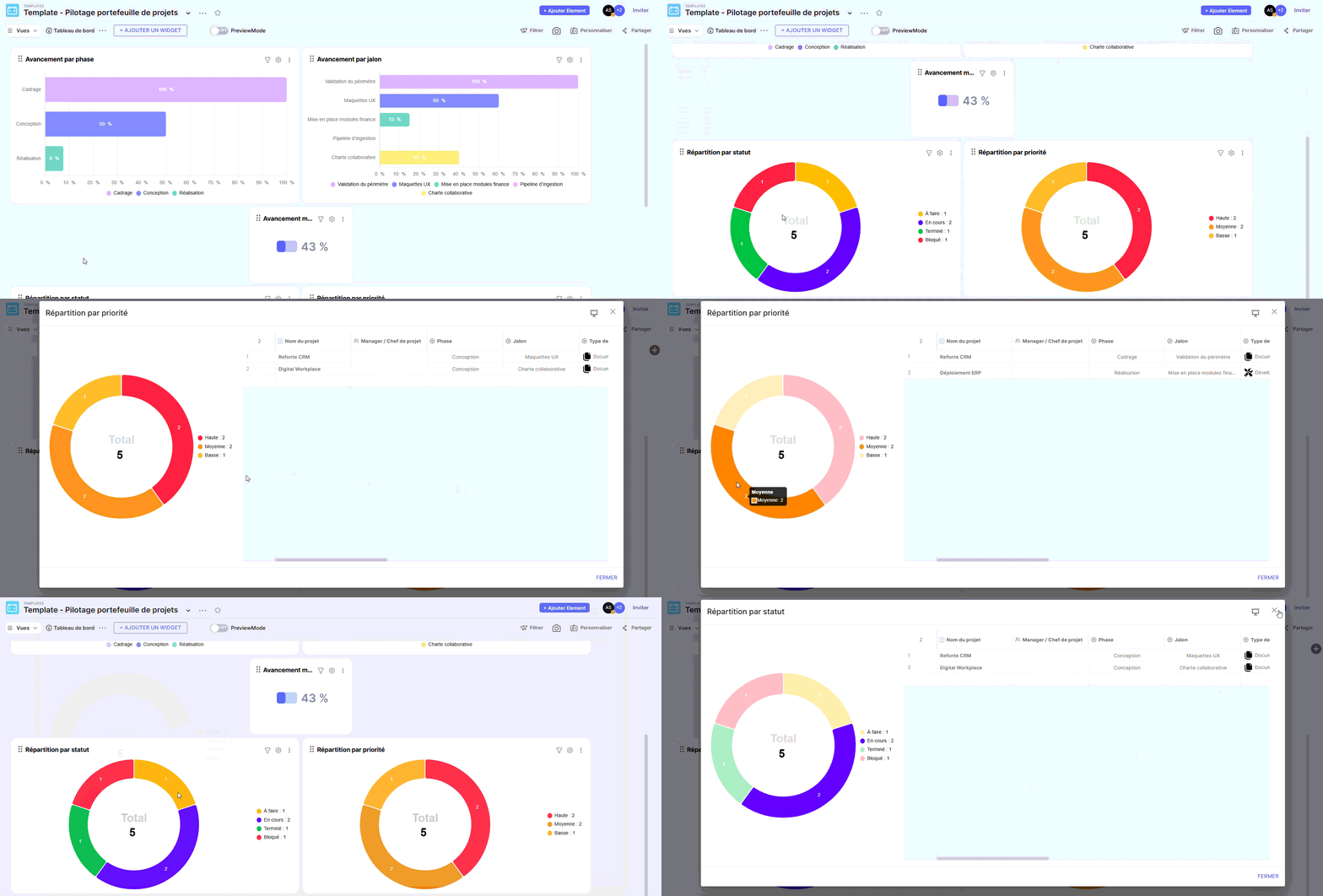
Objective
Provide a clear and visual summary for a tactical review.