Visiativ Trackingallows you to produce a board in the form of a PowerPoint file, each slide representing a element from the board.
For the same board, it is possible to offer several different PowerPoint presentations, or even dedicate some strictly to a type of user with a particular role (Admin, Contributor, Visitor or Everyone).
Key concept
Creating a PowerPoint file from a board involves the following steps:3 essential steps :
- Create a PowerPoint file template— Construct a presentation template that will serve as the basis for generating the output file.
- Manage the templates in your board— Match this model to the available models on your board.
- Generate the PowerPoint file— Produce the final file by applying the template to your board.
Functionality demonstration
Note: The examples will be done using the “Project Weather” template board.
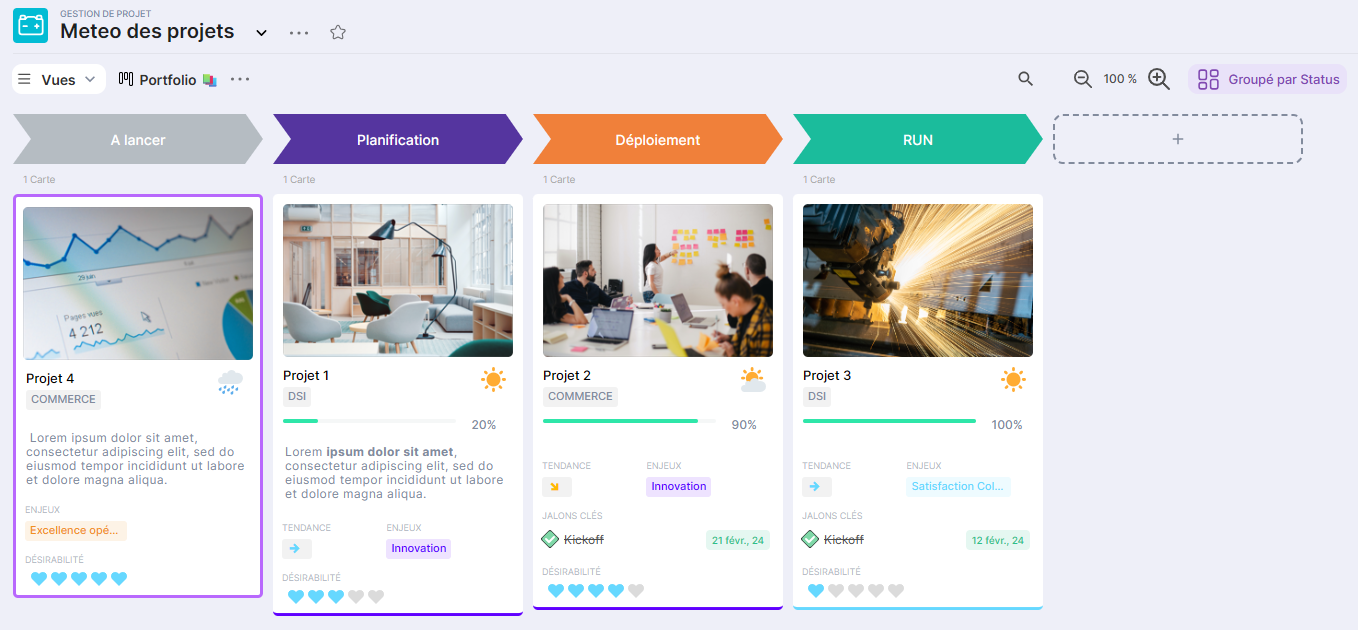
Here is the Portfolio view of the board to be exported:
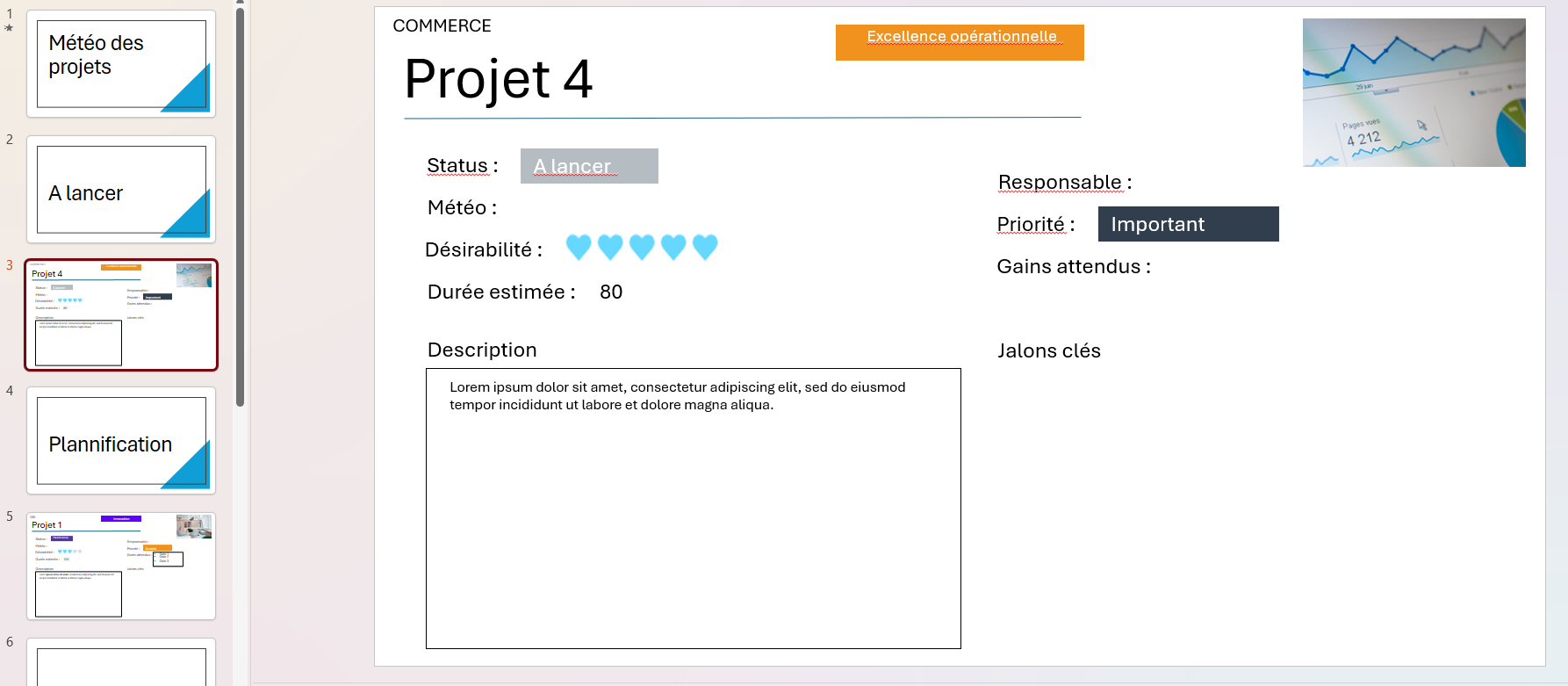
One result of the PPTX export:
Getting started
Create your template
- Design your presentation template
- Retrieve the copy of the board
- Configure attribute codes
- Upload and test the model
Estimated duration: 20-30 min
Manage your templates
- Add a new model
- Activate/deactivate a template
- Modify an existing template
- Delete a template
- Control access by role
Estimated duration: 5-10 min (per operation)
Generate PowerPoint files
- Generate a file from a board
- Download the result
- Check the consistency of the data
Estimated duration: 2 min
Advanced Features
- Represent the tags with images (
- Display conditional text (
- Show the lists (
- Advanced Combinations
Estimated duration: 45 min (depending on complexity)
Essential vocabulary
| Terme | Définition |
|---|---|
| Board | Votre projet/espace de travail dans Suivi |
| Modèle | Fichier PowerPoint qui sera utilisé comme template |
| Slide | Page PowerPoint (doit être unique dans le modèle) |
| Bloc | Zone contenant une information (texte, image) |
| Attribut | Champ de données du board (nom, date, statut, etc.) |
| Code d'attribut | Identifiant unique de l'attribut (ex: NomProjet, BudgetTotal) |
| Tag | Attribut multi-valeurs (cases à cocher, liste de choix) |
| Balise | Instruction spéciale ( |