This template centralizes and compares employee skills to provide a clear view of expertise and measure the alignment between profiles and job requirements.
What is this template for?
- Visualize an employee's skill level.
- Quickly identify strong areas and risks of weak skills.
- Consolidate information into thematic views (Languages, Data, IT…).
What the template contains
The board offers:
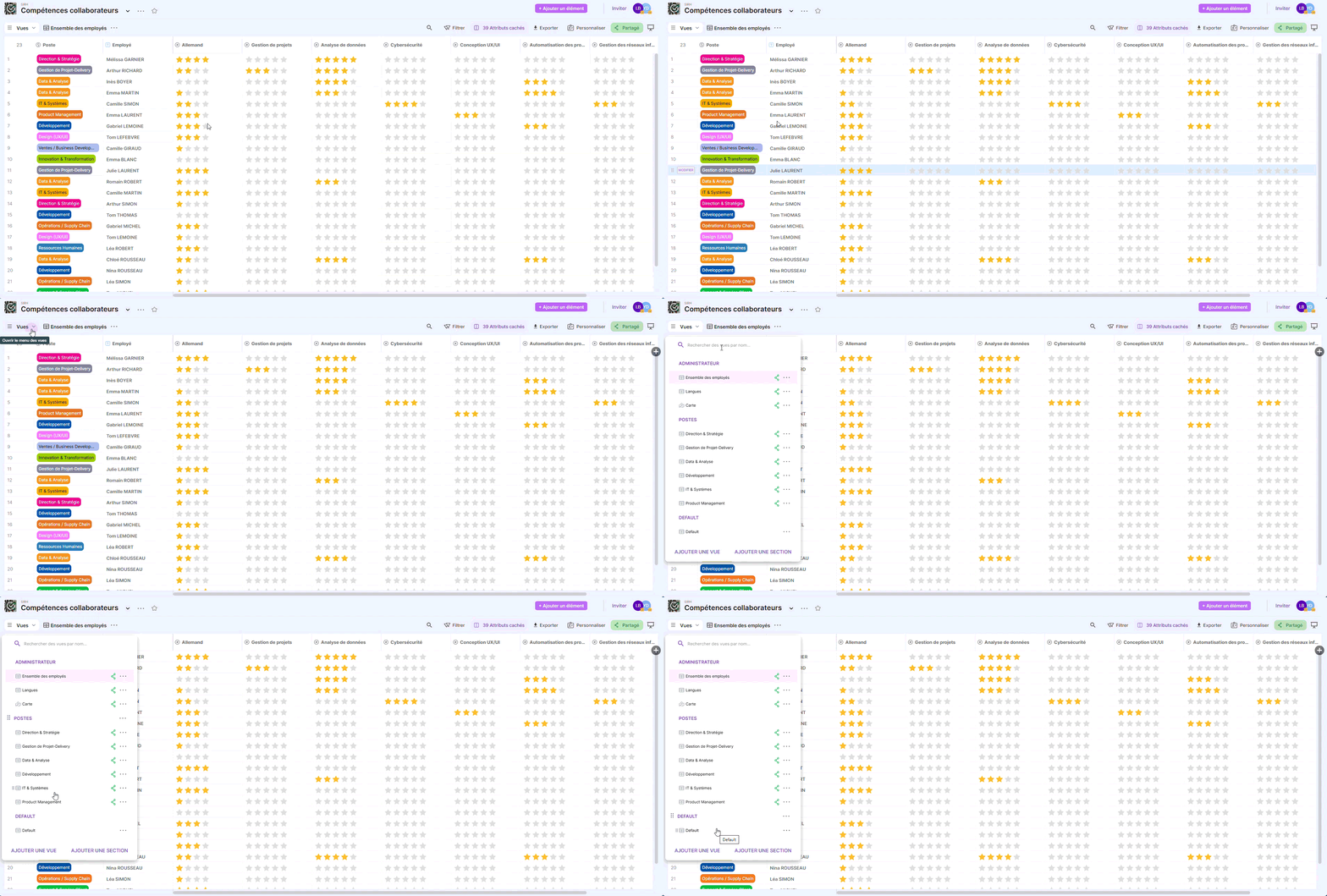
An Administrator section
- All employees (Grid)
- Languages (Grid)
- Map (Map)
A Positions section (relevant skills for each domain)
- Management & Strategy
- Languages
- Project Management – Delivery
- Development
- Data & Analysis
- IT & Systems
- Product Management
Board structure
| Field | Type | Purpose | Example / Format |
|---|---|---|---|
| Employee | Text | Employee name | "Mélissa Garnier" |
| Country | Tag | Employee's country / region | 🇫🇷 France |
| Location | Location | City / geographic area | "Lyon" |
| Manager | User | Employee's manager | @Manager |
| English | Rating (4★) | Language proficiency level | ★★★★ |
| French | Rating (4★) | Language proficiency level | ★★★★ |
| German | Rating (4★) | Language proficiency level | ★★☆☆ |
| Data analysis | Rating (5★) | Data skill | ★★★☆☆ |
| Strategic planning | Rating (5★) | Strategic skill | ★★★★☆ |
| Decision making | Rating (5★) | Decision-making ability | ★★★☆☆ |
| Risk management | Rating (5★) | Risk management skill | ★★★☆☆ |
| Oral and written communication | Rating (5★) | Communication | ★★★★☆ |
| Problem solving | Rating (5★) | Problem solving | ★★★★☆ |
| …other skills (x20+) | Rating (5★) | Job-related skills | ★★★★☆ |
| LookUp – Project management (target) | LookUp | Expected skill based on position | External values |
| …other LookUp skills | LookUp (x20+) | Job-related skills | External value |
Ready-to-use views
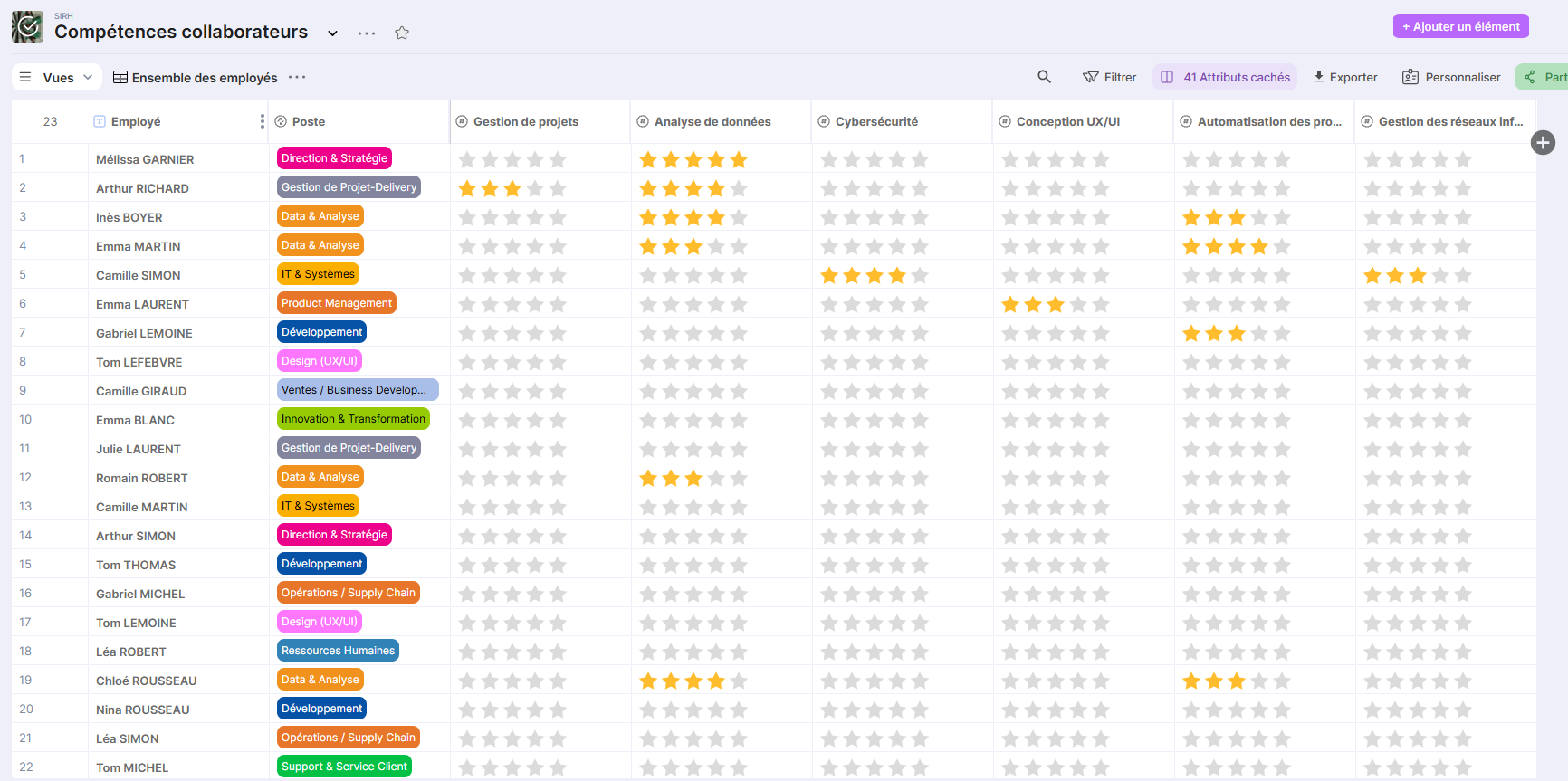
All employees (HR / manager / project manager view)
- Complete management view: all skills visible.
- Useful for bulk updates.
Languages
- Filtered view with only language skills.
Map (Map view)
- Display of employees on a map.
- Based on the Location property.
Business Skills
- A view by job type (Management & Strategy, Project Management, Development, etc.)
- All these skills are rated on 5 stars.
- Displays only skills related to the profession (project management, planning, organization).
How to Get Started (in 10 Minutes)
- Add employees
- 1 record per person.
- Fill in: Employee, Country, Location, Position.
- Evaluate skills
- Update ratings (stars) in the relevant views.
- Use thematic views
- Perform analyses by domain (Languages, Data, IT, etc.).
💡 Best Practices
- Update skills at each HR review or Delivery mission.
- Limit the number of visible skills per view to encourage usage.