Template Objective
The Machine Sales Process template allows you to track the entire lifecycle of a machine deal, from the sales phase through to commissioning and customer training.
Each project stage is tracked with its responsible department, stakeholder (manufacturer or customer), progress status, and planned duration. The board thus provides a cross-functional view of all teams involved — Sales, Engineering, Production, Logistics, Installation, Support — on a single deal.
It is particularly suited to manufacturers who build and deliver custom or semi-custom equipment, and who need a shared management tool between internal teams and the customer.
Create a Board from the Template
- In the workspace of your choice, click on "Add a new board".
- Access the INDUSTRY template category and search for the "Order-to-Delivery Process" template.
- To discover the template's features, start by importing the test data. This will allow you to visualize a concrete example and quickly familiarize yourself with the structure. Once ready, you can switch to a blank template to create your own personalized board.
Board structure
Each row represents a step in the Order-to-Delivery process for a given deal.
Process phases
The board is organized into 5 sequential phases covering the entire cycle:
| Phase | Description |
|---|---|
| 1. Customer requirement specification | Constraint analysis, option definition, specification validation |
| 2. Design & Manufacturing | Technical design, manufacturing, quality control and workshop testing |
| 3. Preparation & Delivery | Logistics, transport, site preparation and unloading |
| 4. Installation & Commissioning | Positioning, connection, configuration, real-world testing and acceptance report signature |
| 5. Training & Support | Operator and maintenance training, documentation handover, project closure |
Template Attributes
| Attribute | Type | Description |
|---|---|---|
| Step | Text | Name of the step in the process. |
| Step ID | Text | Reference identifier for the step. |
| Phase | List | Order-to-Delivery process phase to which the step belongs. |
| Department | List | Team responsible for the step (Sales, Engineering, Production, Logistics, Installation, Quality, Purchasing, Support, Safety, Delivery). |
| Stakeholder | List | Main party involved in the step (Manufacturer or Customer). |
| Owner | User | Person responsible for the step within the organization. |
| Status | List | Progress of the step (To plan, In progress, Awaiting feedback, Completed, Delayed, Out of scope). |
| Start Date | Date | Planned start date for the step. |
| End Date | Date | Planned end date for the step. |
| Duration (days) | Number | Estimated duration of the step in working days. |
| Milestone | Text | Indication of a key milestone associated with the step. |
| Milestone | List | Marks the step as a project milestone visible in the planning view. |
| Key Actions | Checklist | List of actions to be completed for the step. |
| Modified Date | Date | Date of last update to the step (automatic). |
Views Included in the Template
Project Steps
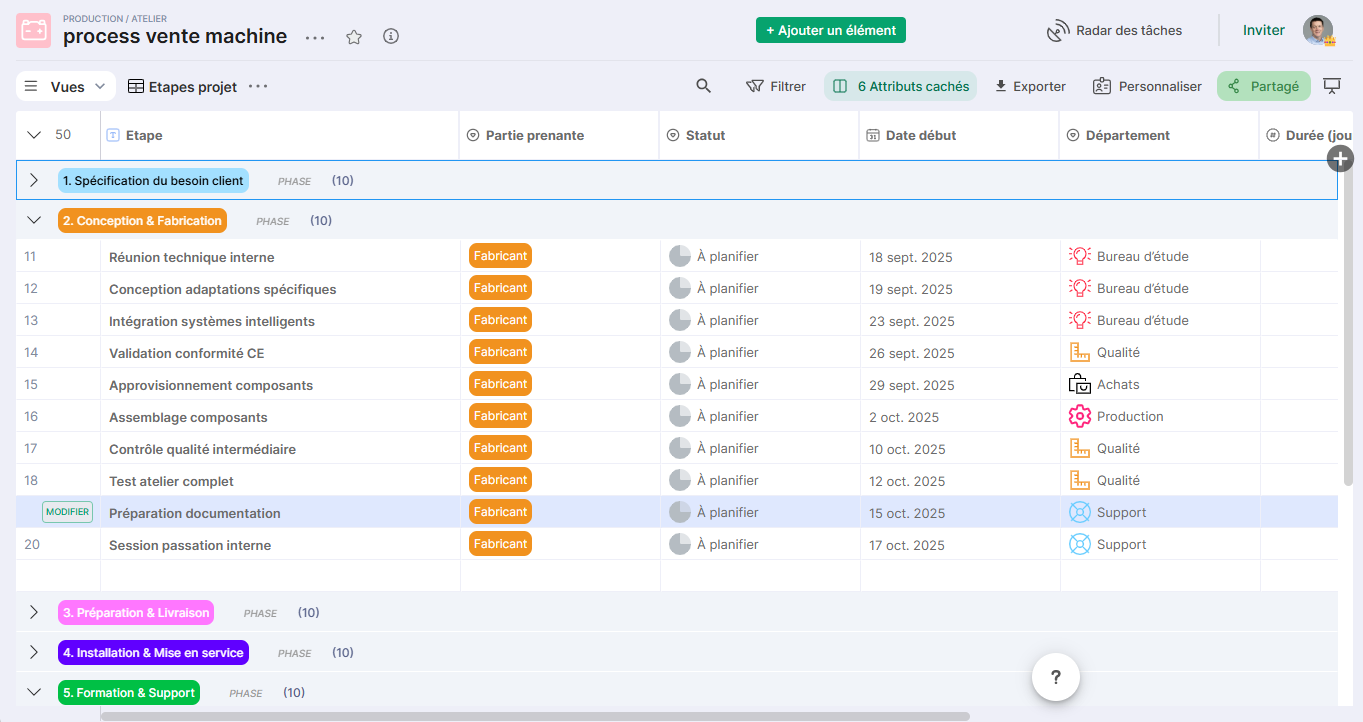
Table view displaying all process steps with their attributes: phase, department, stakeholder, status, dates, and owner.
Reference view for daily operational suivi and project reviews.
Step by Phase
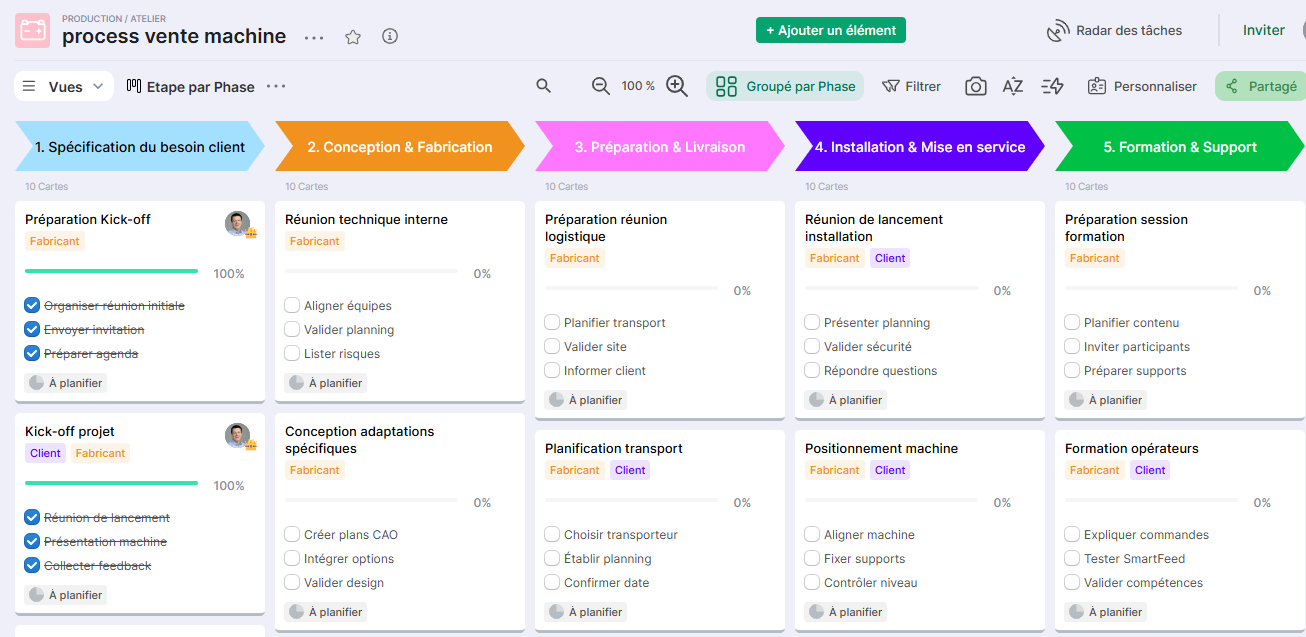
Kanban view grouping steps by phase of the Order-to-Delivery process.
Allows visualization of the overall progress of each phase and quick identification of blocked or delayed steps within a given phase.
Project Schedule
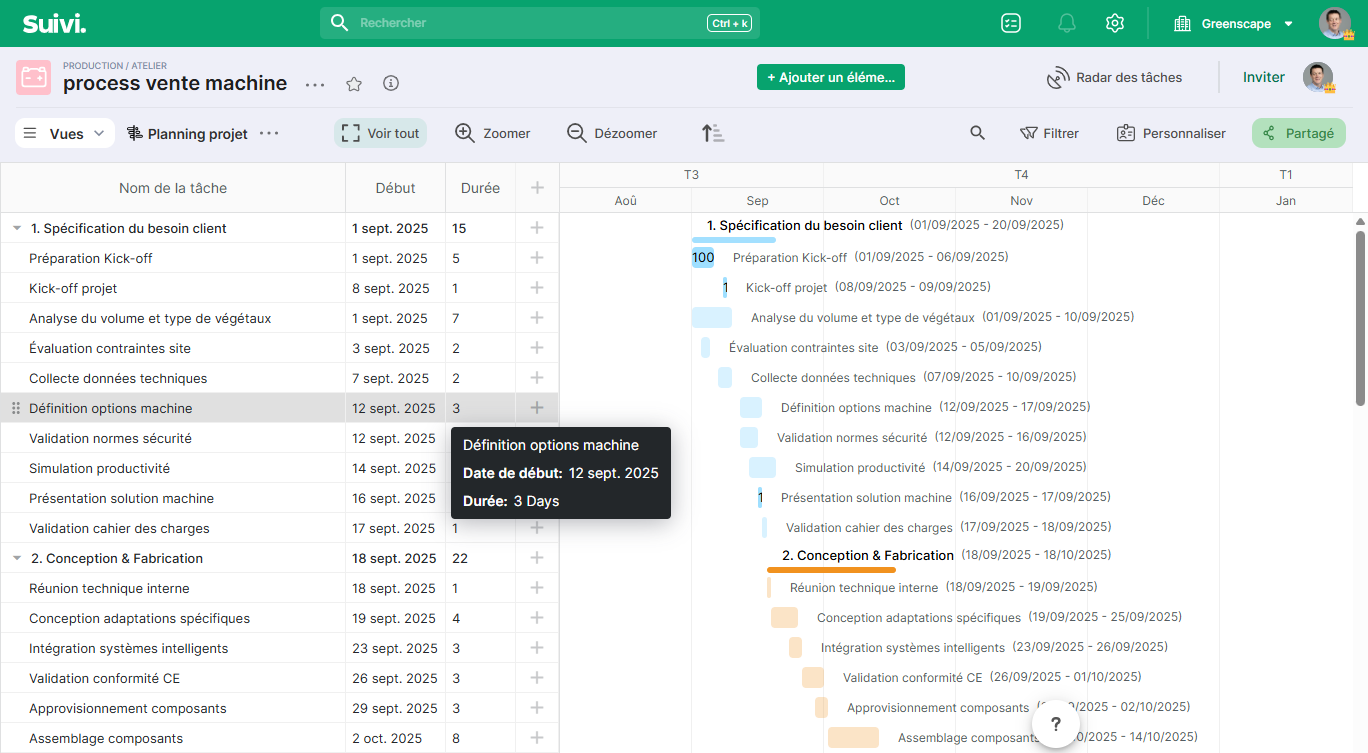
Gantt view displaying the complete sequence of steps as timeline bars, with milestones highlighted.
Ideal for managing the overall project schedule, anticipating dependencies between steps, and communicating the timeline to the customer.
Department Requests
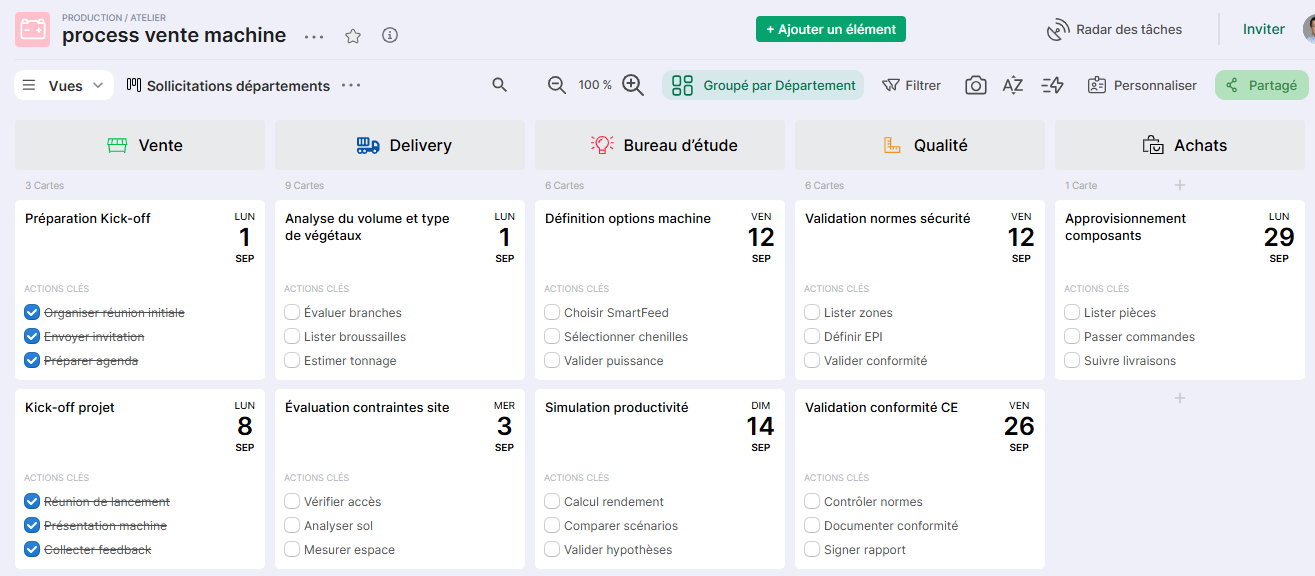
Kanban view grouping stages by department involved.
Allows identifying each team's workload on the project and ensuring that no department is engaged without visibility into their responsibilities.
Conclusion
The Order-to-Delivery Process template provides a structured framework for managing a machine project end-to-end, associating the right department, the right stakeholder, and the right level of visibility with each stage.
It can be duplicated for each new project and adapted according to the machine's complexity, the customer's specific requirements, or the stages specific to your manufacturing process.