Template Objective
The Non-Conformities Suivi template enables a quality team or production manager to centralize all non-conformities detected within the organization, whether they originate from internal sources, suppliers, processes, or customers.
Each non-conformity is documented from the moment it is reported with its characteristics (type, severity, affected product, issuing department), the immediate action taken, the designated resolution owner, and its resolution status.
It provides a structured and traceable register, helps identify recurring defect patterns, and manages the resolution of non-conformities through to closure.
Create a Board from the Template
- In the workspace of your choice, click on "Add a new board".
- Go to the INDUSTRY template category and search for the "Non-Conformities Suivi" template.
- To discover the template's features, start by importing the test data. This will allow you to visualize a concrete example and quickly familiarize yourself with the structure. Once ready, you can switch to a blank template to create your own personalized board.
Board structure
Each row represents a non-conformity reported within the organization.
Template attributes
| Attribute | Type | Description |
|---|---|---|
| ID | Text | Unique identifier for the non-conformity (free or automatic numbering). |
| Declaration date | Date | Date on which the non-conformity was identified and reported. |
| Reporter | User | Person who reported the non-conformity. |
| Issuing department | List | Department that originated the report (Customer Service, Maintenance, Quality Control, Production, Assembly). |
| Origin | List | Source of the non-conformity (Internal, Supplier, Process, Customer). |
| NC Type | List | Nature of the defect identified (e.g., Hydraulic leak, Non-conforming supplier part, Welding defect…). |
| Product / Batch | List | Product or batch number affected by the non-conformity. |
| Severity | List | Criticality level of the non-conformity (Minor, Major, Critical). |
| Description | Text | Detailed description of the defect observed and the detection context. |
| Immediate action | List | Precautionary measure taken without delay (e.g., Batch isolation, Safety measures, Component replacement…). |
| Responsible department | List | Department in charge of handling and resolving the non-conformity. |
| Treatment manager | User | Person designated to lead the resolution of the non-conformity. |
| Status | List | Processing progress status (Open, In progress, Pending, Closed). |
Views included in the template
Data table
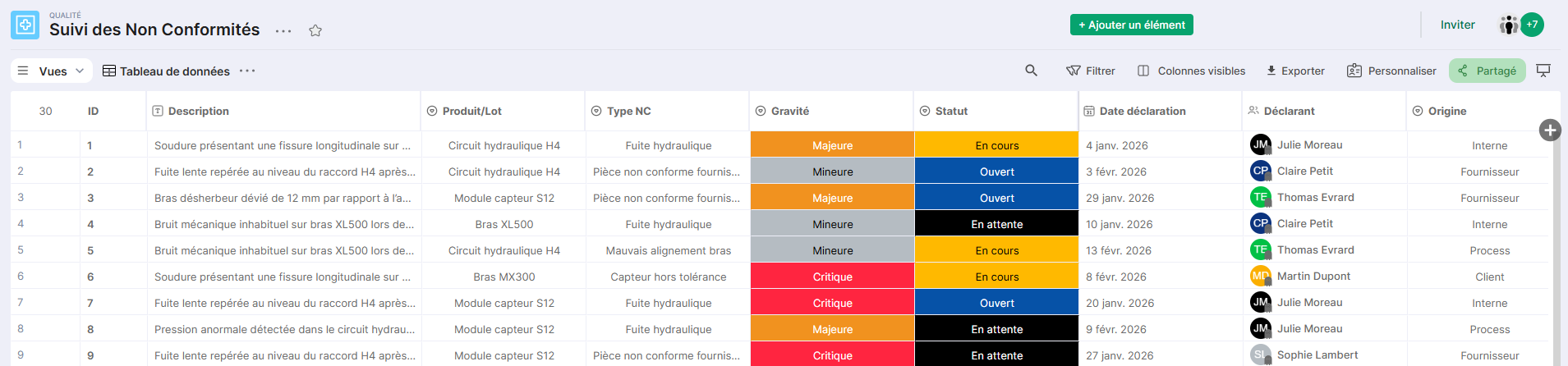
Structured view displaying all non-conformities with their qualification attributes: type, origin, severity, issuing department, product and status.
Ideal for entering new declarations and for daily review of the register.
Dashboard
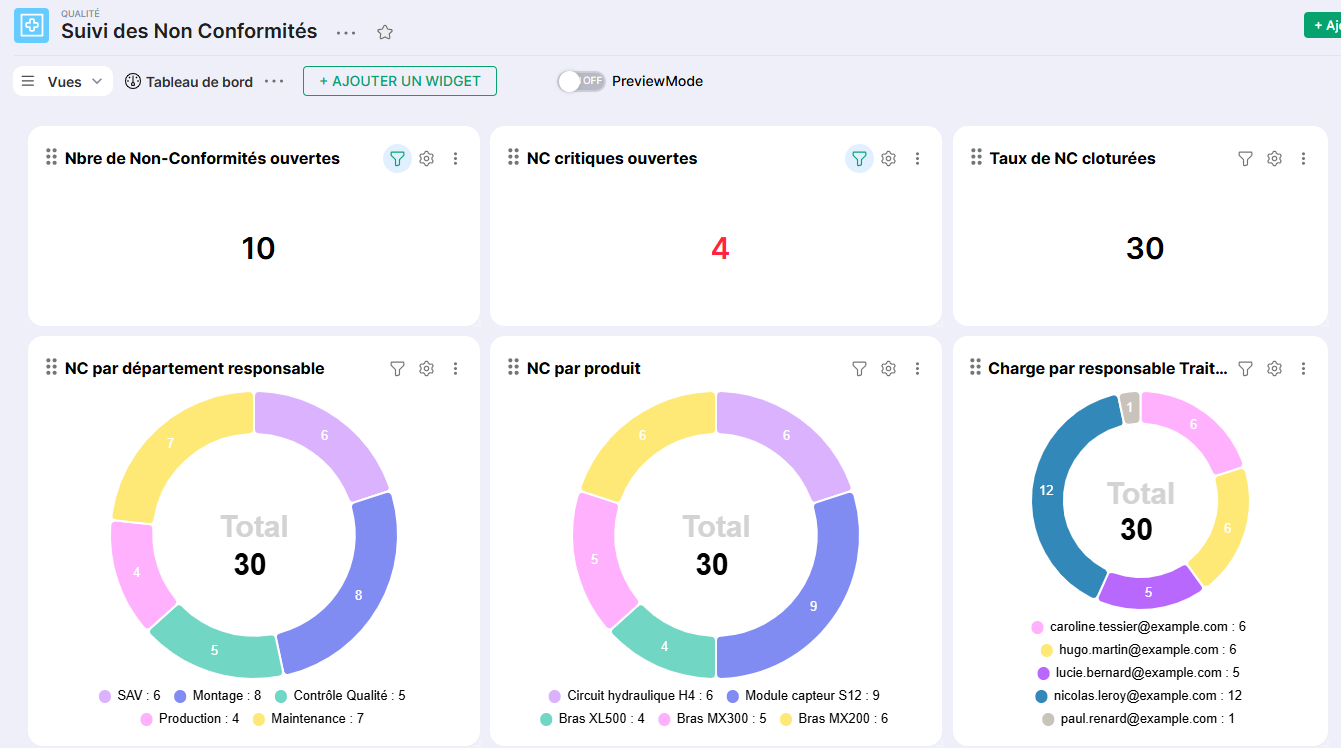
Summary view providing an aggregated overview of non-conformities: breakdown by status, origin, severity and department.
Useful for the quality manager to track trends, identify risk areas and prepare periodic quality reviews.
Non-conformity status
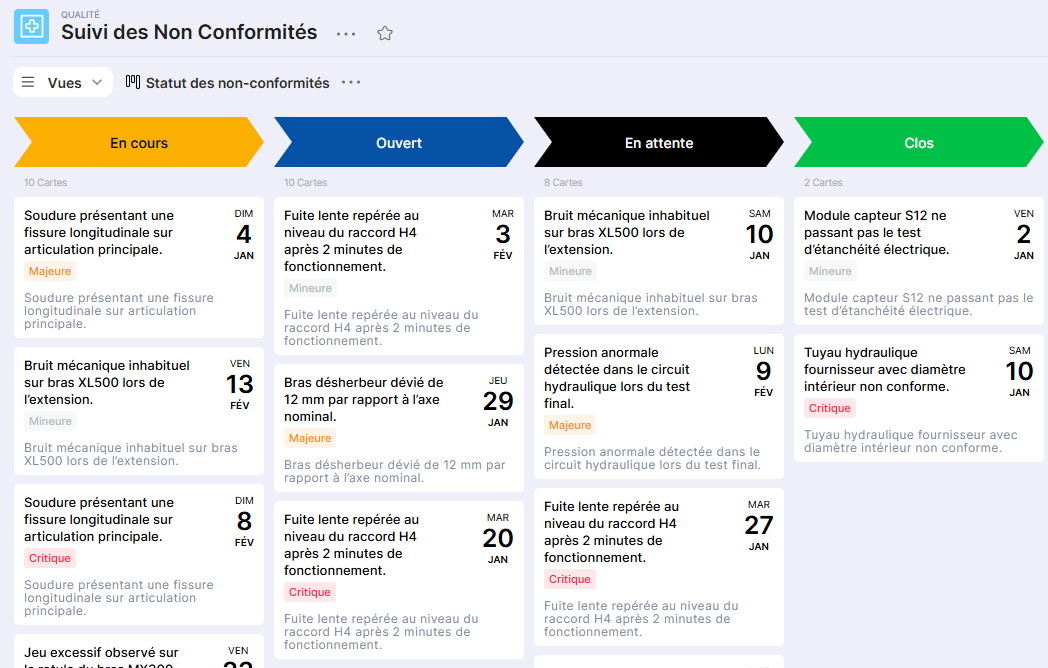
Kanban view grouping non-conformities by processing status (Open, In Progress, Pending, Closed).
Allows you to visualize at a glance non-conformities awaiting action and to move each case forward until closure.
Responsible Departments
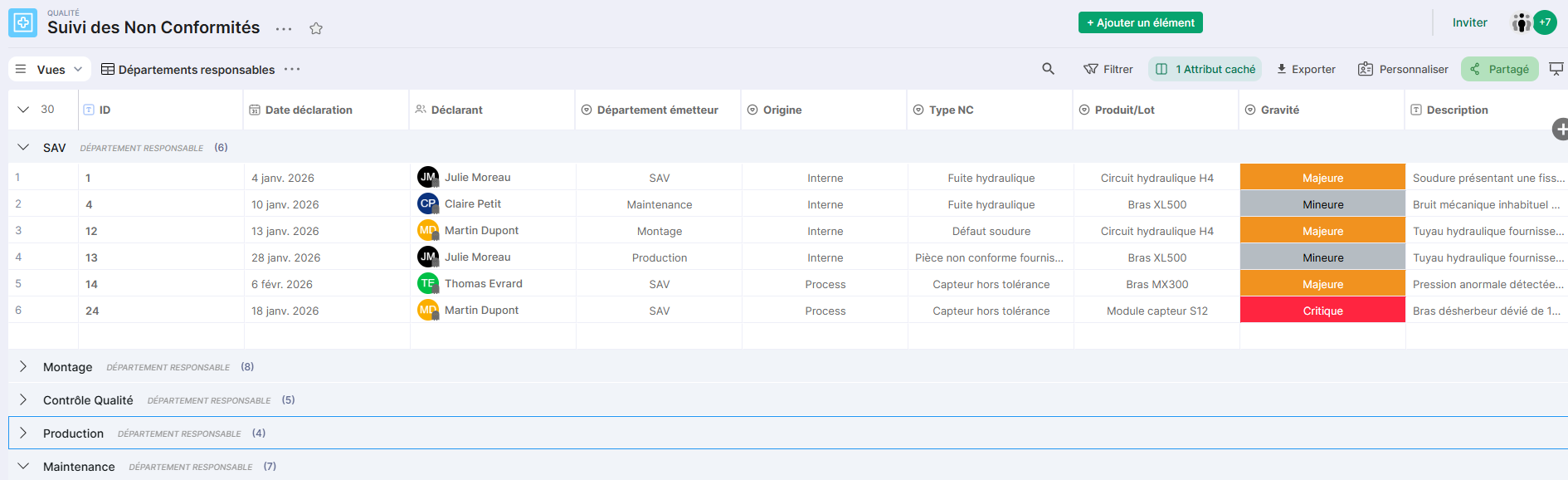
Table view filtered and grouped by department responsible for processing.
Ensures that each open non-conformity has an assigned department and responsible person, and tracks the processing workload by team.
Issuing Departments
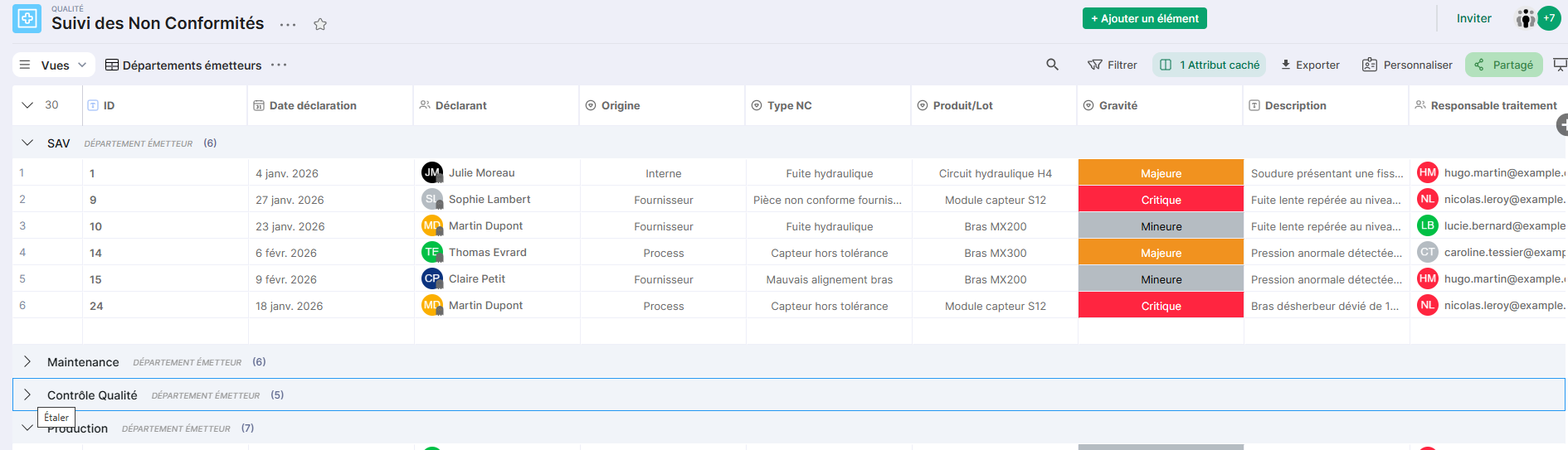
Table view grouped by issuing department.
Facilitates identification of departments generating the most non-conformities and guides prevention and continuous improvement actions.
Critical NCs
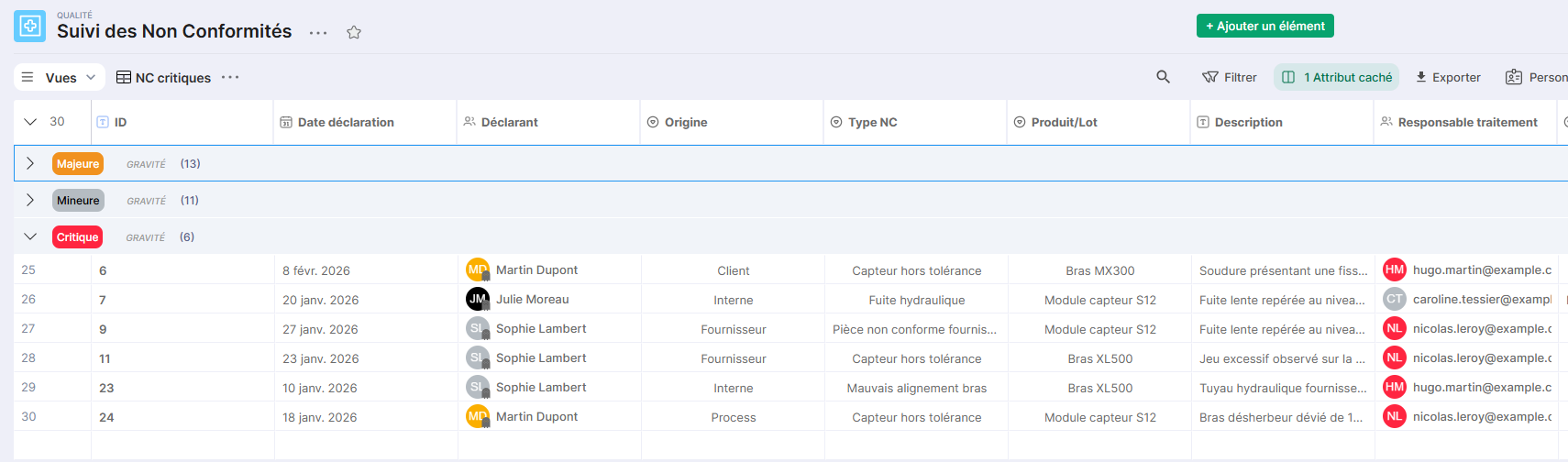
Filtered table view on Critical severity non-conformities.
Allows prioritizing the handling of the most urgent situations and ensuring that no critical NC remains without action taken.
Conclusion
The Suivi Non-Conformities template provides a structured and immediately operational foundation for managing quality defects end-to-end.
It can be used standalone or integrated into a broader quality portal, in addition to a production suivi or case management template, to provide a consolidated view of your organization's quality issues.